

Best Vector Databases for Knowledge Bases (2026)
Most "best vector database" lists compare 20 options on billion-vector benchmarks. A support bot or AI search over your website and docs never gets close to those numbers. It's a small-data problem, and that changes which database makes sense.
I'm Andrew. This post compares 8 vector databases, shows how to pick one by corpus size and ops budget, and covers the step most comparisons skip: getting clean web content in and keeping it fresh.
A quick disclosure: I build a web crawling API, so ingestion is the part I know best. The database picks are independent. I've run pgvector myself on a real crawl. For the other 7, everything comes from official docs and pricing pages, checked on 2026-10-04. No benchmarks here that I didn't run.
TL;DR: Which One to Pick
- Already on Postgres: pgvector
- Zero ops, managed only: Pinecone
- Best balance of free self-hosting and a managed option: Qdrant
- Prototype on a laptop: Chroma
- Hybrid search is the main requirement: Weaviate
- Very large scale (hundreds of millions of vectors and up): Milvus or Zilliz Cloud
- Already running Elasticsearch or OpenSearch for site search: stay there
- Local-first, no server at all: LanceDB
If you have fewer than about 1M chunks, almost any of these will work. Pick on ops burden, filtering and price model. Benchmark charts can wait.
How Big Is a Knowledge Base, Really?
The rough math is pages x chunks per page x bytes per vector, with these assumptions:
- 10 chunks per page. On the high side: my pgvector run got about 4.5 per page (90 chunks from 20 pages).
- 1536 dimensions, the size of OpenAI's text-embedding-3-small.
- About 6 KB per vector. pgvector stores a vector in 4 x dimensions + 8 bytes, so 1536 dims is 6,152 bytes.
These are estimates, and they only cover raw vectors:
| Site size | Chunks (est.) | Raw vectors (est.) |
|---|---|---|
| 500 pages | 5,000 | ~31 MB |
| 5,000 pages | 50,000 | ~308 MB |
| 50,000 pages | 500,000 | ~3.1 GB |
| 500,000 pages | 5,000,000 | ~31 GB |
Text, metadata and index come on top. In my pgvector benchmark, the HNSW index alone was bigger than the raw vectors, so plan for roughly 2-3x.
Even so, a 5,000-page docs site fits in under 1 GB. Most docs sites and help centers are in the first two rows. So "scales to 10 billion vectors" won't help you decide. What helps is a database that's easy to run, filters well and makes updates cheap.
What Actually Matters for a Docs/Website Knowledge Base
These are the things you'll use every day:
- Metadata filtering. By URL, docs section, product version and language. A weak filter implementation returns fewer results than you asked for.
- Upsert and delete by source URL. When a page changes, its old chunks go and new ones come in. Check that you can find every chunk for a URL, by a metadata filter or by chunk IDs built from the URL. I covered the cadence side in how often to re-crawl a website for an AI knowledge base.
- Hybrid search. Pure vector search is weak on exact strings: product names, error codes like ERR_429, function names. Hybrid search (keyword + vector) fixes most of that.
- Ops burden and price model at small scale. A $50/month minimum is a lot for 300 MB of vectors. A self-hosted cluster is a lot of work for a 2-person team.
Recall vs speed matters less at this size. Every database here uses an approximate index (usually HNSW) that trades a little accuracy for speed. The pgvector tutorial has a real HNSW vs IVFFlat benchmark if you want details.
Vector Database Comparison Table
Checked against official pages on 2026-10-04. Prices change, so treat this as a snapshot.
| Database | Type | Hosting | Pricing model | Hybrid search | Best for | Main tradeoff |
|---|---|---|---|---|---|---|
| pgvector | Postgres extension | Any Postgres | Free, you pay for Postgres | Via Postgres full-text search (DIY) | Teams on Postgres | Tuning at big scale is on you |
| Pinecone | Managed | Cloud only | Free Starter; Builder $20/mo; Standard $50/mo min + usage | Yes | Zero ops | Vendor lock-in, usage billing |
| Qdrant | Open source | Self-host or cloud | Free OSS; Cloud free tier, then resource-based | Yes (dense + sparse) | Self-hosting, filters | Another service to run |
| Weaviate | Open source | Self-host or cloud | Free OSS; Cloud free (100k objects); Flex from $45/mo | Yes | Hybrid-heavy search | More concepts to learn |
| Chroma | Open source | Local, self-host or cloud | Free OSS; Cloud $0 + usage; Team $250/mo | Yes | Prototypes, small apps | HA self-hosting is harder |
| Milvus / Zilliz | Open source | Self-host or cloud | Free OSS; Zilliz free (5 GB), then serverless or dedicated | Yes (BM25 + dense) | Very large corpora | Overkill for docs sites |
| Elasticsearch / OpenSearch | Search engine | Self-host or cloud | Elastic Cloud resource- or usage-based; OpenSearch free | Yes, native | Existing search stack | Heavy to run from scratch |
| LanceDB | Embedded library | In your app | Free OSS; Enterprise by contact | Yes | Local apps, CLI tools | Harder to share across servers |
The 8 Best Vector Databases, One by One
1. pgvector (Postgres)
Pick this if your app already runs on Postgres.
This is the only one on the list I've actually run: a real docs crawl in Postgres 17 with pgvector 0.8.7, plus an index benchmark. Full write-up in the pgvector tutorial.
- How it works: a vector column type plus HNSW and IVFFlat indexes, inside your existing Postgres.
- Filtering and upserts: plain SQL. DELETE FROM chunks WHERE url = $1 is your freshness story. Since 0.8.0, iterative index scans fix the "filter returns too few rows" problem.
- Pricing: free. Many hosted Postgres providers support it.
- Where it hurts: indexed vectors are capped at 2,000 dimensions (4,000 with halfvec). At tens of millions of rows, index builds and memory need real planning.
The biggest win: embeddings sit next to users and permissions, with no sync job between two systems.
2. Pinecone
Pick this if you want zero ops and are fine with a cloud-only service.
- How it works: fully managed, serverless indexes. Hosted embedding models (like llama-text-embed-v2) and rerankers are built in.
- Pricing: free Starter (up to 2 GB storage, 2M write units and 1M read units per month), Builder at $20/month flat, Standard at a $50/month minimum, then pay-as-you-go.
- Where it hurts: cloud-only, so you depend on one vendor. Usage-based billing is harder to predict than a fixed server.
pgvector vs Pinecone mostly comes down to this: Pinecone removes ops work, pgvector removes a second system.
3. Qdrant
Pick this if you want a dedicated vector database you can self-host for free, with a managed option later.
- How it works: written in Rust, runs as one Docker container, Apache 2.0 licensed.
- Filtering: payload (metadata) filtering is a core feature. Good fit for URL, section and version filters.
- Hybrid search: dense + sparse vectors through the Query API, available since v1.10.
- Pricing: Qdrant Cloud has a free tier (0.5 vCPU, 1 GB RAM, 4 GB disk). Paid tiers bill by vCPU, memory and storage per hour.
It's the safest pick among Pinecone alternatives: the same thing runs locally, self-hosted and managed.
4. Weaviate

Pick this if hybrid search is your main requirement.
- How it works: open source, self-host or Weaviate Cloud. Hybrid search and multi-tenancy are on every plan, including free.
- Pricing: free Cloud tier with 100,000 objects, 1 GB memory and 10 GB disk. Flex starts at $45/month, pay-as-you-go.
- Where it hurts: more concepts to learn (modules, vectorizers) than Qdrant or Chroma. That's my read from the docs, I haven't run it in production. Also, 100,000 objects is about a 10,000-page site at my estimate.
5. Chroma
Pick this if you're prototyping and want the simplest API.
- How it works: open source (Apache 2.0). Runs in-process, self-hosted or as Chroma Cloud.
- Features: dense, sparse and hybrid search, full-text and regex search, metadata filtering.
- Pricing: Cloud Starter is $0/month plus usage ($5 free credits; writes $2.50/GiB). Team is $250/month plus usage.
- Where it stops: fine for a small production app. For self-hosting with high availability, I'd look at Qdrant or Chroma Cloud.
6. Milvus / Zilliz Cloud
Pick this if you really have hundreds of millions of vectors.
- How it works: open source (Apache 2.0). Runs as Milvus Lite (Python library), Standalone (one Docker image) or Distributed on Kubernetes. Zilliz Cloud is the managed version.
- Hybrid search: BM25 full-text plus dense vectors in one collection.
- Pricing: Zilliz has a free tier with 5 GB of storage, serverless from $0/month plus usage, and dedicated Enterprise clusters from $197/month.
- Where it hurts: Distributed Milvus is a real Kubernetes project. That's a lot of machinery for 300 MB of vectors.
7. Elasticsearch / OpenSearch
Pick this if you already run one of them for site search.
- How it works: both store vectors next to your existing text index (dense_vector in Elasticsearch, knn_vector in OpenSearch).
- Hybrid search: their strongest point. Both fuse keyword and vector results natively.
- Pricing: Elastic Cloud is resource-based (hosted) or usage-based (serverless). OpenSearch is free open source.
- Where it hurts: the heaviest option here to run from scratch.
8. LanceDB
Pick this if you want vector search inside your app with no server.
- How it works: an embedded, open source library (Apache 2.0) with Python, TypeScript and Rust SDKs. Data lives in files, locally or on object storage.
- Features: vector search, full-text search, hybrid search and reranking.
- Pricing: the OSS library is free. Enterprise is sales-led, with no public price list I could find.
- Where it hurts: with no server, sharing one index across app instances takes more work. Great for CLI tools, desktop apps and local agent memory.
Pick by Use Case
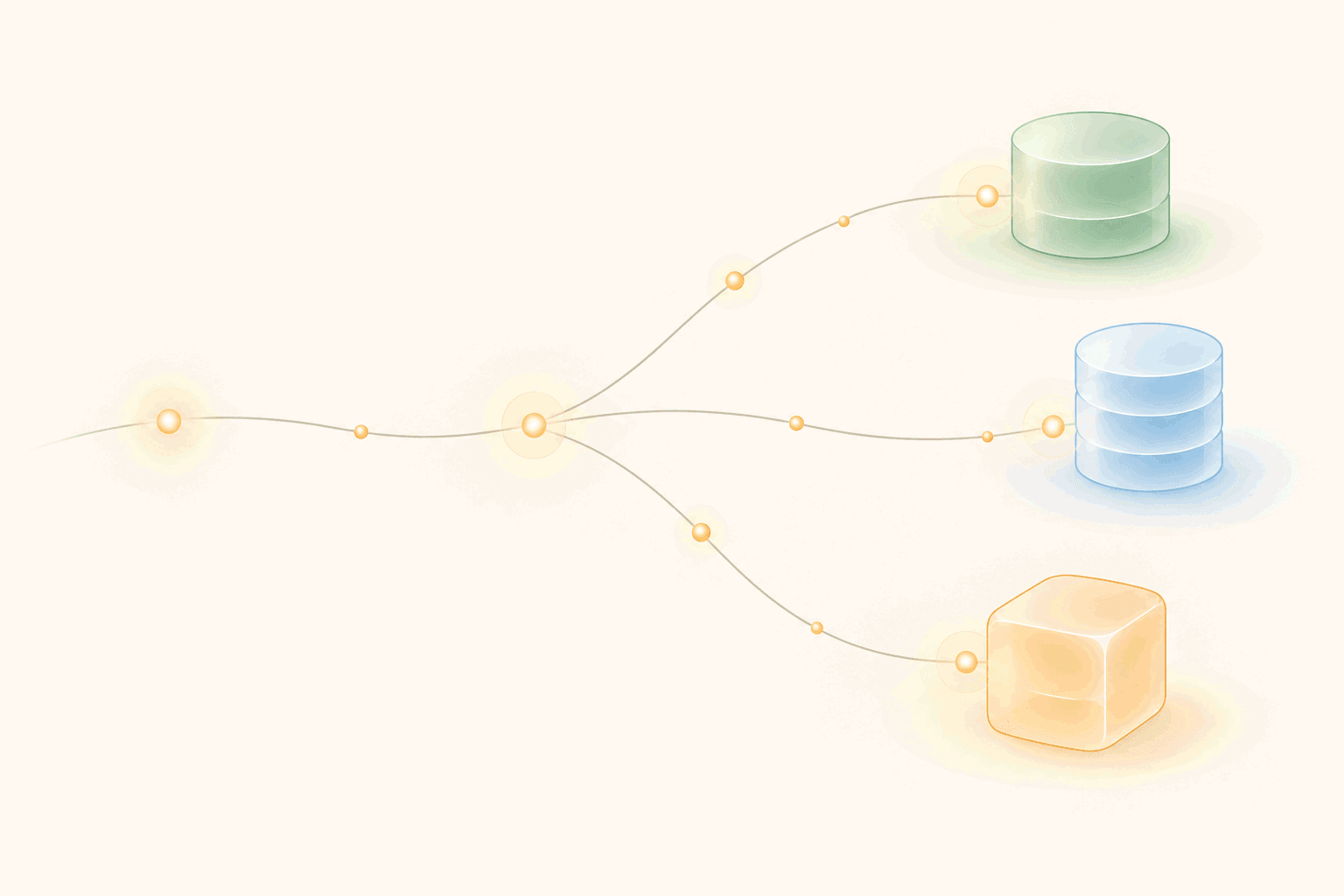
- Support bot over your docs: pgvector on Postgres, otherwise Qdrant or Pinecone. Add hybrid search early, since users paste error codes.
- In-product help search: your app database. With Postgres, pgvector keeps permissions and content in one query.
- Internal wiki search: Qdrant or Weaviate self-hosted, if the data can't leave your network.
- Multi-tenant SaaS: start with one index and a tenant_id filter. Go to one index per customer only when tenants are big or need hard isolation.
- Agent memory: LanceDB or Chroma for local agents, pgvector for server-side ones.
On knowledge graph vs vector database: start with vectors. Add a graph only when relationships are the question, like "which features depend on this API?"
The Part Other Comparisons Skip: Getting Web Content In
Every vector database returns garbage if you put garbage in. Raw HTML brings menus, cookie banners and footers. They get embedded and show up as top matches for unrelated questions.
So the input should be clean markdown, one file per page. To build that part yourself, see how to convert HTML to clean markdown in JavaScript.
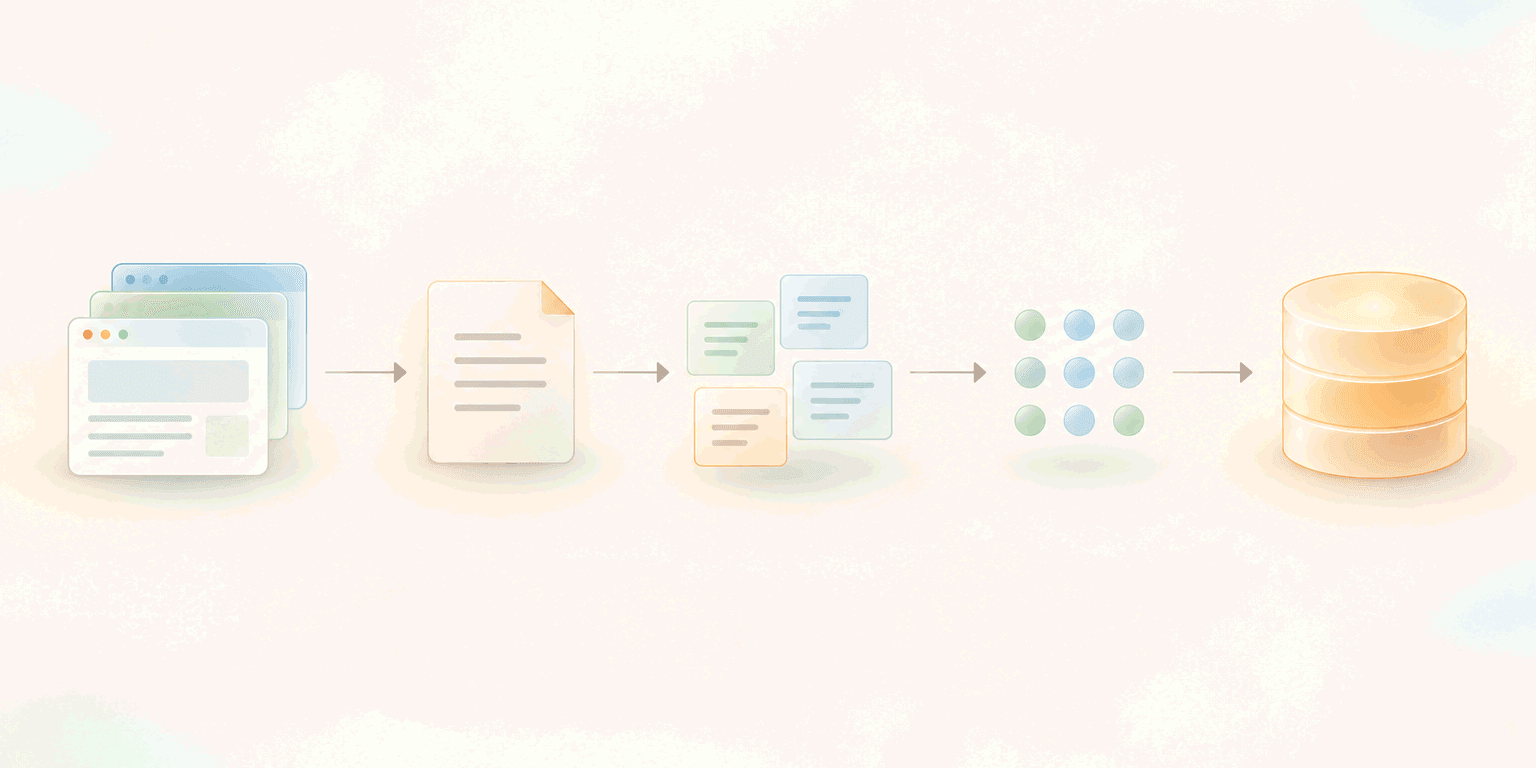
The pipeline looks the same for every database above:
- Crawl the site and get clean markdown per page.
- Chunk each page into a few hundred words (more in chunking strategies for knowledge base content).
- Embed each chunk.
- Upsert into the vector store with the source URL as metadata.
This is where WebCrawlerAPI fits: it crawls a site and returns markdown per page, so the scraper, JavaScript rendering and retries aren't your problem. Here's the crawl step with the JS SDK. The vector store part is a placeholder, since it differs per database:
// Node 18+ (ES modules). Install: npm i webcrawlerapi-js
import webcrawlerapi from "webcrawlerapi-js";

const client = new webcrawlerapi.WebcrawlerClient(process.env.WEBCRAWLERAPI_KEY);

// Placeholder: chunk the markdown, embed the chunks, then
// delete the old chunks for this URL and insert the new ones.
async function embedAndUpsert(url, markdown) {
  // your vector store code goes here
}

// Crawl the docs and wait for the job to finish
const result = await client.crawl({
  url: "https://docs.example.com/",
  output_formats: ["markdown"],
  items_limit: 500,
  // stay inside the docs, skip the marketing site
  whitelist_regexp: "^https://docs\\.example\\.com/.*",
});

for (const item of result.job_items) {
  const markdown = await item.getContent(); // markdown for this page
  if (!markdown) continue; // failed or empty page, skip it

  await embedAndUpsert(item.original_url, markdown);
}
For bigger sites, crawlAsync plus webhook_url avoids waiting on a long job. See the JS SDK docs.
Freshness is the second half. A stale chunk gives an old answer with full confidence. The pattern:
- Re-crawl on a schedule.
- Hash each page's markdown and compare it with the hash you stored last time.
- For changed pages only, delete the old chunks by URL, then upsert new ones.
- For pages that disappeared, delete their chunks.
In my pgvector run, 19 of 20 pages were skipped on re-crawl because their hash hadn't changed. On a big site, that's re-embedding 200 pages a day instead of all of them.
Cost and Migration Notes
A 5,000-page site is about 50,000 chunks and ~308 MB of raw vectors (estimate above). On paper, that fits several free tiers as of 2026-10-04:
- Pinecone Starter: up to 2 GB storage.
- Weaviate Cloud Free: 100,000 objects.
- Zilliz Free: 5 GB storage.
- Qdrant Cloud Free: 1 GB RAM, 4 GB disk. Tight with the index in memory, so test it.
- pgvector: whatever your Postgres already costs, plus some disk.
I didn't load 50,000 chunks into each service. Free tiers also limit regions, read units and support, so check your query volume before relying on one.
On lock-in: keep your source markdown and content hashes, next to the vectors or in object storage. Then switching vector databases (or embedding models) means re-upserting from files, with no re-crawl.
FAQ
Do I need a vector database for a knowledge base?
Not always. Under a few thousand chunks, you can keep embeddings in memory and compare them in a loop, or use a library like FAISS. A database pays off once you need filters, live updates, or several app instances sharing one index.
pgvector vs Pinecone: which one?
Already on Postgres: pgvector, for one database, SQL filters and transactions. Don't want to run any database: Pinecone. At knowledge base sizes both perform fine.
What is the best open source vector database?
For a knowledge base, Qdrant: one container, strong filtering, hybrid search and a managed option. pgvector if you count Postgres extensions. Milvus only at very large scale.
Vector database vs relational database: what is the difference?
A relational database finds rows by exact values: WHERE status = 'active'. A vector database finds rows by similarity: "chunks closest in meaning to this question." pgvector, a Postgres vector database extension, does both.
How much does a vector database cost?
For a typical docs knowledge base, often nothing: a free tier or your existing Postgres. Paid managed plans start around $20-50/month (Pinecone Builder $20, Weaviate Flex from $45, Pinecone Standard $50 minimum), as of 2026-10-04.
How do I keep a vector database up to date?
Re-crawl on a schedule, hash each page, and re-embed only changed pages. Delete old chunks by URL before inserting new ones.
Conclusion
The best vector database for a docs knowledge base is usually the one that adds the least work to your stack:
- On Postgres? pgvector.
- Want no ops? Pinecone.
- Want to self-host a dedicated database? Qdrant.
What usually breaks a knowledge base is dirty input and stale pages. Spend your time there: clean markdown in, hashes for change detection, delete by URL on update.
To try it end to end, start with the WebCrawlerAPI getting started guide to crawl your docs into markdown. Then follow the pgvector tutorial to build the search on top. And if you're still choosing a crawler, I compared the options in best web crawler API.
