LanceDB Tutorial: Store a Website Knowledge Base in Files
This LanceDB tutorial goes from a file of embedded website chunks to a table that is a folder, and then puts that same table in a bucket. I ran every command on November 6, 2026, with lancedb 0.41.0 in a Docker container. The output below is real.
Chroma and Qdrant ran as servers. LanceDB is a folder, so the questions change: what is in the folder, can it live in a bucket, and what happens with two writers. If you do not have chunks yet, Crawl your own site below builds them from the crawl API.
Two limits. The bucket was RustFS 1.0.4, a local S3-compatible server in Docker, not AWS S3, and I did not test AWS. I wanted MinIO, but its Docker Hub images could not be pulled (details in the S3 section). I also did not run LanceDB Cloud, because I could not get an account.
The input is 304 chunks from the WebCrawlerAPI docs, embedded with Ollama nomic-embed-text (768 dimensions). This is the store step of the website to markdown knowledge base guide, and the vector database comparison explains where LanceDB fits among the others. My use case is a support bot or in-product search over docs, where the knowledge base should be something you can copy, version or ship with an app. I do not cover LanceDB Enterprise, the Rust and JavaScript clients or the multimodal features.

What LanceDB is
LanceDB is an embedded vector database: a library that runs inside your Python process and stores a table in a directory. Its GitHub page lists it as Apache-2.0 and says the data can live on local disk or in object storage. The open source version has no server and no dashboard.
Lance is the format underneath. The Lance README (read November 6, 2026) calls it an open lakehouse format for multimodal AI, with a file format, a table format and a catalog spec. In practice one LanceDB table is a folder called docs.lance, as the listings below show.
Crawl your own site
The chunks in this post came from a crawl of the WebCrawlerAPI docs. I did not re-crawl for this post. I reused the file from the Chroma tutorial (304 rows, sha256 7c62db92...e145), so the numbers compare directly. That file came from an earlier 52-page crawl. A rebuild on November 5, 2026 gave 50 pages and 304 chunks in 59.7 seconds.
To get the same input for your site, register on the dashboard and create an API key at dash.webcrawlerapi.com/access. Then run build_chunks.py. It sends POST https://api.webcrawlerapi.com/v1/crawl, polls GET /v1/job/<id> until the job is done, downloads each item's markdown, splits it by headers, embeds the chunks with Ollama nomic-embed-text and writes chunks.jsonl with the fields id, url, heading, text, embedding, model and dim.
ollama pull nomic-embed-text
WEBCRAWLERAPI_API_KEY=YOUR_API_KEY python build_chunks.py https://webcrawlerapi.com/docs \
  --items-limit 50 --whitelist 'https://webcrawlerapi\.com/docs.*'
The request body is url, items_limit, output_formats: ["markdown"], respect_robots_txt: true and the whitelist regexp. Options are in the crawl endpoint docs and pricing is on the crawl API page.
Run LanceDB in Docker
There is no server to start. The Docker part is a small Python image with lancedb installed, plus a bind mount so the table files show up on the host.
FROM python:3.11-slim
ENV PYTHONDONTWRITEBYTECODE=1 PYTHONUNBUFFERED=1
WORKDIR /work
COPY requirements.txt .
RUN pip install --no-cache-dir -r requirements.txt && pip freeze > /pip-freeze.txt
requirements.txt pins lancedb==0.41.0 (the newest release on PyPI that day, uploaded October 29, 2026) and requests. The wrapper run.sh runs any script from the folder inside that image:
docker build -t kb-lancedb:0.41.0 .
export DATA_DIR=/path/to/folder/with/chunks.jsonl
./run.sh version_check.py
run.sh passes --user "$(id -u):$(id -g)" so the files on the host belong to me and not to root, and --add-host host.docker.internal:host-gateway so the container reaches Ollama on the Mac at host.docker.internal:11434. That worked. I did not test running as root.
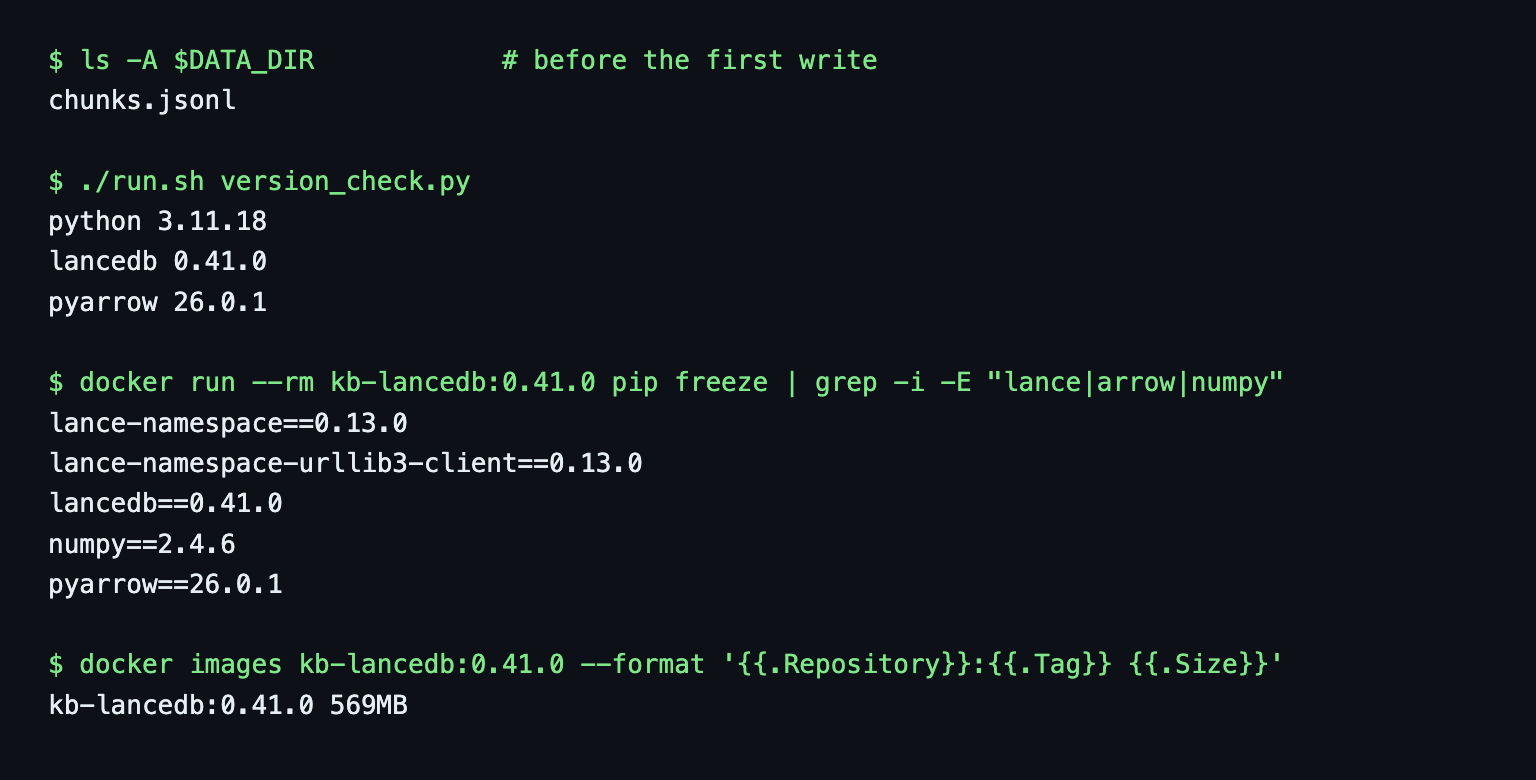
The image is 569 MB, mostly pyarrow and numpy. Before the first write the data folder held only chunks.jsonl.
Create a local LanceDB table from chunks.jsonl
The whole load is one call. Each row needs the text, the metadata and a vector column:
import lancedb

db = lancedb.connect("/data/kb")
table = db.create_table("docs", data=records, mode="overwrite")
print(table.count_rows())
records has id, url, heading, section, text and vector per chunk. section is the second URL path segment (/docs/api/crawl gives api), the same rule as in the Chroma post, so 19 sections come out again. load.py does this and prints the schema. LanceDB inferred vector: fixed_size_list<item: float>[768] from the lists of floats, and the table loaded in 0.03 seconds with count: 304.
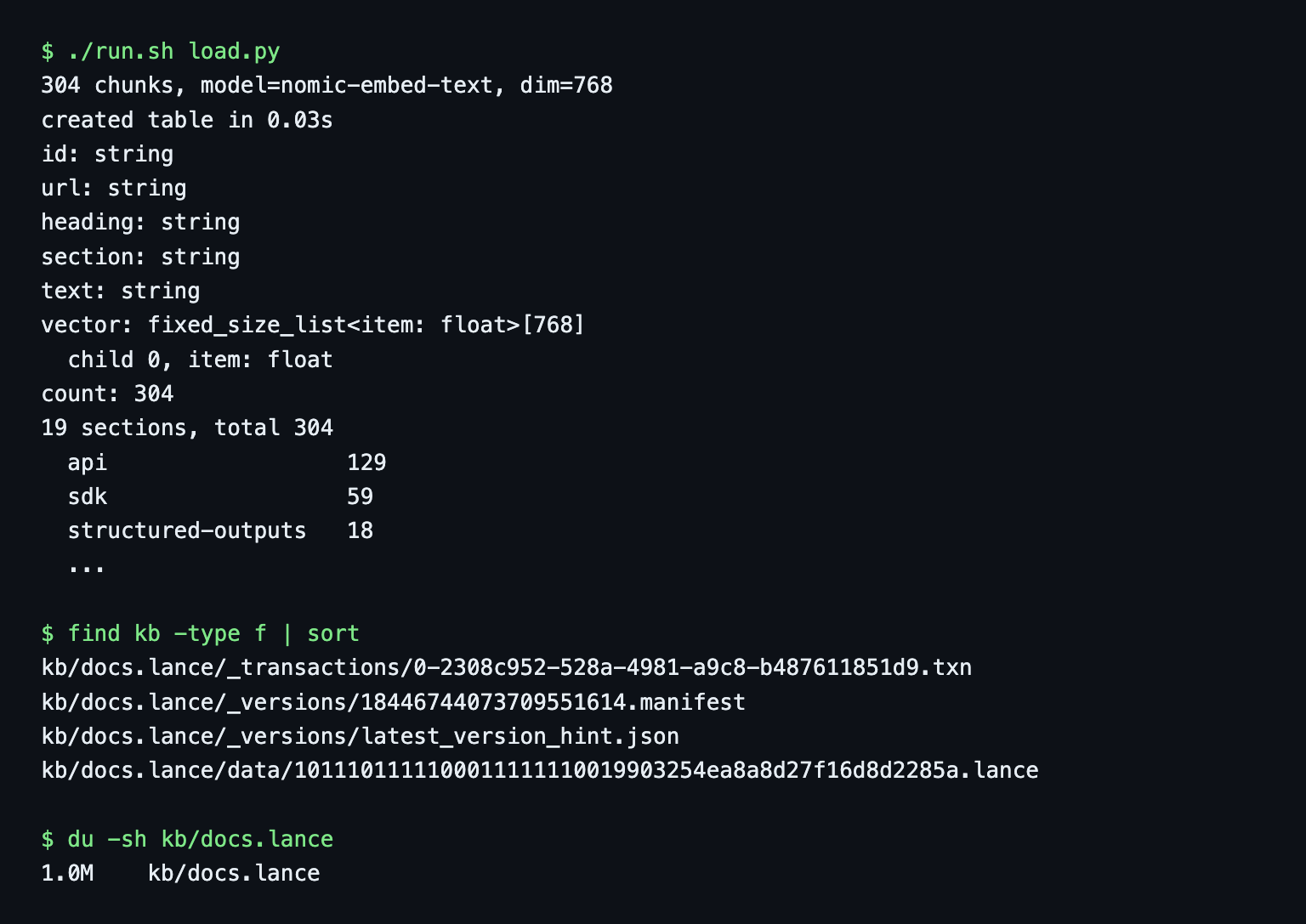
The table is a directory. Right after the load it holds 4 files and 1.0 MB: one data file, one version manifest, one transaction file and a latest_version_hint.json. My Chroma volume for the same chunks was 3.4 MB, but those are different systems with different index formats, so I do not read that as a benchmark.
Do you need a vector index at 304 rows?
No. I built an IVF_PQ index on a scratch copy with table.create_index("vector", config=IvfPq(distance_type="cosine")) and it took 0.07 seconds. The plan used it (ANNSubIndex) and the answers changed: the top-5 lists for the 6 test questions shared 20 of 30 entries before and after, and one expected page moved from rank 2 to rank 3. At this size I skip the index. The other results in this post come from an unindexed vector column.
Vector search and metadata filters
Embed the question with the search_query: prefix that nomic-embed-text expects, then search:
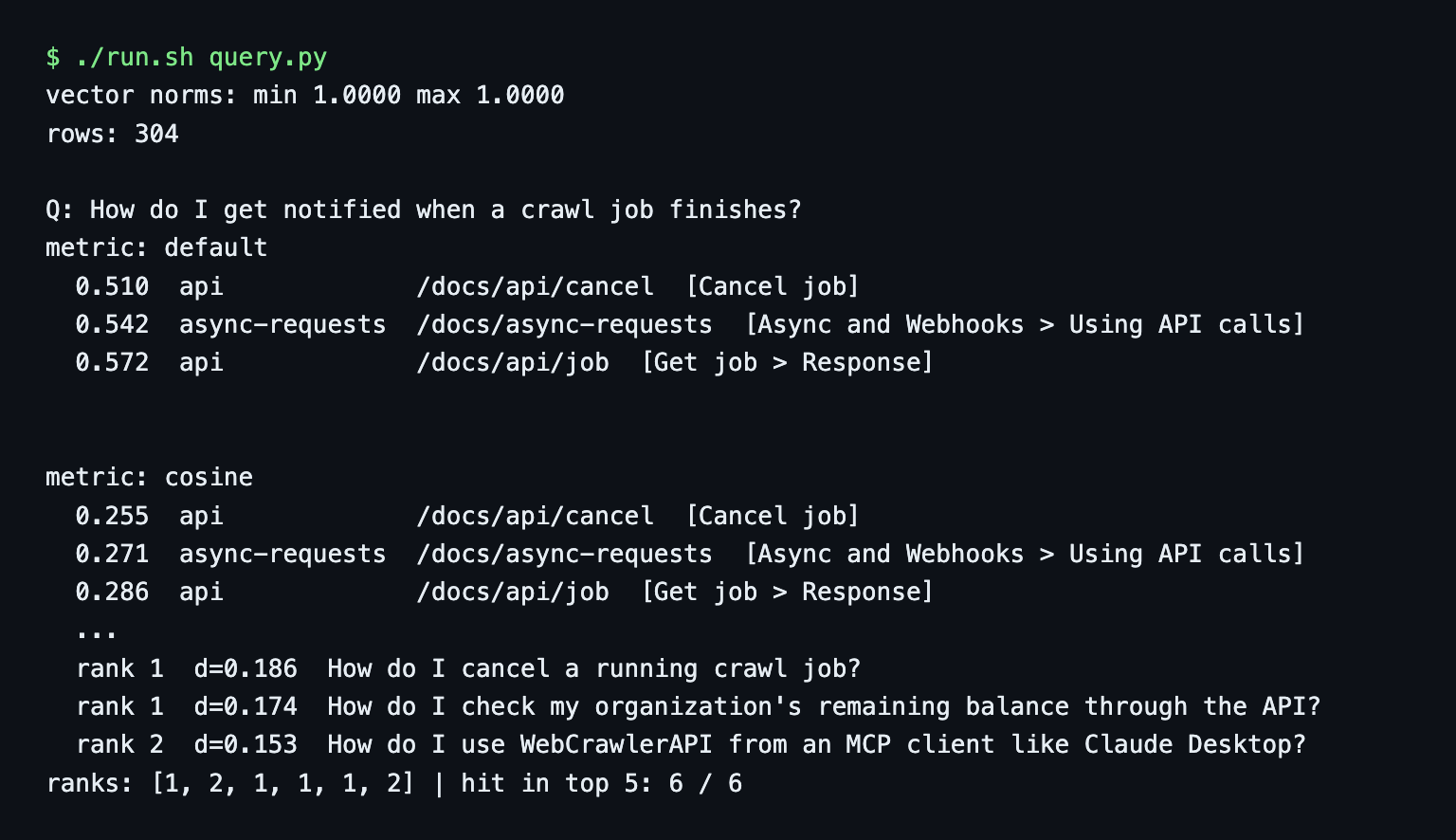
res = (table.search(vec).distance_type("cosine").limit(5)
       .select(["url", "heading", "section", "_distance"]).to_list())
The default metric matters. The vectors have unit length (min and max norm both 1.0000), and the default distance for one question gave 0.510 where distance_type("cosine") gave 0.255. The default looks like squared L2, which is twice the cosine distance for unit vectors. The ranking is the same. I set cosine explicitly so the numbers match Chroma and Qdrant.
The 6-question smoke test (the expected page must be in the top 5, not a benchmark) found all 6, at ranks 1, 2, 1, 1, 1, 2. That equals the numpy baseline and the first Chroma run.
Filter by metadata
.where() takes a SQL-style string:
res = (table.search(vec).distance_type("cosine").limit(5)
       .where("section = 'sdk'").select(["url", "section", "_distance"]).to_list())
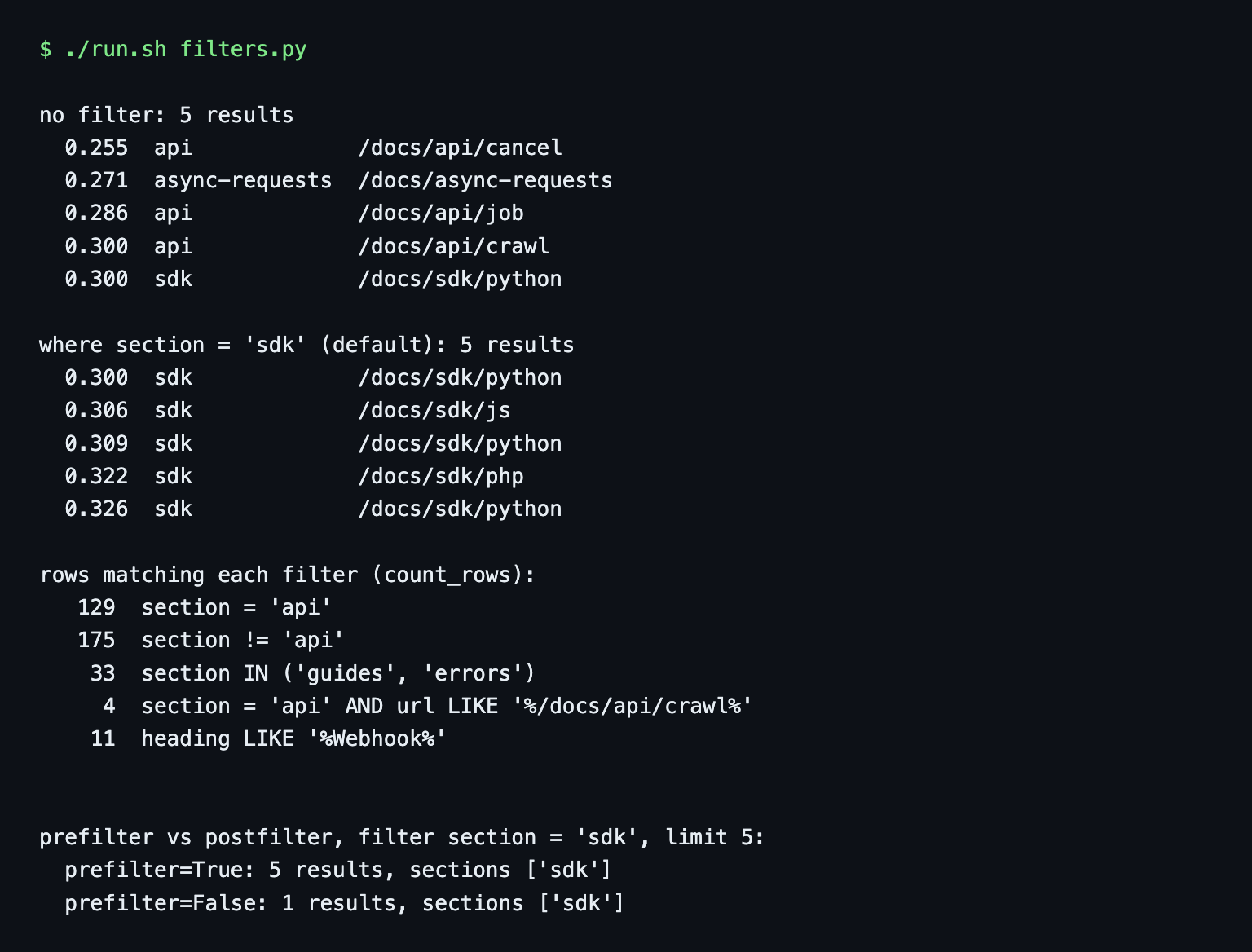
Without any other argument this returned 5 results, all with section = 'sdk', so the default is to filter before the vector search (prefilter). Counts on the whole table: section = 'api' 129 rows, section != 'api' 175, section IN ('guides', 'errors') 33.
I also tried prefilter=False, which filters after the nearest neighbours are picked. The same query returned 1 result instead of 5, because only one of the global top 5 was an SDK page.
Full-text and hybrid search in LanceDB
Docs sites are full of exact strings, such as parameter names and status codes, that embeddings blur. LanceDB has full-text search in the same query builder. In 0.41.0 the form I used (from the LanceDB docs, read November 6, 2026) is:
from lancedb.index import FTS

table.create_index("text", config=FTS())
table.search("429", query_type="fts", fts_columns="text").limit(3).to_list()
No extra package was needed. My image has no tantivy.
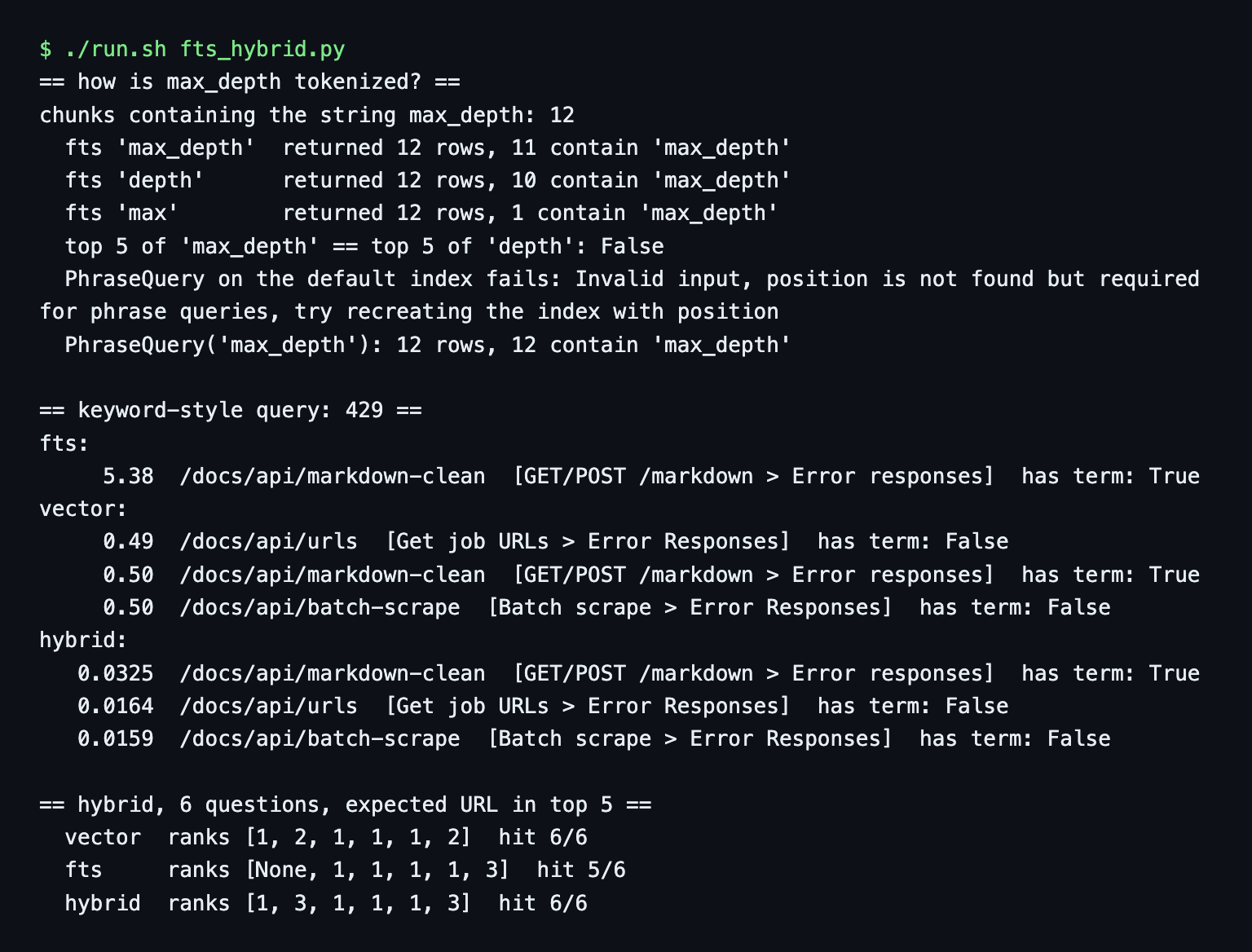
Tokenization. max_depth, a crawl parameter, is not one token. Twelve chunks contain the string. A query for max_depth returned 12 rows, 11 with the string. depth returned 12 rows, 10 with it, and max returned 12 rows, 1 with the full string. The default tokenizer splits on the underscore. A PhraseQuery("max_depth", "text") failed on the default index with position is not found but required for phrase queries, try recreating the index with position. After recreating it with FTS(with_position=True) it returned 12 rows, all containing the string.
An exact term. The number 429 appears in exactly one chunk, the error responses of the markdown endpoint. Full-text search returned only that chunk, score 5.38. Vector search returned three error-response pages at distances 0.49, 0.50 and 0.50, with the right one second. That is not a failure for vector search, but the margin is thin.
Hybrid. Hybrid search needs the FTS index first. I used the explicit vector and text form:
from lancedb.rerankers import RRFReranker

res = (table.search(query_type="hybrid", vector_column_name="vector", fts_columns="text")
       .vector(vec).text("429").rerank(RRFReranker()).limit(3).to_list())
RRF (reciprocal rank fusion) is the default reranker, and I used it untuned. For 429 the right chunk came first with a fused score of 0.0325 against 0.0164 for the second. These scores are rank-based, so I do not compare them across queries.
Over the 6 questions, vector search found the expected page at ranks 1, 2, 1, 1, 1, 2. Full-text search alone missed the first question (5 of 6 hits). Hybrid got ranks 1, 3, 1, 1, 1, 3, so 6 of 6, but two ranks are worse than vector alone. Six questions do not show that hybrid is better. It catches exact terms and costs a little rank on natural-language questions here. The same idea in a server database is in the Weaviate hybrid search tutorial.
Upsert, re-ingest and delete by URL
Upsert by chunk id with merge_insert:
(table.merge_insert("id")
      .when_matched_update_all()
      .when_not_matched_insert_all()
      .execute(rows))
It returns a MergeResult. Upserting the same 304 chunks again reported num_updated_rows=304, so LanceDB does not skip unchanged rows. The count stayed 304. Changing one chunk's text updated 1 row.
The shrinking page. /docs/api/feed/feed-create has 5 chunks. I pretended a re-crawl returned only 3. A plain upsert left all 5 rows, 2 of them stale. Adding when_not_matched_by_source_delete with a filter on that page's URL removed them:
(table.merge_insert("id")
      .when_matched_update_all()
      .when_not_matched_insert_all()
      .when_not_matched_by_source_delete("url = 'https://webcrawlerapi.com/docs/api/feed/feed-create'")
      .execute(new_chunks))
The result was num_updated_rows=3, num_deleted_rows=2 and 302 rows in the table.
The filter is not optional. On a scratch copy I ran the same call with the 3 chunks and no filter. It reported num_deleted_rows=301 and left 3 of 304 rows. Without a filter, everything not in the incoming batch counts as gone. Re-crawl one page and scope the delete to that page's URL. The freshness posts explain how often to re-crawl and how to sync changed pages.
Versions and disk size
Every write creates a table version. After the steps above and 5 more small upserts, list_versions() showed 10 versions, and the table folder held 39 files and 2,169 KiB for content that fit in 1.0 MB. Then:
from datetime import timedelta
table.optimize(cleanup_older_than=timedelta(0))
That left 1 version, 4 files and 1,043 KiB. LanceDB printed a warning that this removes every version but the latest and breaks concurrent readers. The default cleanup_older_than is 7 days (docs, read November 6, 2026), so without it old versions stay a week. Keep a longer window if you want time travel or other processes read the table.
Put the same LanceDB table on S3-compatible storage
I wanted MinIO. On November 6, 2026, docker pull minio/minio:latest failed with pull access denied for minio/minio, repository does not exist or may require 'docker login', minio/mc failed the same way, and quay.io/minio/minio:latest returned unauthorized. The minio/minio GitHub repo shows as archived by its owner on April 25, 2026. I did not look further into why.
So I used RustFS, an S3-compatible object store with a web console. Its README (read November 6, 2026) says Apache-2.0. I pinned rustfs/rustfs:1.0.4, bound to 127.0.0.1, with a throwaway user and a random password. This proves the s3:// code path and the storage_options. It does not show AWS latency, pricing or any AWS-specific behavior, and I make no claim about them.
docker network create kb-s3net
docker volume create kb-rustfs-data
docker run -d --name kb-rustfs --network kb-s3net \
  -p 127.0.0.1:9000:9000 -p 127.0.0.1:9001:9001 \
  -v kb-rustfs-data:/data \
  -e RUSTFS_ACCESS_KEY="$S3_ACCESS_KEY" -e RUSTFS_SECRET_KEY="$S3_SECRET_KEY" \
  rustfs/rustfs:1.0.4
s3_up.sh also creates the bucket kb-lance with the amazon/aws-cli image pointed at the local endpoint. The connection is the same call with storage_options, described in the LanceDB docs on object storage:
db = lancedb.connect(
    "s3://kb-lance/kb",
    storage_options={
        "endpoint": "http://kb-rustfs:9000",
        "access_key_id": os.environ["S3_ACCESS_KEY"],
        "secret_access_key": os.environ["S3_SECRET_KEY"],
        "region": "us-east-1",
        "allow_http": "true",
    },
)
All five keys worked as written. allow_http is only there because the local server has no TLS. With real AWS you would drop endpoint and allow_http and let credentials come from the environment, which I did not run. Credentials come from environment variables and stay out of every script and output.
The same create_table call loaded 304 rows into the bucket in 0.04 seconds. All 6 test questions returned the same top-1 URL and the same distance as the local table, with the same expected-page ranks (1, 2, 1, 1, 1, 2). An FTS index also built on the bucket table, and 429 found the same chunk.
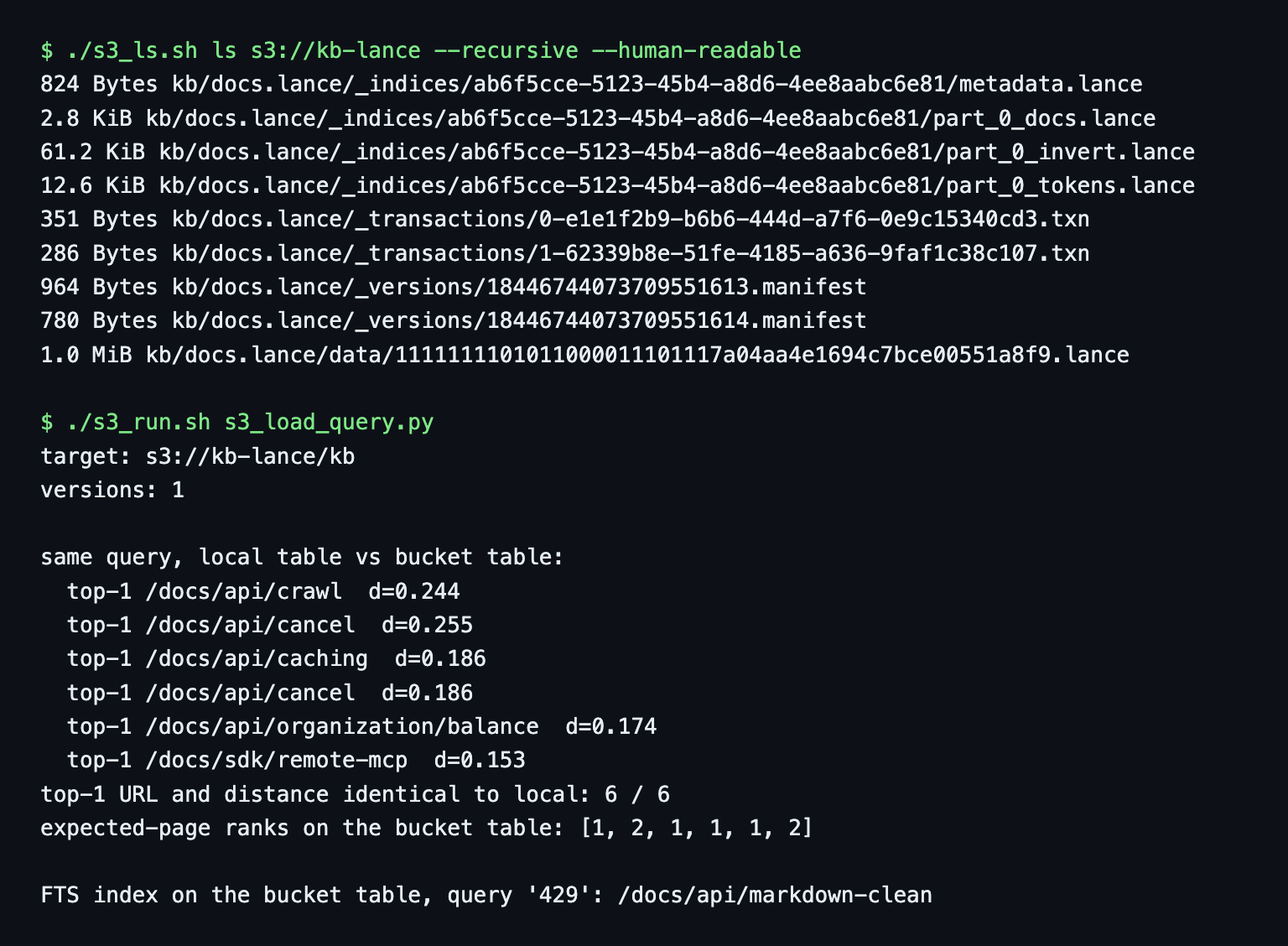
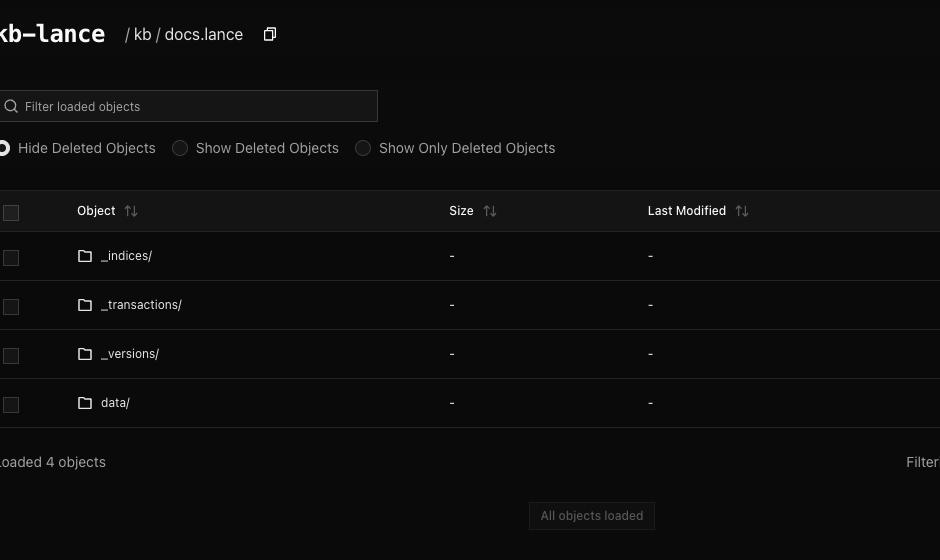
The bucket listing shows the same layout as the local folder: the data file (1.0 MiB), two transaction files, two manifests and the FTS index files under _indices. The RustFS console shows the folder the same way:
Two writers at once
LanceDB's guarantees page (docs.lancedb.com/basics/guarantees, read November 6, 2026) says Lance uses optimistic concurrency control: compatible concurrent writes can commit, and conflicts may be retried or returned as errors. It also says applications must handle failed writes. I did not verify whether the server or LanceDB use S3 conditional writes for commits. That part is untested.
I ran two containers against the bucket table at the same time (concurrent_run.sh, concurrent.out):
- Appends. Each writer added 100 batches of 5 new rows. The windows overlapped. All 200 batches succeeded with no errors, the table had 1,000 added rows with 1,000 distinct ids, and 204 versions.
- Upserts of the same ids. Each writer ran merge_insert 40 times on the same 5 new ids. No errors, but the table ended with 10 rows for 5 distinct ids. I repeated it with 5 other ids and got duplicates again.
- Control. The same upsert test on a local directory ended with 5 rows for 5 ids.
So on this setup, merge_insert on a key does not stop two writers from both inserting a new key at the same moment. This could be specific to RustFS or to this LanceDB version. I did not test AWS S3, and one local run is not enough to say it cannot happen on disk. With more than one writer, make id unique per writer or serialize the upserts.
Other S3-compatible stores such as R2, B2 and Tigris use the same storage_options in principle. I did not run them.
LanceDB Cloud (not tested)
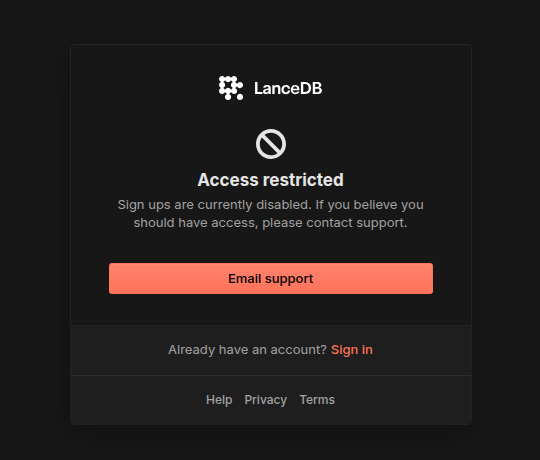
I did not test LanceDB Cloud. On November 5, 2026, the sign-up page at cloud.lancedb.com showed "Access restricted: Sign ups are currently disabled", and the pricing page redirected to a contact form. I have no pricing, limits or free-tier facts to give. The docs I read on November 6 describe Embedded and Enterprise. Check both pages yourself if you need a hosted option.
Gotchas I hit
- Deprecation warnings. create_index(metric="cosine", vector_column_name="vector") still built an index but raised a DeprecationWarning pointing to IvfPq. A vector search that selects columns without _distance logs a Lance warning and returns _distance anyway (gotchas.out).
- Hybrid and select. .select(["url", "_score"]) on a hybrid query raised ValueError: ... No field named _score. Without select, the rows came back with _relevance_score and the vector column.
- Upserts rewrite unchanged rows. num_updated_rows=304 for 304 identical rows.
- Versions pile up. 10 versions took 39 files, against 4 after cleanup.
- Bind mount ownership. Not a problem for me because the container ran as my own user.
When LanceDB, when Chroma, when Qdrant
I pick LanceDB when the knowledge base should be a folder or a bucket prefix, when I want full-text and hybrid search without a second system and when one process does the writing. A re-crawl job that rewrites changed URLs plus a read-only app on top is a good shape for it.
I pick Chroma when I want a small HTTP server with a simple API, and Qdrant when I want a server with payload indexes and a dashboard. LanceDB is a worse fit with more than one writer (see the duplicate ids above), when your app needs a network database, or when your team wants a dashboard. The searches lancedb vs qdrant and lancedb vs chroma come down to library versus server.
The Milvus tutorial and the Pinecone tutorial cover two more stores. I plan separate posts on turbopuffer and sqlite-vec, and on local apps. If you already run Postgres, the pgvector tutorial covers that route. The full list of stores is in the vector database comparison.
Clean up
docker rm -f kb-rustfs
docker volume rm kb-rustfs-data
docker network rm kb-s3net
docker rmi kb-lancedb:0.41.0
rm -rf "$DATA_DIR/kb"
The table is plain files, so deleting the folder deletes it. cleanup.sh has the same commands.
Code and outputs
Every script has its real output saved next to it. Start with the README, then load.py, fts_hybrid.py, upsert.py, s3_load_query.py and concurrent_write.py. chunks.jsonl is not included, build_chunks.py makes it.
Next steps: crawl your docs and load them
This post is the store step of the website to markdown knowledge base guide. To try it on your own docs, create an API key on the dashboard, crawl your docs site with items_limit 50 through the crawl API, then run load.py on the result. The earlier steps are the Python walkthrough, chunking by headers and an embedding model comparison.
One design idea I did not test: a support bot for several products could keep one table per docs set as separate folders or bucket prefixes, and ship or replace each one on its own.