

Chunking Strategies for Knowledge Base Content
Most guides on chunking strategies start from a clean PDF. Crawled web pages are messier: nav menus, cookie banners, repeated footers, code blocks, wide tables, and pages that are mostly links.
I'm Andrew, I build WebCrawlerAPI, and a lot of the content I see going into AI knowledge bases comes from websites and docs. This post covers what works on that kind of content, with a default I'd start with, the strategies worth knowing, and a way to check your chunks on your own data in an afternoon.
It's written for teams turning a website, help center, or docs site into an AI knowledge base or a support bot.
Quick answer
If you only read one section, this is it:
- Split the markdown on its headings (##, ###).
- Keep chunks around 300-500 tokens, with 10-15% overlap only when a section has to be split.
- Put "Page title > Section > Subsection" at the top of every chunk.
- Store the URL, title, section path, and crawl date with every chunk.
- Remove duplicate chunks, then test with 20-30 real questions.
The rest of the post explains why, and where this default breaks.
What chunking does in a knowledge base pipeline
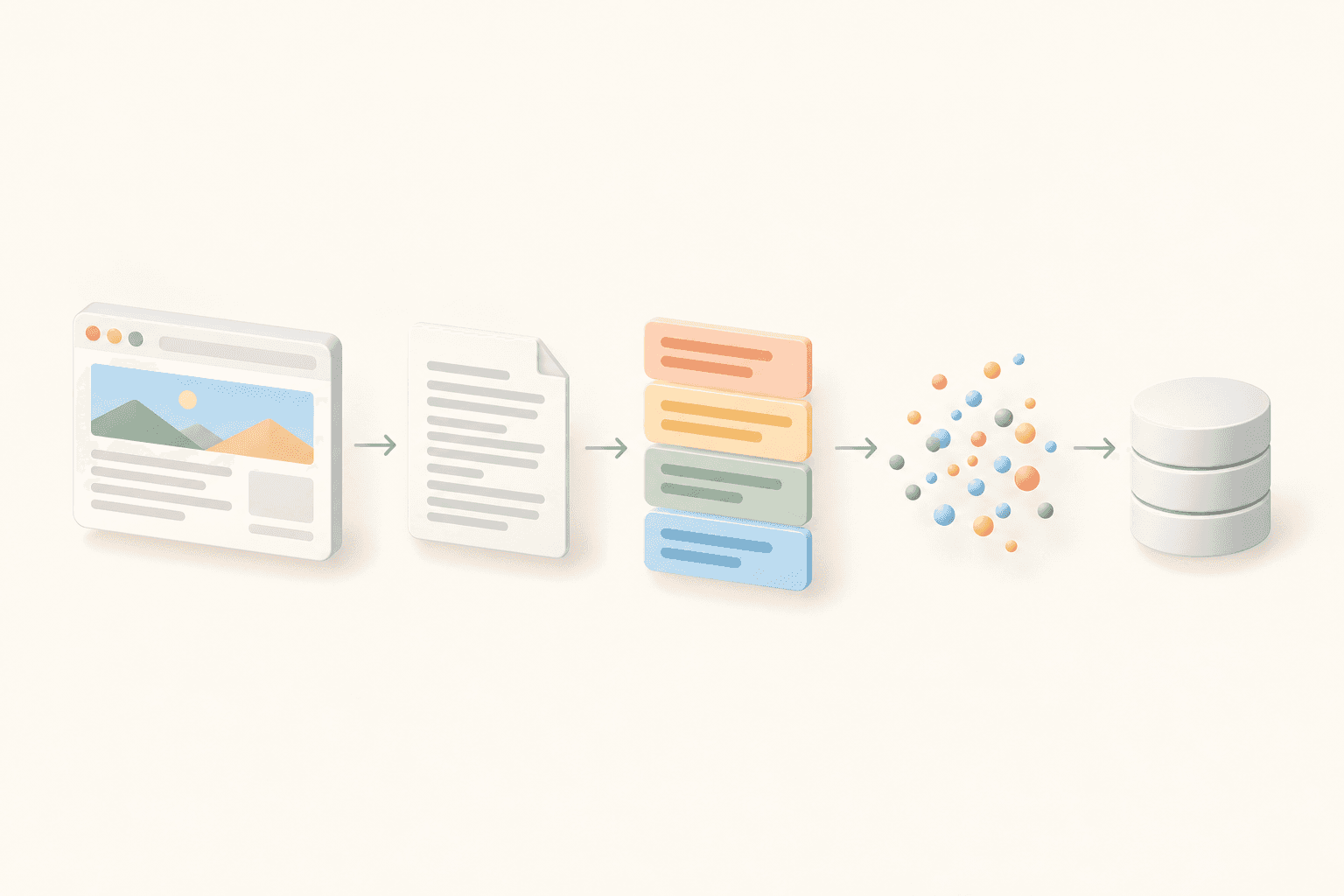
A knowledge base built from a website usually looks like this: crawl -> clean markdown -> chunk -> embed -> store -> search.
Chunking is the step where each page is cut into pieces small enough to embed and return as context. When a question comes in, the search finds the closest chunks, and only those chunks are shown to the model.
That's why chunk quality puts a ceiling on answer quality. If the right sentence is buried in a chunk full of footer links, or cut in half across two chunks, a better embedding model won't save it. Wrong chunk in, wrong answer out.
In this pipeline WebCrawlerAPI handles the first two steps: it crawls the site and returns markdown for each page. It doesn't chunk anything. Chunking happens in your code, and that's what the rest of this post is about. Where the chunks end up is a separate choice, covered in best vector databases for knowledge bases.
Start with clean input
Chunking can't fix dirty markdown. If the nav menu, cookie banner, and footer are still in the page, they become chunks too. Worse, they're the same on every page, so they end up near the top of a lot of search results.
There are 3 ways to deal with it:
- Crawl with main_content_only: true. Navigation, sidebars, ads, and other non-essential parts are filtered out during the crawl. It's built for article-style pages, so check a few results from your own site before crawling all of it.
- Use LLM-cleaned markdown. An LLM reads the page and returns only the main content. It costs more per page, so it's worth it for dense text pages where simple filtering leaves junk behind.
- Filter after the crawl. Drop known boilerplate lines yourself. I wrote about the messy parts of this in how to convert HTML to clean markdown in JavaScript.
Here is how a docs site can be crawled to markdown with the JS SDK:
// Node 18+, npm i webcrawlerapi-js
import webcrawlerapi from "webcrawlerapi-js";

const client = new webcrawlerapi.WebcrawlerClient(process.env.WEBCRAWLERAPI_KEY);

// Waits until the crawl is finished, then returns the job with its items
const job = await client.crawl({
  url: "https://docs.example.com/",
  items_limit: 200,
  output_formats: ["markdown"],
  main_content_only: true, // drop nav, sidebars, footers
  whitelist_regexp: "^https://docs\\.example\\.com/", // stay on the docs site
});

const pages = [];
for (const item of job.job_items) {
  if (item.status !== "done") continue; // skip failed pages
  const markdown = await item.getContent(); // markdown, since that's what was requested
  if (markdown) pages.push({ url: item.original_url, title: item.title, markdown });
}

console.log(`Got ${pages.length} pages ready for chunking`);
item.title is the page's <title> tag, so expect things like "Refunds | Acme Docs". It's still useful as context.
The chunking strategies, and what they cost on web content
There are many named text chunking methods, but most of them fall into 6 groups:
| Strategy | How it splits | Good for | Fails on web content when |
|---|---|---|---|
| Fixed-size | Every N characters or tokens | Quick prototypes | It cuts code blocks, tables, and sentences in half |
| Recursive | Tries big separators first, then smaller ones | Mixed or unstructured text | Separators don't match the page's real structure |
| Heading-aware | On markdown headings | Docs, help centers, guides | Pages have no headings, or one giant section |
| Semantic | Where meaning shifts between sentences | Long unstructured prose | Cost and uneven sizes matter |
| Hierarchical | Small chunks linked to a parent section | Long reference pages | You don't have storage for two levels |
| LLM-based | A model decides the boundaries | Small, high-value sets | You have thousands of pages |
Fixed-size
The text is cut every N characters or tokens. It's the fastest option and has the worst boundaries. On docs pages it regularly splits a code example in half, so neither chunk makes sense alone.
Recursive
Recursive chunking tries the biggest separator first (headings), then paragraphs, then sentences, then words, until each piece fits the size limit. It's a sane baseline, and it's what most frameworks reach for by default (LangChain's RecursiveCharacterTextSplitter is the usual example). The separator order matters a lot here: headings before paragraphs before sentences.
Heading-aware
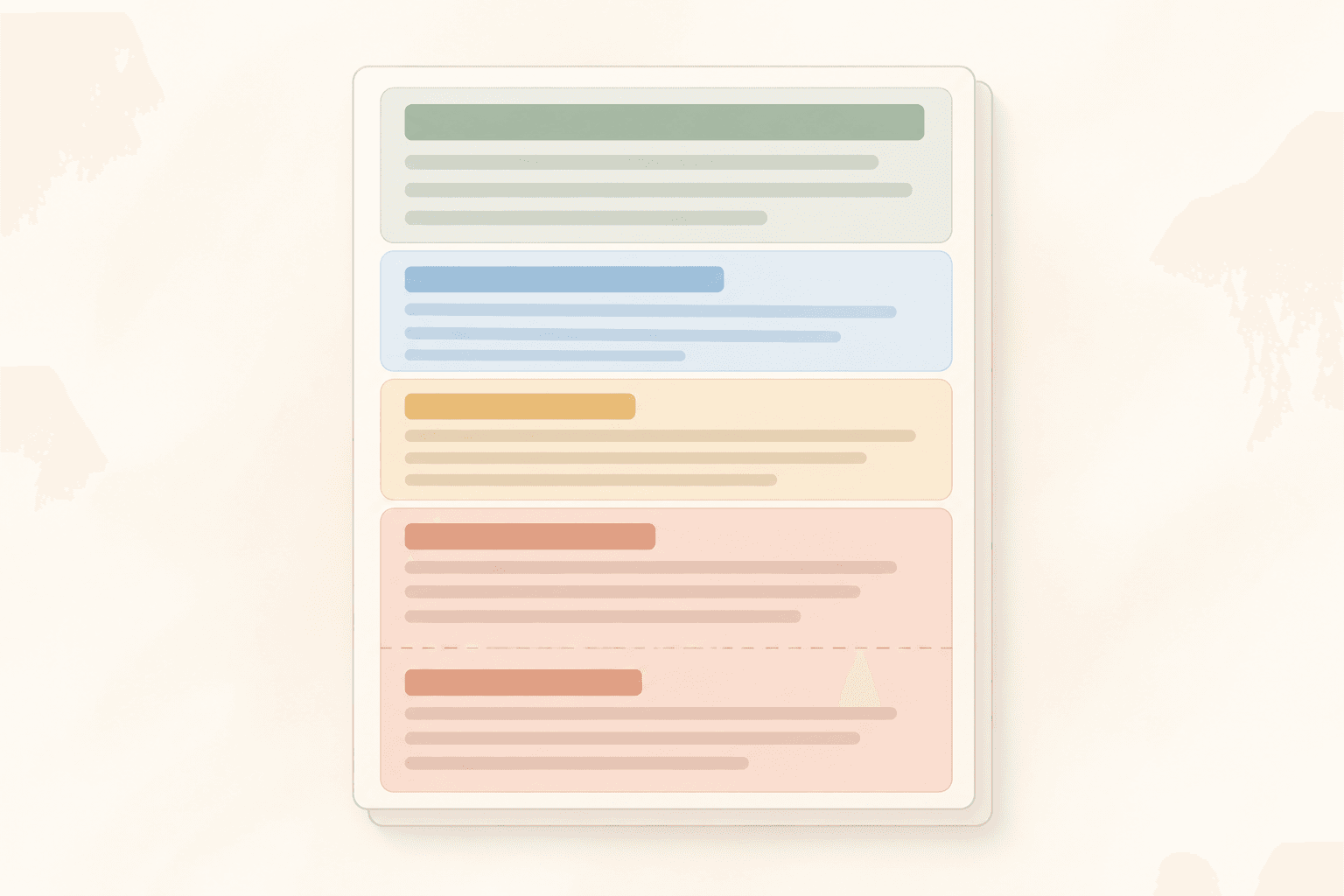
This is markdown chunking by structure. Each ## or ### section becomes a chunk, and long sections are split further. For docs and help-center pages this is my default, because the headings are already the author's topic boundaries. Someone already did the hard work of deciding where "Refunds" ends and "Invoices" begins.
Semantic
Semantic chunking embeds each sentence and starts a new chunk where similarity between neighbors drops. It costs extra embedding calls on every crawl and produces chunks of very uneven size. On structured docs I haven't seen it beat heading-aware splitting by enough to justify the cost. On long unstructured prose (transcripts, forum threads) it's more interesting.
Hierarchical
Hierarchical chunking stores two levels: small chunks for search, and the full parent section for the answer. The search matches a precise paragraph, and the model gets the whole section around it. It's useful for long API reference pages, but it doubles what you store and adds a lookup step.
LLM-based, agentic, and late chunking
These let a model decide boundaries or add context to each chunk. They can work well, but they're expensive and slow at crawl scale. I'd only try them on a small, high-value content set, and never as a starting point.
Heading-aware chunking in practice
Below is a small chunker in plain JS with no dependencies. It:
- splits the page on ## and ### headings and tracks the heading path,
- keeps code blocks and tables whole,
- splits long sections by paragraph under a size cap, with a short overlap,
- merges tiny sections into the previous chunk under the same ## heading,
- prepends "Page title > Section > Subsection" to the text that gets embedded.
// chunk.mjs - heading-aware markdown chunker, Node 18+, no dependencies
const MAX_TOKENS = 450; // size cap per chunk
const MIN_TOKENS = 80; // tiny sections get merged into a neighbor
const OVERLAP_TOKENS = 60; // repeat a short last paragraph when a section is split

// Rough estimate: about 4 characters per token for English text.
// Swap in a real tokenizer (e.g. tiktoken) if you need exact counts.
const countTokens = (text) => Math.ceil(text.length / 4);
const isFence = (line) => line.trim().startsWith("```");

// 1. Split the page into sections on ## and ### headings.
//    Headings inside code fences are ignored.
function splitSections(markdown) {
  const sections = [];
  const path = [];
  let current = { path: [], lines: [] };
  let inCode = false;

  for (const line of markdown.split("\n")) {
    if (isFence(line)) inCode = !inCode;
    if (!inCode && /^#\s/.test(line)) continue; // H1 = page title, stored separately
    const heading = !inCode && line.match(/^(#{2,3})\s+(.+)/);
    if (heading) {
      sections.push(current);
      const level = heading[1].length - 2; // ## -> 0, ### -> 1
      path.length = level; // drop deeper levels
      path[level] = heading[2].trim();
      current = { path: path.filter(Boolean), lines: [] };
    } else {
      current.lines.push(line);
    }
  }
  sections.push(current);

  return sections
    .map((s) => ({ path: s.path, text: s.lines.join("\n").trim() }))
    .filter((s) => s.text.length > 0);
}

// 2. Break a section into blocks on blank lines.
//    A fenced code block or a table always stays one block.
function toBlocks(text) {
  const blocks = [];
  let buf = [];
  let inCode = false;
  for (const line of text.split("\n")) {
    if (isFence(line)) inCode = !inCode;
    if (!inCode && line.trim() === "") {
      if (buf.length) blocks.push(buf.join("\n"));
      buf = [];
    } else {
      buf.push(line);
    }
  }
  if (buf.length) blocks.push(buf.join("\n"));
  return blocks;
}

// 3. Pack blocks into chunks under MAX_TOKENS.
//    A single block bigger than the cap (a huge code block) is kept whole.
function packBlocks(blocks) {
  const chunks = [];
  let buf = [];
  for (const block of blocks) {
    const next = [...buf, block].join("\n\n");
    if (buf.length && countTokens(next) > MAX_TOKENS) {
      chunks.push(buf.join("\n\n"));
      // Overlap: carry the last paragraph over if it is short
      const last = buf.at(-1);
      buf = countTokens(last) <= OVERLAP_TOKENS ? [last, block] : [block];
    } else {
      buf.push(block);
    }
  }
  if (buf.length) chunks.push(buf.join("\n\n"));
  return chunks;
}

export function chunkPage({ url, title, markdown }) {
  const chunks = [];
  for (const section of splitSections(markdown)) {
    const sectionPath = section.path.join(" > ");
    for (const body of packBlocks(toBlocks(section.text))) {
      const prev = chunks.at(-1);
      const top = section.path[0];
      // Merge a tiny piece into the previous chunk, but only under the same ## heading
      if (prev && top && prev.section.split(" > ")[0] === top &&
          countTokens(body) < MIN_TOKENS &&
          countTokens(prev.body + body) < MAX_TOKENS) {
        if (prev.section !== sectionPath) {
          prev.body += `\n\n${section.path.at(-1)}:`;
          prev.section = top; // the chunk now covers the parent section
        }
        prev.body += `\n\n${body}`;
        continue;
      }
      chunks.push({ url, title, section: sectionPath, body });
    }
  }
  // 4. Prepend "Page title > Section > Subsection" to the text you embed
  return chunks.map((c) => ({
    ...c,
    text: [c.title, c.section].filter(Boolean).join(" > ") + "\n\n" + c.body,
  }));
}
Call it with each page from the crawl: pages.flatMap(chunkPage). Embed chunk.text, and keep body around for showing sources.
A few real-life caveats. The 4-characters-per-token estimate is rough, so leave some room under your embedding model's limit. A very short intro under a ## heading can still end up as its own small chunk. And if you'd rather not maintain this, LangChain has a MarkdownHeaderTextSplitter that does the heading part for you.
Prepend context to every chunk
A chunk whose whole content is "Step 3: click Save" means nothing on its own. "Billing > Refunds > Partial refunds" on top of it tells both the search and the model what it's about.
That one line is cheap, and in my experience it's one of the biggest wins in this whole setup. It also helps with short sections, where the heading carries most of the meaning.
Chunk size and overlap
There's no universal best chunk size. For docs and help pages I'd start with 300-500 tokens and 10-15% overlap, and treat both as numbers to test.
The tradeoff is simple:
- Bigger chunks carry more context, but also more noise. Unrelated text gets pulled into every match.
- Smaller chunks match more precisely, but lose the sentence that gave them meaning.
The question type matters too. NVIDIA tested chunking strategies on 5 datasets and found that factoid questions did best with 256-512 token chunks, while complex analytical questions did better with 1,024 tokens or whole pages. Support bots mostly get factoid questions ("how do I reset my password?"), which is another reason to start small.
Overlap matters less with heading-aware splitting, because chunks already end at natural boundaries. That's why the chunker above only adds overlap when one section is split into several chunks. The research is mixed here. NVIDIA used 15% overlap and calls 10-20% common practice, while a January 2026 study on Natural Questions found overlap gave no measurable benefit and only raised indexing cost. So don't assume it's always worth the extra storage.
Size also depends on the content type:
- FAQ pages: one question and answer per chunk, no overlap.
- Long guides: heading-aware chunks, 300-500 tokens, short overlap when a section is split.
- API reference: one endpoint or method per chunk, even if it's longer, so parameters stay with the endpoint they belong to.
For comparison, in the pgvector tutorial the docs pages were short, so 220 words with 40 words of overlap were used.
Things that break on crawled content
Code blocks
Never split inside a fenced code block. Half a function is useless as context, and the other half without its intro sentence is worse. Keep the block together with the sentence that introduces it, and keep the language tag.
Tables
Small tables should be kept whole. Big tables (pricing grids, parameter lists) can be split by groups of rows, but the header row has to be repeated in each piece. Without it, a row like "| 50 | 3 | yes |" means nothing.
Link-heavy pages
Index pages, changelogs, tag pages, and "related articles" lists produce chunks that are mostly link text. They match a lot of questions and answer none of them. Drop them with blacklist_regexp on the crawl, filter them out before chunking, or give them lower weight in search.
Duplicate content across pages
Repeated footers, the same intro paragraph on every page, and versioned docs (v1, v2, v3 with mostly identical text) all create duplicate chunks. Then 3 of your top 5 results are the same paragraph.
A content hash takes care of most of it:
import { createHash } from "node:crypto";

// Normalize whitespace and case so tiny formatting differences don't matter
const normalize = (text) => text.toLowerCase().replace(/\s+/g, " ").trim();

export function dedupe(chunks) {
  const seen = new Set();
  return chunks.filter((chunk) => {
    // Hash the body, not the text, because the title prefix differs per page
    chunk.hash = createHash("sha256").update(normalize(chunk.body)).digest("hex");
    if (seen.has(chunk.hash)) return false;
    seen.add(chunk.hash);
    return true;
  });
}
The same hash pays off later. When the site is recrawled, chunks with an unchanged hash don't have to be embedded again. I covered this in how often to re-crawl a website for an AI knowledge base.
Metadata to store with every chunk
Every chunk should carry:
- source URL - for citations and links in answers,
- page title - for display and context,
- section path - so an answer can point to the exact section,
- crawl timestamp - to know how fresh it is,
- content hash - for dedupe and skipping unchanged chunks,
- content type (docs, blog, FAQ, changelog) - for filtering.
This is what lets your bot say "from Billing > Refunds" with a link, instead of a vague answer. It also lets search be limited to one product or doc section, and only changed pages be re-indexed after a recrawl. The pgvector tutorial shows how these fields fit into a table with filters. Metadata filtering support differs between vector databases, so check it before picking one (vector database comparison).
How to check your chunking is working
This is the part that tells you whether any of the above actually helped, so I'd do it before tuning anything else. It takes an afternoon:
- Collect 20-30 real questions, ideally from support tickets.
- For each one, write down the page and section that should answer it.
- Run your search and check if the right chunk is in the top 5.
- Change one thing (size, overlap, heading-aware vs recursive) and run it again.
// questions: [{ q: "How do I get a partial refund?", url: "https://docs.example.com/billing", section: "Refunds > Partial refunds" }]
// search(q, k) is your own vector search and returns chunks with url and section
export async function evaluate(questions, search, k = 5) {
  let pageHits = 0;
  let sectionHits = 0;
  for (const { q, url, section } of questions) {
    const top = await search(q, k);
    if (top.some((c) => c.url === url)) pageHits++;
    if (top.some((c) => c.url === url && c.section === section)) sectionHits++;
  }
  const pct = (n) => Math.round((n / questions.length) * 100);
  console.log(`page hit@${k}: ${pct(pageHits)}%, section hit@${k}: ${pct(sectionHits)}%`);
}
Compare 2-3 configs this way and keep the one with the best section hit rate. Also look at the results by hand. Signs of bad chunking:
- the right page comes back, but the wrong section,
- chunks that are just a heading or one sentence,
- the same paragraph filling several of the top results,
- footer or nav text showing up in answers.
Which strategy should you pick
- Docs and help center: heading-aware, with paragraph splitting for long sections.
- Mixed pages with weak structure: recursive splitting as the fallback.
- A small, high-value content set: try semantic or LLM-based chunking, and keep it only if your eval says so.
- Huge sites (tens of thousands of pages): keep it cheap. Heading-aware plus dedupe goes a long way.
None of this replaces testing on your own content. A 30-question eval will tell you more than any benchmark run on someone else's data.
FAQ
What is the best chunk size? There isn't one for every case. For docs and help pages, 300-500 tokens is a good starting point. Test smaller and bigger values on your own questions.
Does overlap matter? Less than people expect when you split on headings. Use 10-15% when a long section has to be cut, and skip it for FAQ entries.
Is semantic chunking worth it? For structured docs, usually not. It adds embedding cost on every crawl. It's worth a test on long unstructured text.
Should I chunk HTML or markdown? Markdown. Headings, lists, tables, and code blocks are still marked, but the HTML noise is gone.
Conclusion
My default for website and docs content: clean markdown in, split on headings, 300-500 tokens, overlap only when a section is split, context line on top, metadata on every chunk, duplicates removed. Then check it with real questions before tuning anything else.
The cleaner the input, the less work your chunking strategy has to do. If you want clean markdown from your own site to try this on, the crawl API and getting started guide will get you there in a few minutes.
