
A plain request gets an empty shell
Single-page apps draw their content with JavaScript. An HTTP client returns a <div id="root"> and nothing else.
Web scraping API
Send a URL to POST /v2/scrape and get the rendered page back as markdown, HTML, links or structured JSON. No browsers, proxies or retries to run. You only pay for pages that succeed.
Response
waiting
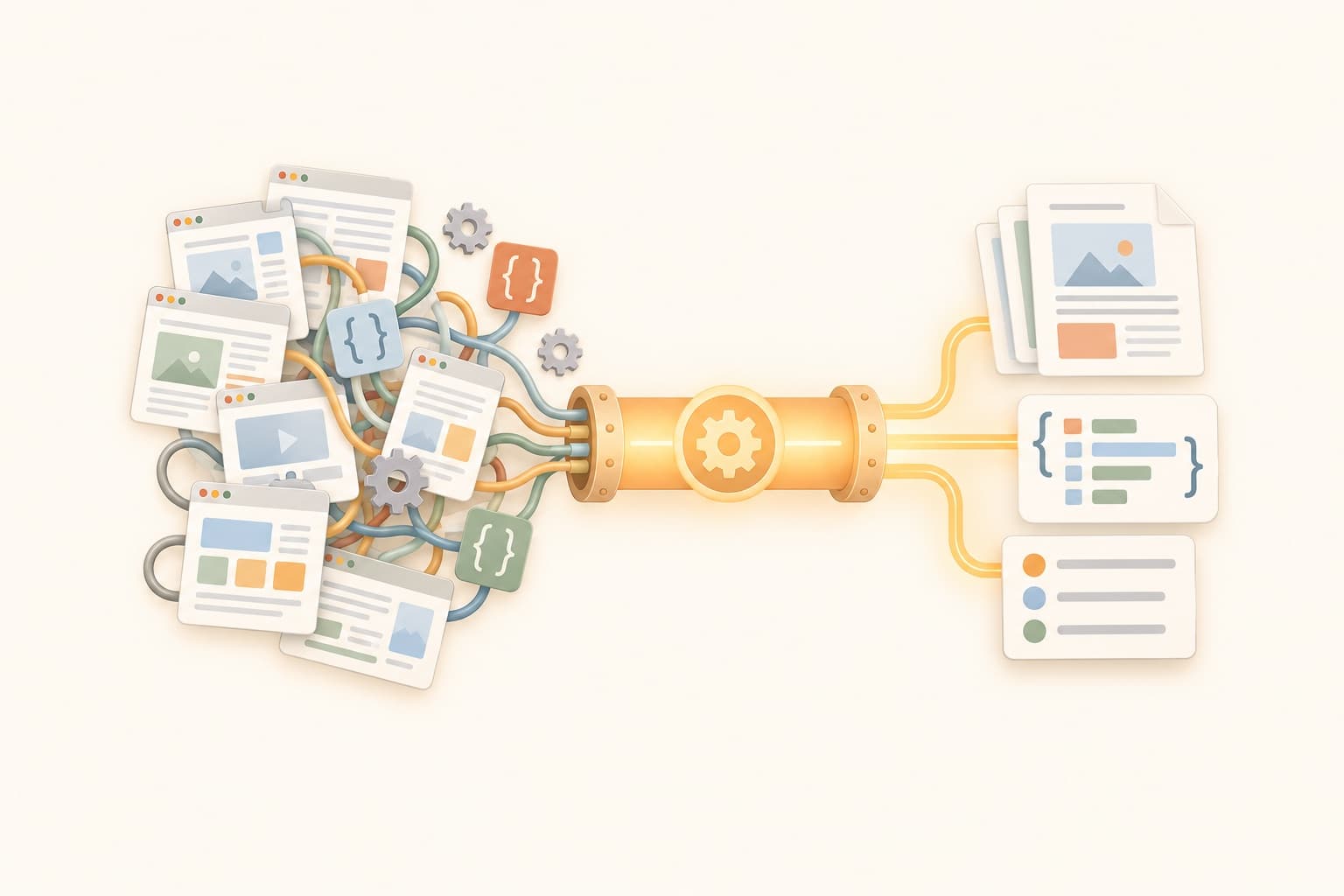
The page is rendered in a real browser, then converted to markdown.one request → rendered page → clean data
Trusted by 1,000+ developers building AI products and data pipelines





Quickstart
POST /v2/scrape with a url and the output_formats you want. Example below.markdown, links, page_title and page_status_code. No job to poll.cURL
curl --request POST \
  --url https://api.webcrawlerapi.com/v2/scrape \
  --header 'Authorization: Bearer YOUR_API_KEY' \
  --header 'Content-Type: application/json' \
  --data '{
    "url": "https://quotes.toscrape.com/js/",
    "output_formats": ["markdown", "links"]
  }'
The problem
Weighing it up? Read should you build a crawler or use a crawling API. Want to build it yourself first? Follow the guide to web scraping with Python or the Node.js version.
The difference
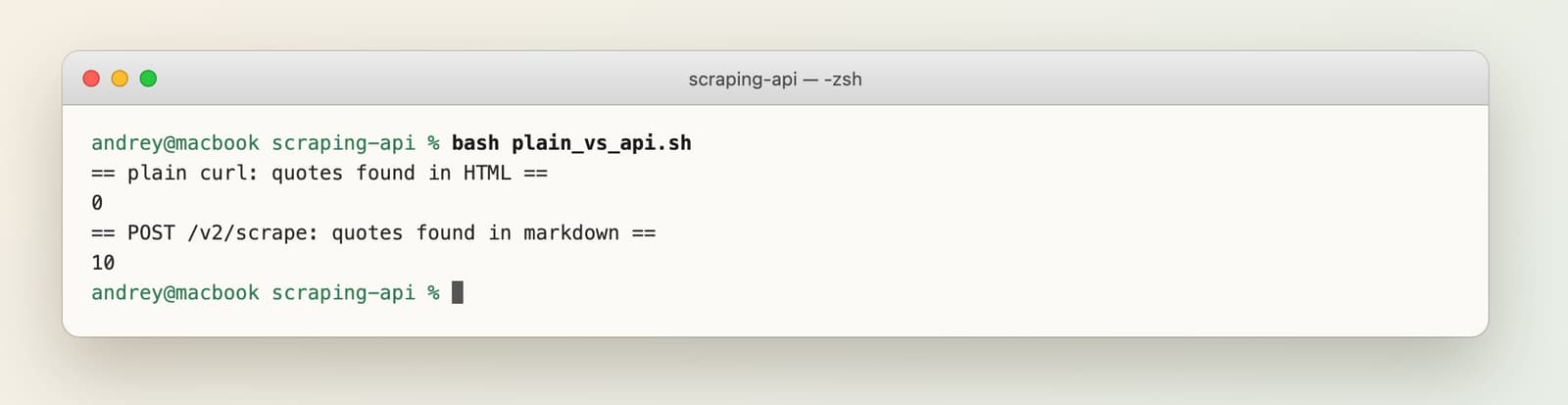
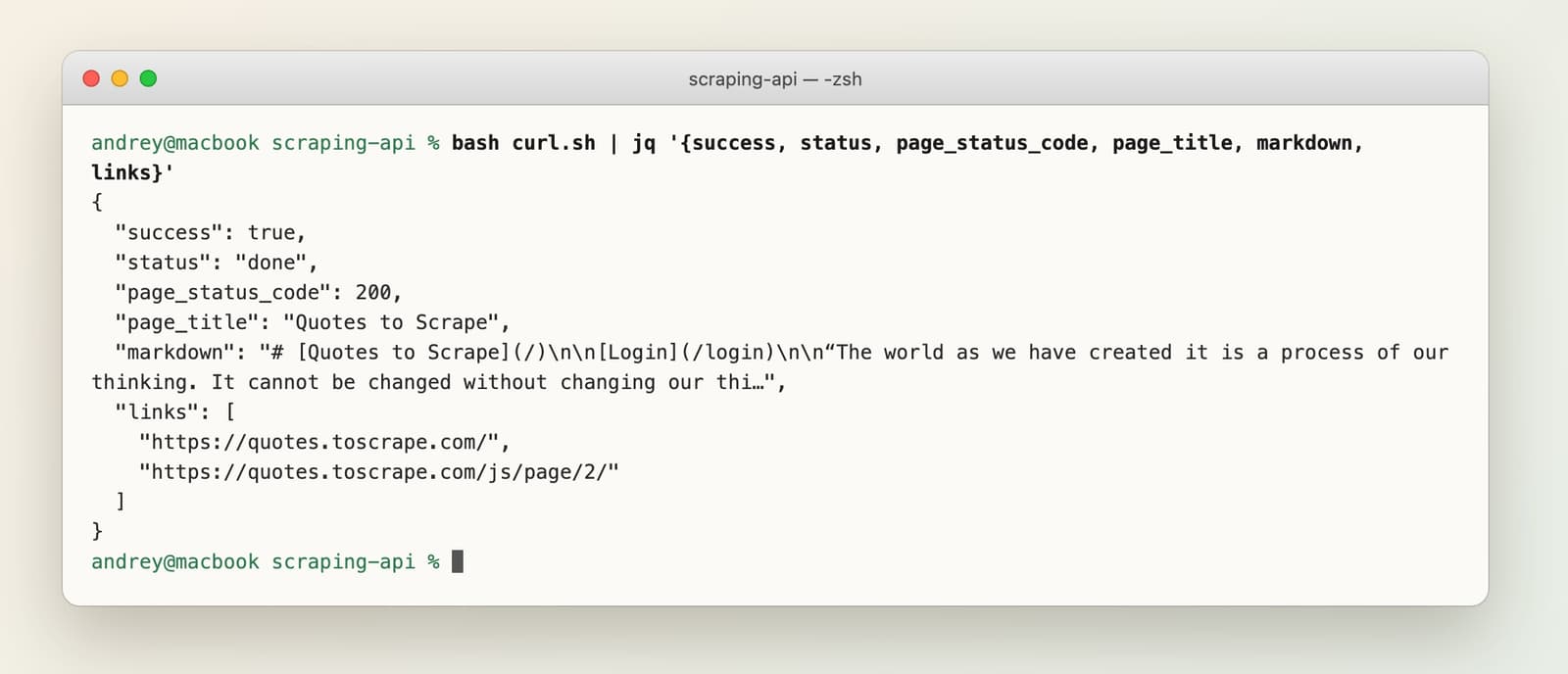
Same URL, a page that draws its content with JavaScript. We ran both from a terminal. The plain request finds no quotes. The API finds all 10.
How it works
POST /v2/scrape with a url and the output_formats you want.| Parameter | What it does |
|---|---|
| url | The page to scrape. Required. |
| output_formats | Any of markdown, cleaned, html, links. Default markdown. |
| main_content_only | Keep the main article content, drop menus, sidebars and ads. |
| clean_selectors | CSS selectors to remove from the output. |
| prompt | Ask for specific fields. Returns structured_data. Billed per token. |
| response_schema | JSON Schema for the structured output. Use with prompt. |
| respect_robots_txt | Return an error if robots.txt disallows the URL. Default false. |
| async | Query parameter. Return an id right away and read the result later. |
Full reference in the POST /scrape docs.
Code
curl --request POST \
  --url https://api.webcrawlerapi.com/v2/scrape \
  --header 'Authorization: Bearer YOUR_API_KEY' \
  --header 'Content-Type: application/json' \
  --data '{
    "url": "https://quotes.toscrape.com/js/",
    "output_formats": ["markdown", "links"]
  }'
What the response looks like
{
  "success": true,
  "status": "done",
  "page_status_code": 200,
  "page_title": "Quotes to Scrape",
  "markdown": "# Quotes to Scrape\n\n...",
  "links": [
    "https://quotes.toscrape.com/",
    "https://quotes.toscrape.com/js/page/2/"
  ]
}

// On failure the status is still 200:
{
  "success": false,
  "error_code": "...",
  "error_message": "..."
}
SDKs: Python, JavaScript, PHP, Go, Java and Ruby. Language pages: Python scraper and JavaScript scraper.
Formats
Describe what you want in a prompt and add a JSON Schema. The API returns typed data, so you write no selectors that break on the next redesign.
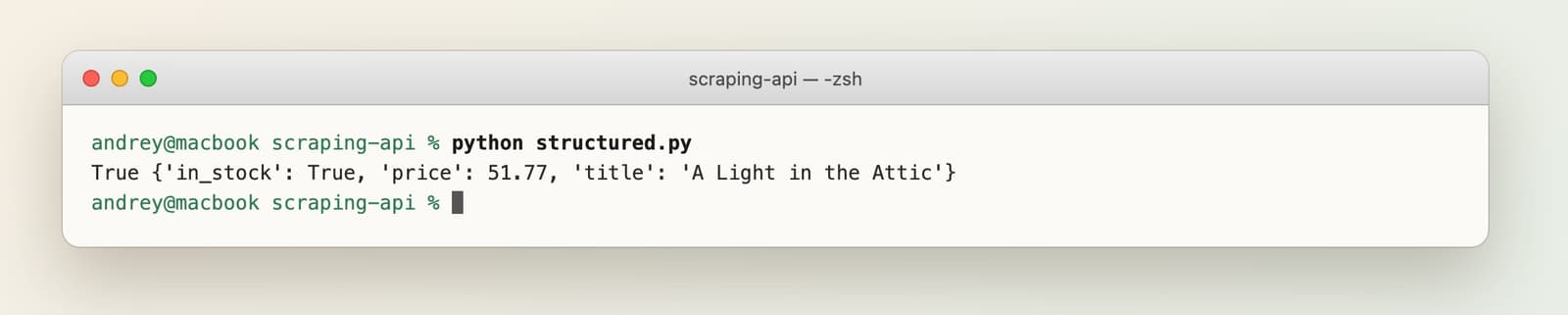
Read structured outputs for schemas and limits.
Use cases
Before: your agent gets menus and cookie banners instead of the answer.
After: feed it clean markdown of exactly the page it asked for.
output_formats=["markdown"]Before: prices load after the page does, so a plain request sees nothing.
After: ask for name and price fields and get typed JSON.
prompt + response_schemaBefore: a headless browser farm just to read titles and links.
After: get HTML and links for any page from a cron job.
output_formats=["html", "links"]Before: Playwright installed in every notebook and CI job.
After: one HTTP call and an API key. Works wherever you can send a request.
POST /v2/scrapeBuilding an agent? Use the LangChain loader or the MCP server. Prefer no code? Use n8n, Make or Zapier.
By the numbers
Tracking usage, crawl success rates, average response times, uptime percentages, quality scores, cost metrics, API performance, reliability data, and live trends for all your requests.
Active builders
Teams building in production
Extraction quality
Success rate
Fast turnaround
Average crawling time
Platform stability
Uptime
Which one
Many scraping APIs sell proxies and unblocking and hand you raw HTML. WebCrawlerAPI returns the page in the format your app needs, so there is less parsing on your side. Results differ by target site, so test on your own URLs.
| WebCrawlerAPI | Proxy-style scraping APIs | Build it yourself | |
|---|---|---|---|
| Renders JavaScript | Yes | Yes | You run a browser |
| Setup | One API key | One API key | Install, patch and scale browsers |
| Default output | Markdown, plus HTML, links and JSON | Usually raw HTML | Whatever you extract |
| Structured fields | prompt + JSON Schema, no selectors | Selectors or a separate extraction product | Selectors you maintain |
| Proxies, retries, anti-bot | Handled for you | Handled for you | You build and run them |
| Whole-site crawling | Same account, /v1/crawl | Varies by provider | You write the crawler |
| Cost model | Per successful page | Credits per request, varies | Servers and your time |
Comparing providers? Read the best web scraping APIs, best web scraping tools, Firecrawl alternatives, or ScrapingBee alternatives.
Browser upkeep is on our side. Limits are listed in the rate limits docs.
Scrape or crawl
POST /v2/scrape for a URL you already know. Result in the same response.
POST /v1/crawl follows links from a seed URL and returns every page.
/markdown keeps only the main content and strips boilerplate.
New to scraping? Start with web crawling vs web scraping, the beginner guide to scraping a website or is web scraping legal.
Pricing
Start with pay-per-request, or save with a monthly subscription. Top-up credits are always available when your included allowance runs out.
No monthly commitment — pay only for what you use
$0/month
Best for growing teams
$99/month
For high-volume crawling
$499/month
Common questions about using a web scraping API
A web scraping API fetches a web page for you and returns its content over HTTP. You send a URL, it loads the page in a real browser, runs the JavaScript, and sends back markdown, HTML, links or structured data. With WebCrawlerAPI that is one POST /v2/scrape request.
Your request goes to the API with a URL and the output formats you want. The page is rendered in a browser on our side, with retries, proxies and anti-bot handling, then converted and returned in the same response. You never run a browser yourself.
Scraping public pages is legal in many places, but it depends on the data, the site terms and your country. Personal data, copyrighted content and logins raise the risk. WebCrawlerAPI can respect robots.txt if you set respect_robots_txt to true. For the details, read our guide on whether web scraping is legal. Read the web scraping ethics guide.
You can try WebCrawlerAPI without a credit card in the playground or by creating an account in the dashboard. Paid usage is per successful page, from $0.001 to $0.002 depending on your plan.
Yes. Pages load in a real browser and the JavaScript runs before the content is extracted. A plain HTTP request to a client-rendered page returns an empty shell; the API returns what a visitor sees.
Set output_formats to any of markdown, cleaned, html and links. Add a prompt, and optionally a response_schema, to get structured JSON in structured_data instead.
Install webcrawlerapi for Python or webcrawlerapi-js for Node.js, create a client with your API key and call scrape() with a URL. You can also call POST /v2/scrape directly with requests or fetch(). No SDK is required.
Yes. POST /v2/scrape waits and returns the result in the same response. For long-running work add ?async=true to get an id right away, then read the result with GET /v2/scrape/{id}, or use a webhook.
A scraping API fetches the one URL you name. A crawling API starts from a seed URL, discovers pages by following links and returns many of them. Use /v2/scrape for known pages and /v1/crawl for whole sites.
You pay per successful page: $0.002 on Pay as you go, $0.0015 on Professional and $0.001 on Business. Failed requests are not charged. Requests with a prompt also pay for the LLM tokens used. Some sites are priced separately, see the pricing docs.
Yes, that is the main use. Markdown keeps headings, lists and links, which is what you want for a knowledge base, a support bot or an agent. There are a LangChain loader and an MCP server, and the API works from n8n, Make and Zapier.
Each account runs up to 5 parallel threads, and each target website has a shared limit of 10 parallel threads across all accounts. See the rate limits docs.
Get a key, run the cURL snippet above, and read the rendered page as markdown. Or try it in the playground.