

Keep a Support Bot in Sync With Your Docs Site: Recrawl Only Changed Pages
Docs ship every week. The support bot's knowledge base doesn't notice. A month later a customer asks about a setting you renamed, and the bot cites the old behavior with full confidence.
The naive fix is to recrawl the whole docs site and re-embed everything on a schedule. It works. It's also slow, it costs money, and it churns your index for no reason.
The better approach is incremental crawling: recrawl, fingerprint every page, and re-index only the pages that changed. In this post I'll show a hash-and-compare loop (about 30 lines, any language), what to do about noisy pages, and how to handle pages that get deleted.
Why Full Recrawls Are the Wrong Default
A typical docs site has a few hundred pages. In a normal week, maybe 5 to 10 of them change. A full re-index pays for all of them anyway.
The costs add up in four places:
- Crawl time and fees for pages that look exactly like last week.
- Embedding calls for chunks that produce the same vectors as before.
- Index writes, which means more load and more chances to break something.
- A half-updated index. If the job dies at page 240 of 400, you now serve a mix of old and new content.
Then there's the staleness cost. For a support bot, a wrong answer turns into a ticket, or worse, a churn risk. So you want to refresh often, and you want each refresh to be cheap.
If you're still deciding on cadence, I covered that in how often you should re-crawl a website for an AI knowledge base. This post is the other half: what to actually do on each run.
The Idea: Fingerprint Every Page, Act Only on Differences
Keep one small record per page URL:
- a normalized URL key
- a content hash
- when you last saw it
- its status
On every run you crawl the site, fingerprint each page, and compare it to what you stored. Every page lands in one of four buckets:
- New: no record yet. Chunk, embed, insert.
- Changed: the fingerprint differs. Replace its chunks.
- Unchanged: skip it. This is most of the site.
- Gone: it was there last time and now it's confirmed missing. Delete its chunks.
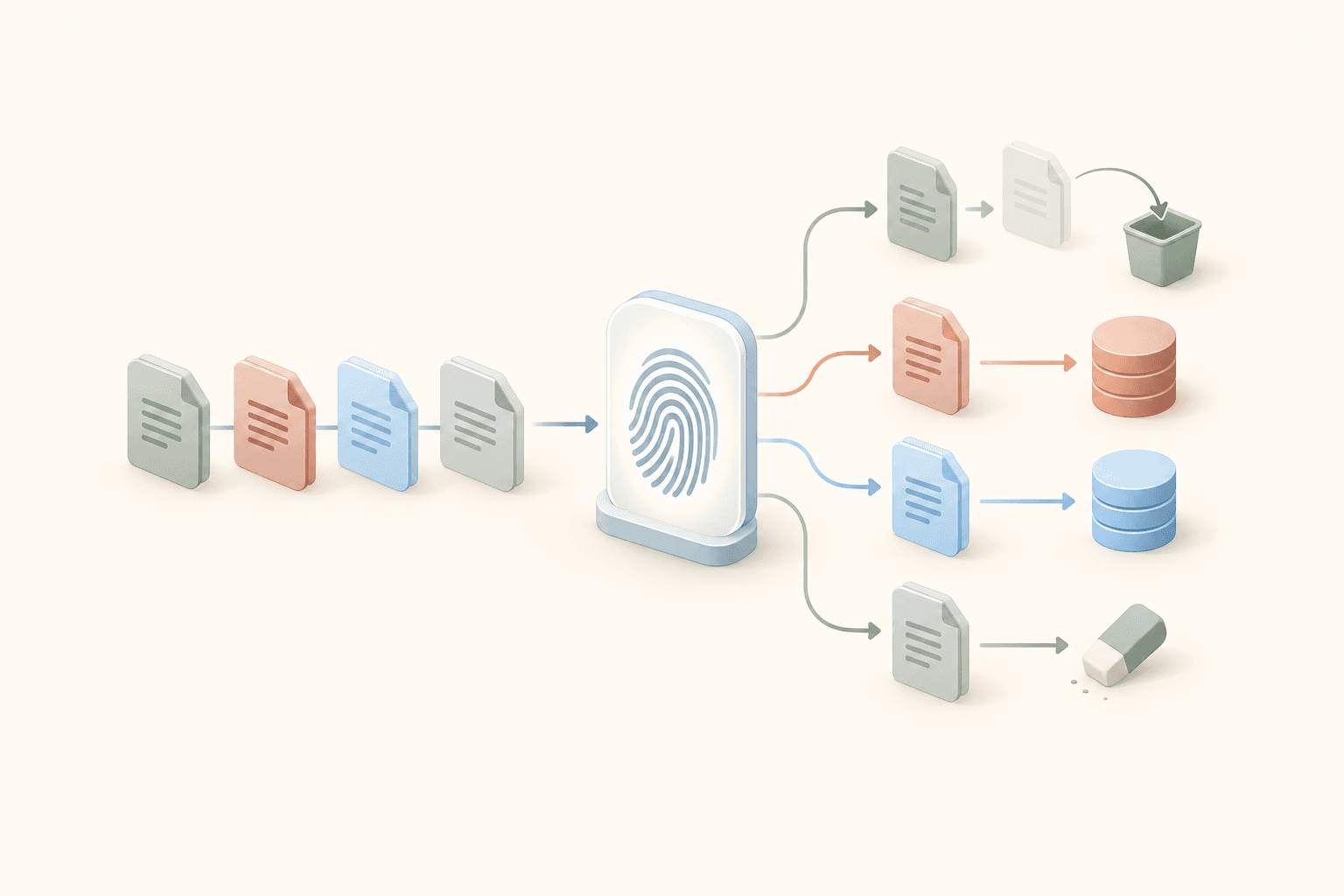
Only new and changed pages go through the expensive part (chunking and embedding). If you want to see how that part works, see chunking strategies for a knowledge base and vector search with pgvector.
Step 1: Normalize URLs So the Same Page Matches Across Runs
This one is boring and it bites everyone. If last week's record says http://www.example.com/docs/setup/ and this week's crawl returns https://example.com/docs/setup, a naive comparison sees one gone page and one new page. Every run. Forever.
So build a key from the URL before you compare anything:
function normalize(url):
    u = lowercase(url)
    u = strip_scheme(u)            # http:// and https:// become the same
    u = strip_prefix(u, "www.")
    u = strip_fragment(u)          # #section anchors are the same page
    u = strip_trailing(u, "/", ".")
    return u
Query strings are your call. On most docs sites ?utm_source=... is noise and should go. A few sites use ?version=2 to serve real, different content. Look at your own site before deciding.
Step 2: Hash the Content You Actually Index
Hash the cleaned text or markdown, not the raw HTML. Raw HTML is full of build IDs, nonces, timestamps and ad slots. It changes on every request even when the page is identical.
function fingerprint(text):
    if text is empty:
        return ""                  # empty never counts as "same"
    return md5(text)               # or sha256, both are fine
MD5 is fine here. You're detecting changes, not defending against attackers.
One rule I'd keep strict: empty or missing content is never "unchanged." If a scraper returns a blank page because of a hiccup, two blank hashes will match and you'll quietly keep stale data. Treat empty as "changed" or "error" and look at it.
Step 3: Compare, Classify, and Upsert
Here's the core loop in neutral pseudocode:
state = load_state()                       # key -> {hash, fuzzy}
seen = set()

for page in crawl(site):
    key = normalize(page.url)
    h = fingerprint(page.markdown)
    prev = state.get(key)
    seen.add(key)

    if prev is None:
        action = NEW
    else if h != "" and h == prev.hash:
        action = UNCHANGED
    else if is_close(page, prev, THRESHOLD):   # step 5, optional
        action = UNCHANGED
    else:
        action = CHANGED

    if action in (NEW, CHANGED):
        delete_chunks(key)                 # remove old chunks first
        insert_chunks(key, chunk(page.markdown))
        save_state(key, h, page.fuzzy)     # only after the index update worked

for key in state.keys() - seen:
    if confirmed_missing(key):             # step 4
        delete_chunks(key)
        delete_state(key)
Two details matter more than the rest.
Delete old chunks before inserting new ones. If you only insert, a page that went from 10 chunks to 7 leaves 3 stale chunks behind, and the bot will happily retrieve them. You can also version chunks by hash and swap the active version, which is nicer if you can't afford a gap.
Write the new hash only after the index update succeeds. If the embedding call fails, the old hash stays in the state, and the page gets retried on the next run. If you save the hash first, a failed page looks "done" and never gets fixed.
Step 4: Handle Pages That Disappear
A URL was in the last run and isn't in this one. Is the page deleted? Maybe. Or the server had a bad minute.
The rule I use:
- 404 or 410: the page is gone. Remove its chunks.
- 5xx or timeout: don't delete anything. Keep the old content and try again next run.
- Missing without any status (the crawler just didn't find a link to it): wait for N consecutive misses, say 2 or 3, before deleting.
This matters for support bots in particular. Citing a deleted page is worse than giving no answer, because the customer follows the link and lands on a 404. But wiping half your knowledge base because the docs host had a 10 minute outage is worse still.
Step 5: Deal With Noisy Pages (Exact Hashes Are Too Strict)
Sooner or later you'll notice a page that's "changed" on every single run. The usual suspects:
- a rendered "Last updated" date
- a "related articles" widget that rotates
- random IDs inside the markup
- a footer or sidebar that shifts around
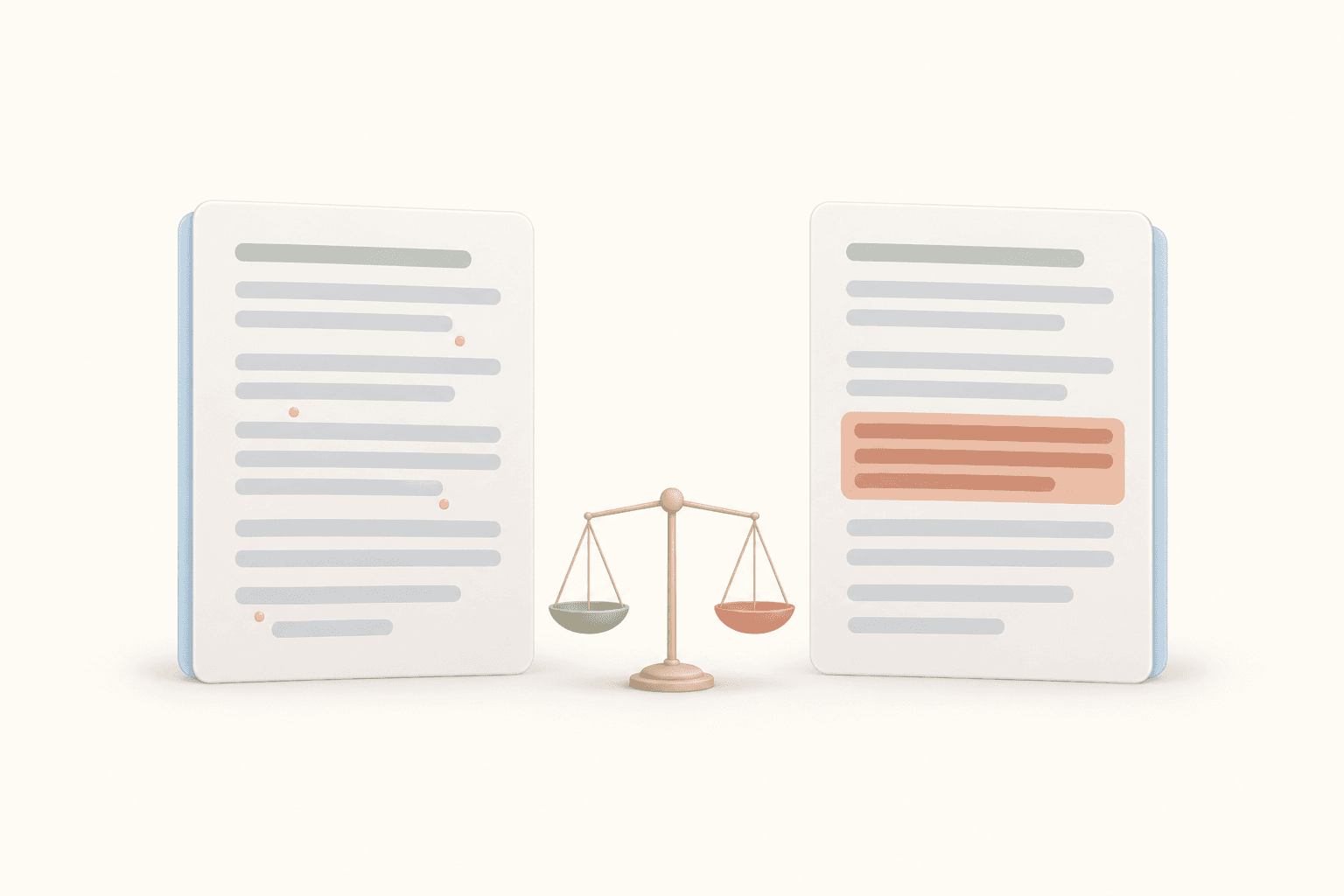
There are two fixes, and you can use both.
Fix A: strip the noise before hashing. Extract main content only, drop nav and footer, and remove blocks that repeat across most pages. This solves most cases and costs nothing at runtime.
Fix B: use a fuzzy fingerprint. A locality-sensitive hash (simhash is one, TLSH is another) gives similar texts similar fingerprints. You compare the distance between old and new, and treat the page as unchanged if the distance is under a threshold.
function is_close(new, old, threshold):
    if new.hash == old.hash and new.hash != "":
        return true                          # exact match first, it's free
    if new.fuzzy is missing or old.fuzzy is missing:
        return false                         # short pages: fall back to exact
    return distance(new.fuzzy, old.fuzzy) <= threshold
Exact first, fuzzy second. Note that fuzzy hashes usually need some minimum amount of text to work, so very short pages fall back to the exact check.
The tradeoff is real. If the threshold is too loose, you'll miss small but important edits, like a changed price, a flipped warning, or a renamed parameter. Those are exactly the edits a support bot needs. Tune the threshold against real diffs from your own site, and keep it adjustable per source, because a changelog page and an API reference don't behave the same way.
Step 6: Run It on a Schedule and Make It Observable
Run the loop on a schedule, and log counts for every run:
crawled: 412 new: 3 changed: 6 unchanged: 399 gone: 1 errors: 3
Then alert on weird numbers. If 80% of pages are suddenly "changed," that's not a docs sprint. It's a noisy hash, or the site was redeployed with a new template. Pause the re-index and check before you pay to embed 330 pages.
Two more tips:
- Decouple crawling from indexing. Emit an event or webhook for new and changed pages, and let a separate job do the chunking and embedding. Retries get much simpler.
- Use the sitemap as a cheap pre-filter, not as the truth. lastmod in a sitemap can save you work, but it's often missing or wrong. I'd treat it as a hint to check a page sooner, never as proof a page is unchanged.
If You'd Rather Not Build This
You can skip the state tracking. WebCrawlerAPI feeds crawl a site on a schedule, compare every page against the previous run, and report new, changed and unavailable pages. A webhook fires with the changes, and each changed page comes with a link to its content in markdown, so your indexing job only touches what moved.
It won't replace your chunking and embedding code. It replaces the crawl, compare and classify part.
Checklist
- Normalize URLs before comparing (scheme, www, trailing slash, anchors).
- Hash the cleaned text, never raw HTML, and never treat empty content as unchanged.
- Exact hash first, fuzzy fingerprint second, with a threshold you can tune.
- Delete a page's chunks only on a confirmed 404/410 or after repeated misses.
- Replace old chunks before inserting new ones, and save state only after the index update succeeds.
- Log counts per run and alert when "changed" spikes.
A fresh knowledge base comes from doing less work per run, not more. Most of your docs didn't change this week, so don't pay to process them again.
