
Last updated: October 18, 2026. Full disclosure: I run WebCrawlerAPI, which is on this list. Where it loses, I say so. If something below is wrong or out of date, email hello@webcrawlerapi.com and it will be fixed.
This post is for people who already pay for ScrapingBee and hit a limit: credits that disappear faster than expected, HTML that has to be cleaned before an LLM can read it, a concurrency cap, or a stealth-proxy bill.
Here is what was checked. Every ScrapingBee and competitor price and feature below was read from the vendor's own page or docs on October 18, 2026. ScrapingBee and WebCrawlerAPI were also run side by side on the same 10-page job (static and JavaScript), using a ScrapingBee trial key of 1,000 credits, and both migration scripts were run for real. That test is small. See ScrapingBee vs WebCrawlerAPI: the 10-page test. For the full list of ten APIs, see best web scraping APIs.
Should You Leave ScrapingBee?
Stay if you need browser control, screenshots, country targeting or stealth proxies. ScrapingBee has all of these, and I do not.
Move if one of these is your problem:
- The credit multiplier. JavaScript rendering is on by default and costs 5 credits per request. Premium proxies cost 10 credits, premium with JavaScript 25, stealth 75. So 75,000 credits on Hobby is 15,000 rendered pages, not 75,000.
- AI features cost extra. ai_query adds 5 credits on top of the normal cost.
- Output cleanup. By default you get HTML. ScrapingBee does have return_page_markdown, so this is only a problem if you never switched that on or you need cleaner main content than it gives. I tried it on one page: 1,516 characters of Markdown and all 10 quotes. That is a sample of one, not a quality test.
- Concurrency. Hobby lists 25 concurrent requests, Freelance 50.
- Whole sites. ScrapingBee is a one-URL-per-request API. Crawling a domain means writing the crawler yourself.
If none of these hurt, switching is work with no payoff.
ScrapingBee Alternatives at a Glance
All numbers are from vendor pages, read on October 18, 2026. "JS multiplier" is how many credits (or how much more money) a rendered page costs compared to a plain one.
| Tool | Best for | Entry plan | JS multiplier | Output | Free tier | Tested here |
|---|---|---|---|---|---|---|
| ScrapingBee (for reference) | One URL in, browser control | Hobby $19/mo, 75,000 credits | 5x | HTML, Markdown, screenshot | 1,000 credits | Yes, small |
| Firecrawl | AI pipelines, scrape + crawl | Hobby $16/mo yearly ($19 monthly), 5,000 credits | None (1 credit) | Markdown, JSON, screenshot | 1,000 credits per month | No |
| WebCrawlerAPI | Sites to Markdown | Pay as you go, $0.002 per page | None | Markdown, cleaned text, HTML, links | Not listed on the pricing page | Yes |
| ZenRows | Closest ScrapingBee clone | Build $16/mo, 45,000 credits | 5x | HTML, Markdown, JSON, screenshot | 5,000 credits per month | No |
| ScraperAPI | Mostly static pages | Hobby $49/mo, 100,000 credits | 10x | See docs | 1,000 credits (7-day trial: 5,000) | No |
| Scrapingdog | Clear credit table | LITE $40/mo, 200,000 credits | 5x | HTML, JSON | 100 credits | No |
| Decodo | Cheap JavaScript pages | Free and $19 plan sizes, per-request rates | 1.5x | See docs | Free plan | No |
| Apify | A ready-made Actor exists | Free $5 usage, Starter $19 | Per Actor | Per Actor | $5 monthly usage | No |
Pick by job:
- Whole sites to Markdown for an AI knowledge base: WebCrawlerAPI or Firecrawl.
- Same API shape as ScrapingBee, lower entry price: ZenRows.
- Cheapest plain page: Scrapingdog.
- Cheapest JavaScript page: Decodo with the standard proxy pool.
- A site with a ready-made scraper: Apify.
What You Lose and Gain by Leaving ScrapingBee
ScrapingBee does things I cannot do. The table shows what the public docs say.
| Feature | ScrapingBee | WebCrawlerAPI | Firecrawl |
|---|---|---|---|
| Click, fill, scroll scenarios | js_scenario, wait_for | No parameter in the public docs | actions, plus a newer Interact feature |
| Screenshots | screenshot, full page, CSS selector | No (formats: markdown, cleaned, html, links) | screenshot format |
| Country targeting | country_code on classic and premium proxies | No parameter in the public docs | location with country and languages |
| Premium and stealth proxies | premium_proxy, stealth_proxy | No parameter in the public docs | See Firecrawl docs |
| CSS/XPath extraction | extract_rules | No. prompt runs an LLM on the page | JSON format with a schema |
| Markdown output | return_page_markdown | output_formats: ["markdown"] | markdown format |
| Crawl a whole site from one URL | No | Yes | Yes |
| Concurrency | 25 on Hobby, 50 on Freelance | See rate limits | 2 free, 5 Hobby, 25 Standard |
| Free tier | 1,000 credits | Not listed on the pricing page | 1,000 credits per month |
Where I come out ahead, with evidence only:
- Flat price. WebCrawlerAPI is $0.002 per page, JavaScript included, and you pay only for successful pages. A few sites (TikTok and LinkedIn public pages are examples) are priced separately, see pricing.
- Crawling. One call can crawl a domain and return every page as Markdown.
- Markdown by default. It is the default output format, not a flag.
Where I do not: if you need a click, a screenshot or a Germany IP, stay on ScrapingBee or move to a tool in this list that has it. The public WebCrawlerAPI scrape docs list no proxy or country parameter, and I will not guess beyond that.
The 7 ScrapingBee Alternatives
1. Firecrawl: best for AI pipelines

Firecrawl homepage, captured October 21, 2026.
Firecrawl is the closest in spirit to what ScrapingBee users ask for when they say "give me LLM-ready text". It scrapes, crawls and maps, and returns Markdown, JSON or screenshots.
- Pricing: 1 credit per page. Hobby is $16/month billed yearly ($19 monthly) for 5,000 credits, Standard $83 for 100,000, Growth $333 for 500,000. JSON, Question and Highlight formats cost extra credits.
- Free tier: 1,000 credits per month, no card.
- Failures: a scrape that returns no result is not charged. A 403 or 404 page is still returned and costs 1 credit.
Pros: flat credit per page, actions and screenshots, a crawl endpoint.
Cons: the small plan is expensive per page: Hobby works out to $3.20 per 1,000 pages. The cheap number ($0.83) needs the Standard plan.
Choose it if you want one SDK for scrape, crawl and search. More options in Firecrawl alternatives. Not tested here.
2. WebCrawlerAPI: best for sites to Markdown with a flat per-page price
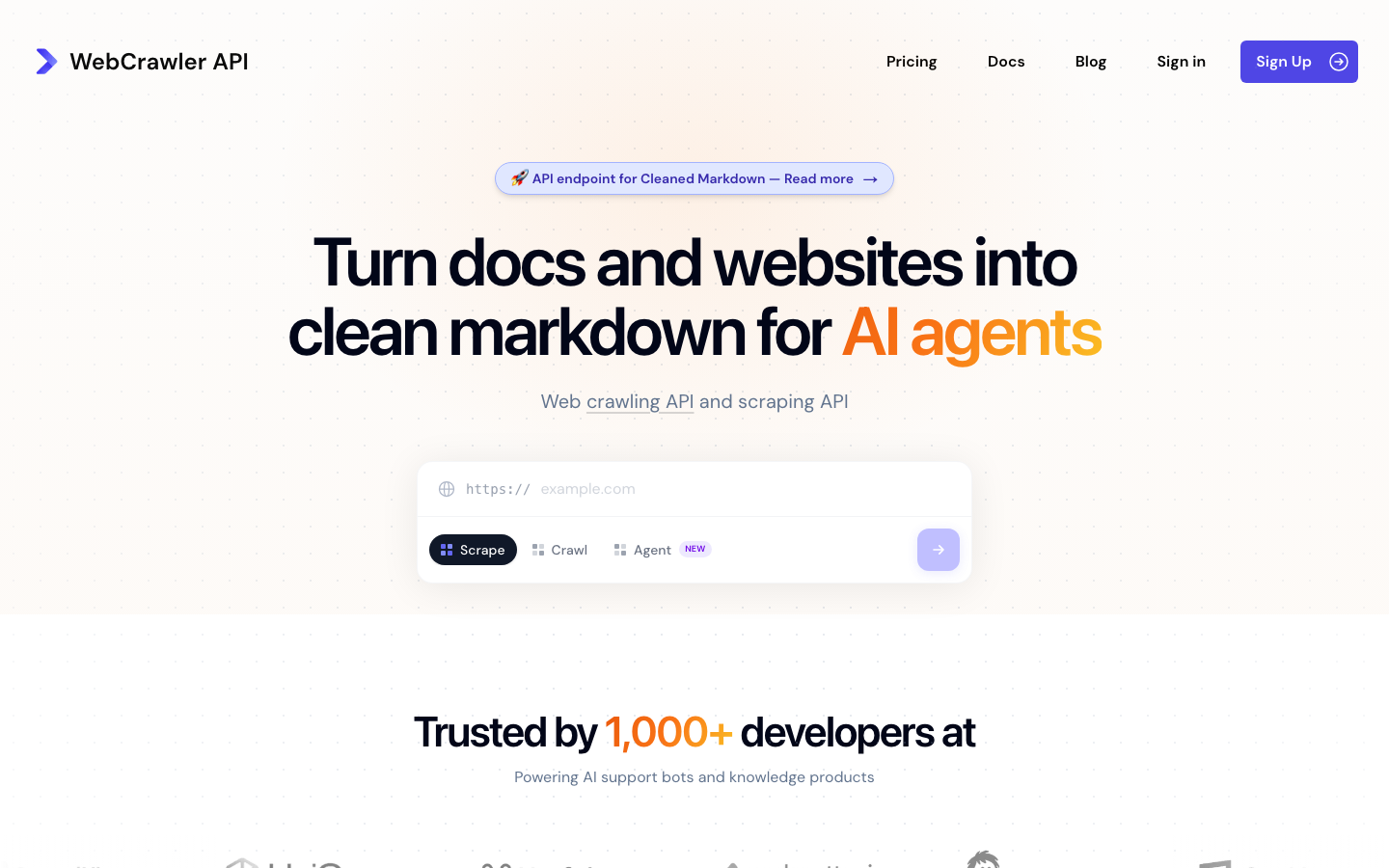
WebCrawlerAPI homepage, captured October 21, 2026.
WebCrawlerAPI scrapes one page with POST /v2/scrape or a whole domain with the crawl endpoints. Output formats are Markdown, cleaned text, HTML and links.
- Pricing: pay as you go is $0.002 per page. Professional is $99/month at $0.0015, Business $499/month at $0.001. JavaScript is rendered by default, with no multiplier.
- Limits: no screenshots, no scenarios, no proxy or country parameter in the public docs. Concurrency is described in the rate limits.
- Tested here: the 10-page job and the migration code below.
Pros: clean Markdown, whole-site crawl, one price.
Cons: the dearest plain page on this list ($2.00 per 1,000). Far fewer controls than ScrapingBee.
Choose it if you feed a knowledge base or a support bot from websites and your pages load without a login or a click.
3. ZenRows: the closest ScrapingBee clone
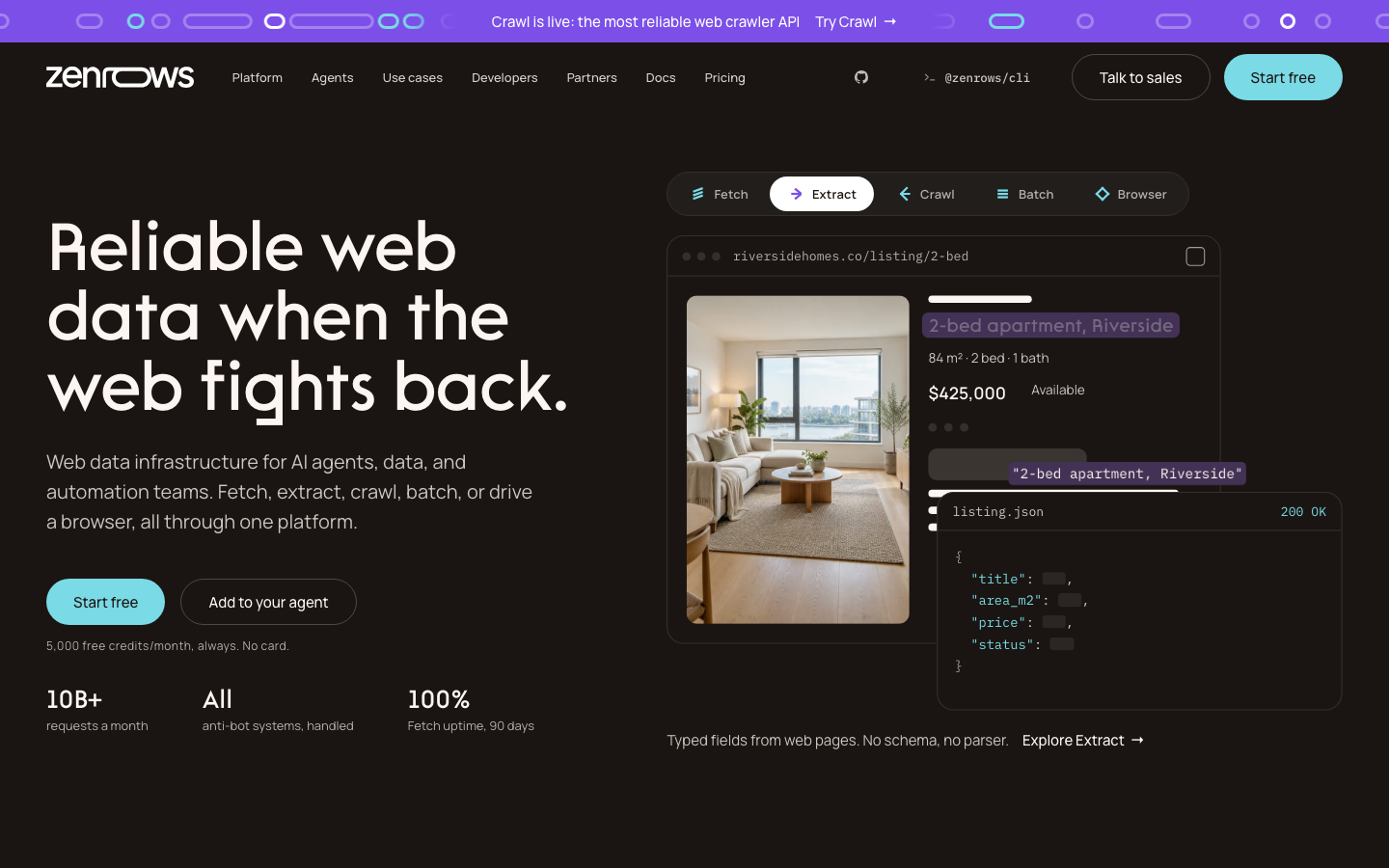
ZenRows homepage, captured October 21, 2026.
ZenRows has the same credit idea as ScrapingBee with a lower entry price. Build is $16/month for 45,000 credits and 20 concurrent requests. A standard page is 1 credit, JavaScript 5, premium proxies 10, both 25. The free plan is 5,000 credits per month, no card.
Failed requests are not charged, and 404 or 410 responses count as results. The page lists HTML, Markdown, JSON and screenshots, and a crawl product.
Pros: the model is familiar, and the free tier is bigger than ScrapingBee's.
Cons: the same 5x JavaScript multiplier. 45,000 credits is 9,000 rendered pages.
Choose it if you want ScrapingBee's shape for less money. Not tested here.
4. ScraperAPI: best for static pages
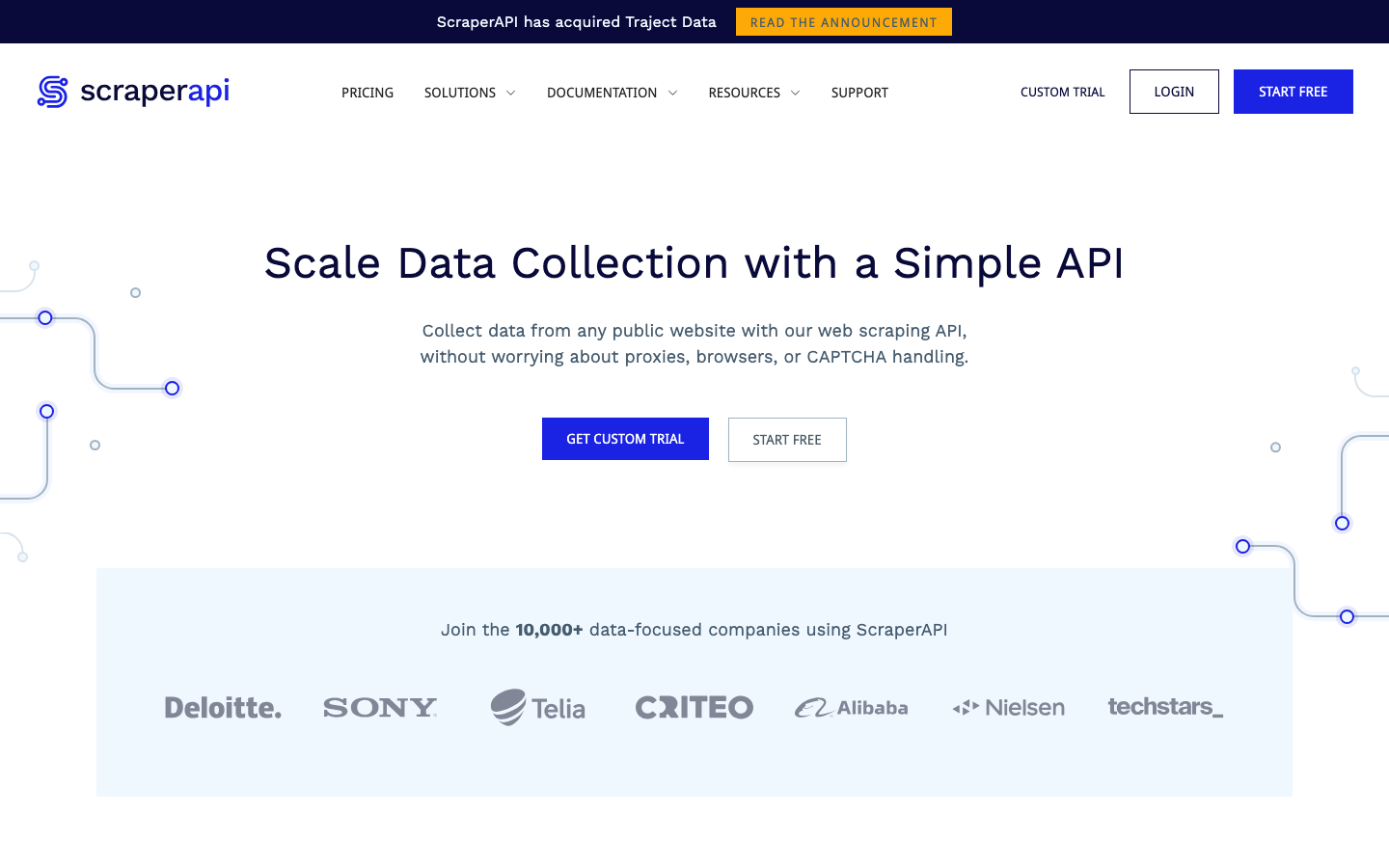
ScraperAPI homepage, captured October 21, 2026.
ScraperAPI starts at $49/month for 100,000 credits and 20 concurrent threads. Hobby lists geotargeting for the US and EU only. A standard page is 1 credit. From the credits documentation: render=true costs 10 credits, premium=true 10, both together 25, and ultra_premium 30. Some domains are priced higher, such as Amazon at 5 credits.
The free options are confusing on its pricing page: a 7-day trial with 5,000 credits at the top, and an FAQ that mentions a free plan with 1,000 credits and 5 concurrent connections.
Pros: simple, many domains handled with custom logic.
Cons: the 10-credit JavaScript surcharge. A rendered page is $4.90 per 1,000 on Hobby, the dearest in this post.
Choose it if your pages are mostly static. Not tested here.
5. Scrapingdog: clear credit table
Scrapingdog homepage, captured October 21, 2026.
Scrapingdog publishes every request type with its credits. On LITE ($40/month, 200,000 credits, 5 concurrent): rotating proxy 1 credit ($0.20 per 1K), JavaScript 5 ($1.00), premium proxy 10 ($2.00), country targeting 10 ($2.00), JavaScript plus premium 25 ($5.00). It also sells SERP and screenshot APIs. The free plan is 100 credits.
Pros: you can compute your bill before you start. The cheapest plain page here.
Cons: tiny free plan, and the same multiplier problem as ScrapingBee.
Choose it if you want predictable math and cheap plain pages. Not tested here.
6. Decodo: cheapest JavaScript pages
Decodo homepage, captured October 21, 2026.
Decodo (formerly Smartproxy) bills per request. Per its billing docs, on the free and $19 plan size, the standard proxy pool is $0.50 per 1,000 requests, $0.75 with JavaScript. The premium pool is $1.00, or $1.50 with JavaScript. If proxy_pool is not set, requests go to the premium pool.
Pros: JavaScript is a small add-on (1.5x, not 5x).
Cons: the default settings are the dearer ones. I only read its billing page, so I will not say more about its features.
Choose it if your pages are simple and you set proxy_pool to standard. Not tested here.
7. Apify: when a ready-made Actor exists
Apify homepage, captured October 21, 2026.
Apify is a platform of scrapers (Actors), not one API. The Free plan includes $5 of monthly usage, Starter is $19, and a compute unit is $0.20 on those two plans. Each Actor in the store has its own pricing model, so there is no single price per page.
Pros: a ready scraper for many popular sites, no code to maintain.
Cons: cost depends on the Actor, which makes budgeting harder. See Apify alternatives.
Choose it if someone already built an Actor for your target. Not tested here.
I left Scrape.do out. Its pricing page shows no prices, only a "1,000 free credits" offer and a 99.98% success rate claim (a vendor claim, untested), so I could not compare it fairly.
Cost Comparison: Price per 1,000 Pages
Different pricing models need one unit. The formula for credit plans:
plan price / plan credits x 1,000 = price per 1,000 credits
price per 1,000 credits x credits per page = price per 1,000 pages
Example: $19 / 75,000 x 1,000 = $0.253, x 5 credits = $1.27 for a JavaScript page
I used each vendor's entry plan, so the numbers are comparable but not best-case. Larger plans are cheaper. The script is a few lines of Python, and the output is below.
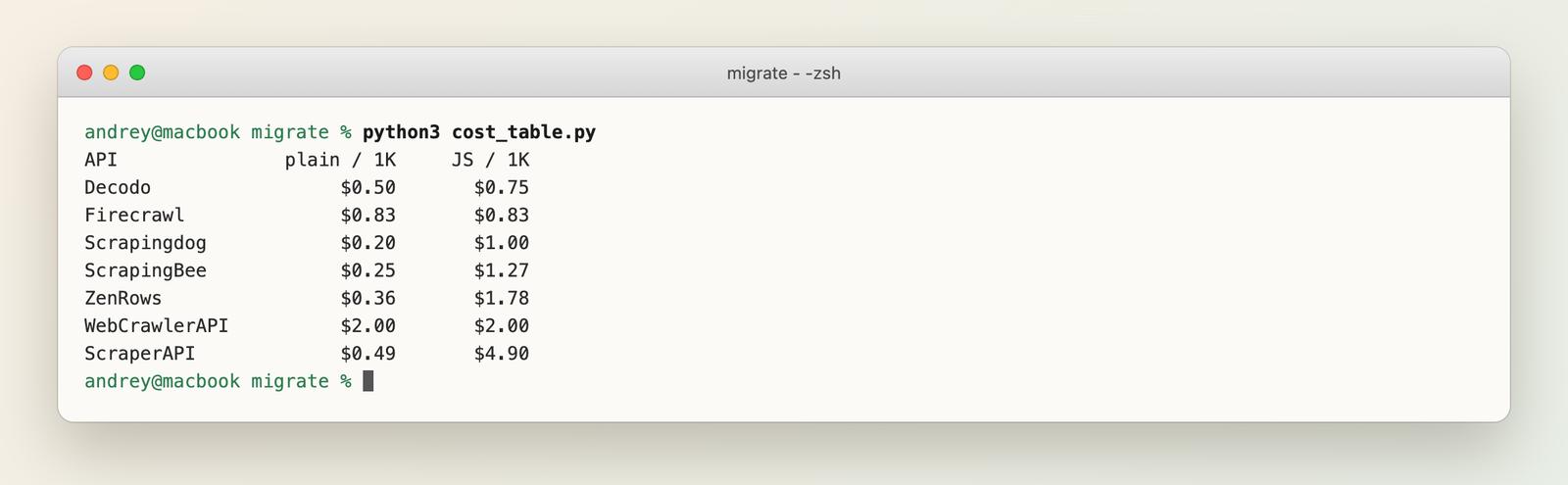
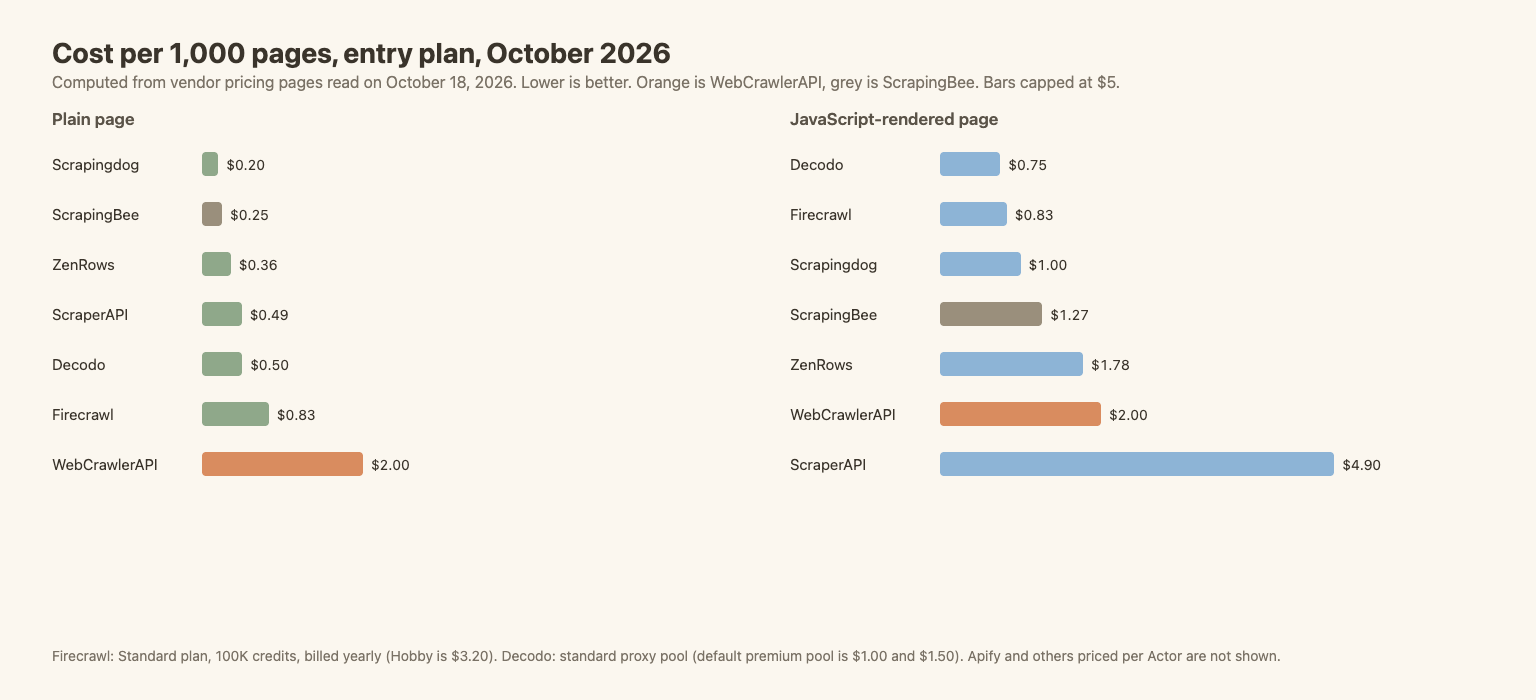
| API | Plain page, per 1,000 | JavaScript page, per 1,000 | Basis |
|---|---|---|---|
| Scrapingdog | $0.20 | $1.00 | LITE, 200K credits |
| ScrapingBee | $0.25 | $1.27 | Hobby, 75K credits |
| ZenRows | $0.36 | $1.78 | Build, 45K credits |
| ScraperAPI | $0.49 | $4.90 | Hobby, 100K credits |
| Decodo | $0.50 | $0.75 | Standard proxy pool. Premium (default): $1.00 / $1.50 |
| Firecrawl | $0.83 | $0.83 | Standard, 100K credits, yearly. Hobby: $3.20 |
| WebCrawlerAPI | $2.00 | $2.00 | Pay as you go. $1.50 on Professional, $1.00 on Business |
What this says:
- For plain static pages WebCrawlerAPI is not the cheapest. ScrapingBee Hobby and Scrapingdog are a fraction of the price.
- Cost alone is a weak reason to leave ScrapingBee. ScrapingBee gets cheaper as the plan grows. By the formula, a JavaScript page is $0.98 per 1,000 on Freelance ($49, 250,000 credits) and $0.50 on Startup ($99, 1,000,000 credits). That beats our pay as you go rate, and our $1.00 Business rate needs a $499 plan.
- The case for flat pricing is the expensive config. When you need premium proxies, ScrapingBee charges 25 credits a page. A flat per-page price helps only if your pages do not need them. I make no claim that WebCrawlerAPI gets through the same blocks.
- Hard sites change everything. These numbers assume pages that load.
Not covered: Apify (per Actor) and any custom enterprise deal.
ScrapingBee vs WebCrawlerAPI: the 10-page test
The job is the one from best web scraping tools and best web scraping APIs: pages 1 to 10 of quotes.toscrape.com, static and the /js/ version, 100 quotes in each. Success is how many of the 100 known quotes appear in the output. ScrapingBee ran on a 1,000-credit trial key, two sequential runs per setup, on October 18, 2026. Credits come from the Spb-Cost response header. WebCrawlerAPI numbers are the medians of three runs from the earlier benchmark.
| Setup (10 pages) | Quotes found | Time, sequential | Credits or cost |
|---|---|---|---|
| ScrapingBee, static, render_js=false | 100 of 100 | 8 s and 14 s | 10 credits (1 per page), about $0.0025 on Hobby |
| ScrapingBee, static, default | 100 of 100 | 27 s and 48 s | 50 credits, about $0.013 |
| ScrapingBee, JavaScript site, default | 100 of 100 | 24 s and 64 s | 50 credits, about $0.013 |
| WebCrawlerAPI, static, one by one | 100 of 100 | 25.9 s | $0.02 |
| WebCrawlerAPI, JavaScript site, one by one | 100 of 100 | 26.3 s | $0.02 |
| WebCrawlerAPI, JavaScript site, 10 at once | 100 of 100 | 17.5 s | $0.02 |
What the numbers say:
- Both got every quote. No failures on either side, but it is a friendly site. One catch: ScrapingBee's raw HTML needed html.unescape before counting (my first count said 76, because of '). Any HTML parser does that for you.
- ScrapingBee wins on cost and on static speed. With render_js=false it is 1 credit a page, 8 to 14 seconds for 10 pages, against 26 seconds and $0.02 for us. On Hobby the JavaScript job costs about $0.013, less than our $0.02 at pay as you go.
- Speed on JavaScript pages is a coin flip. ScrapingBee took 24 and 64 seconds in two runs. We took 26. Two runs only show that it varies.
- Concurrency on the trial key was low. Ten parallel requests gave 3 successes and 7 429 responses. That is the trial plan. Hobby lists 25 concurrent requests, and I did not test it.
- The extras work. On one JavaScript page, return_page_markdown returned 1,516 characters and 10 quotes, extract_rules returned 10 quotes and 10 authors, and screenshot returned a PNG. Each cost 5 credits and took 2 to 3 seconds. We have no CSS-selector extraction and no screenshot.
This says nothing about protected sites. Both tools were tested on a page that has no anti-bot at all. The code is in benchmark/scrapingbee_bench.py.
Migrating From ScrapingBee to WebCrawlerAPI
Parameter mapping
| ScrapingBee | WebCrawlerAPI |
|---|---|
| api_key query parameter | Authorization: Bearer <key> header |
| GET with url in the query | POST /v2/scrape with url in a JSON body |
| render_js (default true) | Always rendered |
| return_page_markdown=true | output_formats: ["markdown"] |
| HTML response | output_formats: ["html"] (field raw_content) |
| extract_rules, ai_query | prompt (an LLM, billed per token), or parse the HTML yourself |
| js_scenario, screenshot, country_code, premium_proxy, stealth_proxy | No equivalent in the public scrape docs |
Python
The "before" code is the ScrapingBee call from its docs, shaped for this page. It was run with a trial key and cost 5 credits:
# BEFORE: ScrapingBee. Returns HTML, you parse it. Needs SCRAPINGBEE_API_KEY.
import os, requests

r = requests.get(
    "https://app.scrapingbee.com/api/v1",
    params={
        "api_key": os.environ["SCRAPINGBEE_API_KEY"],
        "url": "https://quotes.toscrape.com/js/",
        "render_js": "true",  # default, 5 credits
    },
    timeout=60,
)
r.raise_for_status()
html = r.text
print(r.status_code, len(html), "credits:", r.headers.get("Spb-Cost"))
print("quotes found:", html.count('class="quote"'))
The "after" code ran. It uses the Python SDK (pip install webcrawlerapi, see Python SDK docs) and returns Markdown and HTML:
# AFTER: WebCrawlerAPI. Returns Markdown.
import os
from webcrawlerapi import WebCrawlerAPI

client = WebCrawlerAPI(api_key=os.environ["WEBCRAWLER_API_KEY"])
page = client.scrape(url="https://quotes.toscrape.com/js/", output_formats=["markdown", "html"])

print(page.success, page.page_status_code, len(page.markdown), len(page.raw_content or ""))
print("quotes found:", page.markdown.count("Tags:"))
If you are new to the Python side of scraping, see web scraping with Python.
Node.js
Node 18+ has fetch, so no SDK is needed (see also the JS SDK). The "before" code, run on Node 24:
// BEFORE: ScrapingBee, Node 18+. Needs SCRAPINGBEE_API_KEY.
const qs = new URLSearchParams({
  api_key: process.env.SCRAPINGBEE_API_KEY,
  url: "https://quotes.toscrape.com/js/",
  render_js: "true",
});
const res = await fetch(`https://app.scrapingbee.com/api/v1?${qs}`);
const html = await res.text();
console.log(res.status, html.length, "credits:", res.headers.get("Spb-Cost"));
console.log("quotes found:", (html.match(/class="quote"/g) || []).length);
The "after" code, which ran on Node 24:
// AFTER: WebCrawlerAPI, Node 18+, no SDK needed.
const res = await fetch("https://api.webcrawlerapi.com/v2/scrape", {
  method: "POST",
  headers: { Authorization: `Bearer ${process.env.WEBCRAWLER_API_KEY}`, "Content-Type": "application/json" },
  body: JSON.stringify({ url: "https://quotes.toscrape.com/js/", output_formats: ["markdown", "html"] }),
});
const data = await res.json();
console.log(res.status, data.success, data.page_status_code, data.markdown.length, (data.raw_content || "").length);
console.log("quotes found:", (data.markdown.match(/Tags:/g) || []).length);
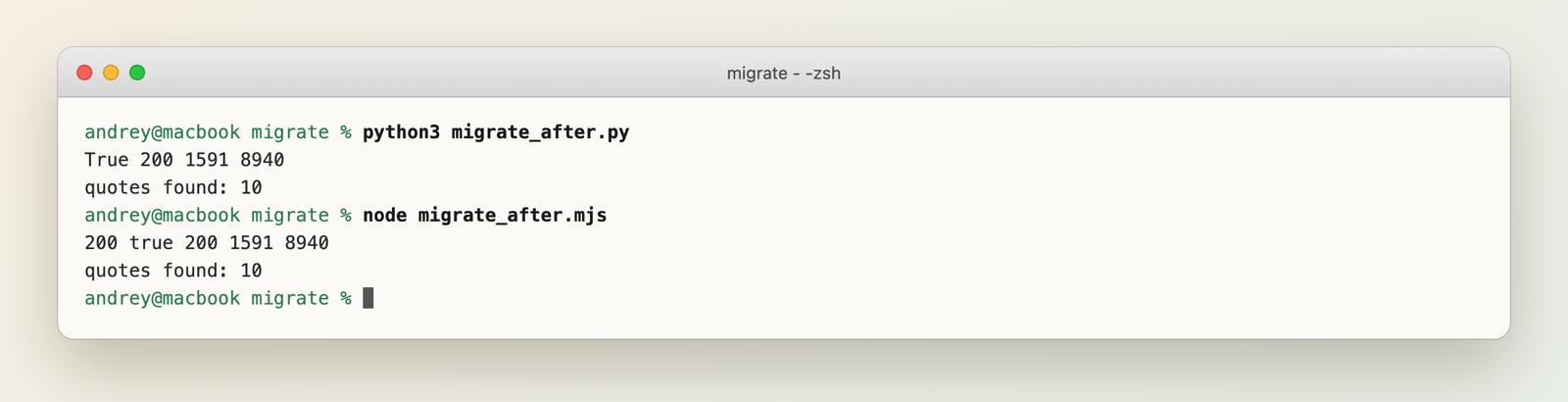
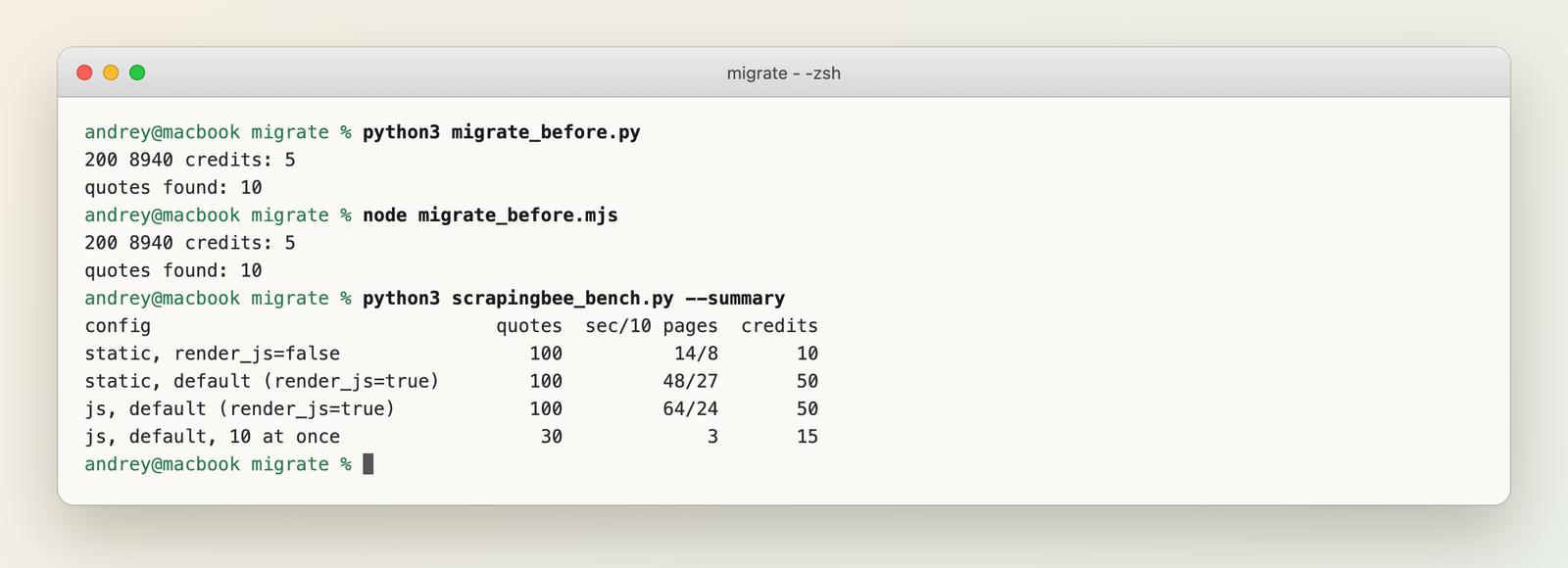
All four scripts returned status 200 for the JavaScript version of quotes.toscrape.com and 10 of 10 quotes. The ScrapingBee scripts returned 8,940 characters of HTML (5 credits), the same size as the HTML from WebCrawlerAPI. The WebCrawlerAPI scripts also returned 1,591 characters of Markdown. The Markdown is about 18% of the HTML size, which matters when an LLM reads it. This is one page, on a friendly test site. It says nothing about hard targets.
Swap safely
- Run both APIs on 50 of your own URLs. Compare Markdown or HTML size and failures per URL.
- Keep ScrapingBee for the URLs that need scenarios, screenshots or stealth proxies. Moving everything is not required.
- Check the scrape API docs and rate limits before you set concurrency.
What I Did Not Test
ScrapingBee ran on a trial key: two runs per setup, about 250 credits in total (235 in the logged benchmark runs, 15 in the feature checks), on two pages of friendly test sites. I did not test its premium or stealth proxies, js_scenario, country targeting, the paid-plan concurrency of 25, or any protected site. Its prices come from its pricing page, read on October 18, 2026. The other five vendors (Firecrawl, ZenRows, ScraperAPI, Scrapingdog, Decodo) and Apify were not run, so their speed and success rates are unknown to me. For our own output-quality data, see the scrape quality benchmark, which we ran ourselves.
FAQ
How much does ScrapingBee cost?
Plans on its pricing page (October 18, 2026): Hobby $19/month for 75,000 credits and 25 concurrent requests, Freelance $49 for 250,000 and 50, Startup $99 for 1,000,000 and 100, Business $249 for 3,000,000 and 200. The free trial is 1,000 credits, no card. A request costs 1 to 75 credits: JavaScript rendering (the default) is 5, premium proxies 10, premium with JavaScript 25, stealth with JavaScript 75. AI features add 5 credits.
What is the best ScrapingBee alternative?
It depends on the job, so there is no single winner. See the picker above.
Is there a free ScrapingBee alternative?
Free tiers for testing: Firecrawl (1,000 credits a month), ZenRows (5,000 credits a month), ScraperAPI (1,000 credits), Scrapingdog (100 credits). Apify has $5 of monthly usage. If you want to run the code yourself, see open source web crawlers for Scrapy, Crawl4AI and others.
How much does ScrapingBee cost?
Plans on its pricing page (October 18, 2026): Hobby is $19/month for 75,000 credits and 25 concurrent requests, Freelance $49 for 250,000. A JavaScript-rendered page costs 5 credits by default, so Hobby covers about 15,000 rendered pages. See the pricing details above.
Is Apify legal and safe to use?
Apify is a normal commercial platform, and whether a scrape is legal depends on the Actor, the site and the data. See Apify alternatives and the ethics post above.
Which One Should You Pick?
- Browser control, screenshots, geo targeting: stay on ScrapingBee, or look at Firecrawl or ZenRows.
- Markdown for an AI knowledge base, whole sites: WebCrawlerAPI or Firecrawl.
- Lowest cost on simple pages: Scrapingdog or Decodo.
Test 50 of your own URLs next to ScrapingBee (a trial gives 1,000 credits, so 50 JavaScript pages cost 250) before you move anything. For a quick start, see the web scraping API page. For libraries and no-code tools, see best web scraping tools, and for all ten APIs, best web scraping APIs.
If you use LLM extraction after the move, see AI web scraping for token costs by page format.
