Is Web Scraping Legal?
Web scraping itself isn't illegal, but legality depends on what you scrape and how you do it.
If you want real examples (and not just theory), these court-case roundups can help:
- 5 Famous Web Scraping Court Cases Where Scrapers Won
- 5 Famous Web Scraping Court Cases Where Scrapers Lost
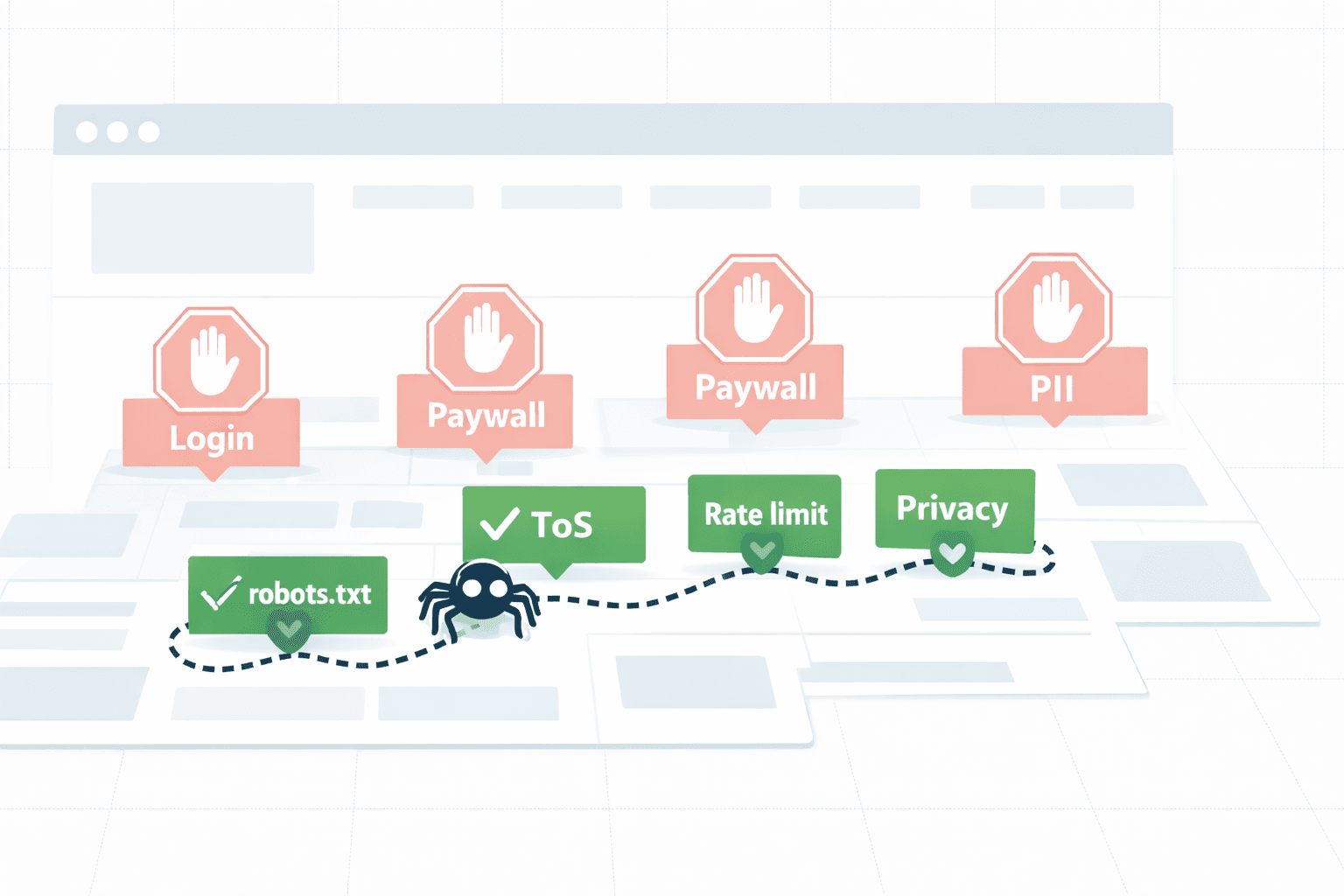
In most countries, scraping publicly available pages is often fine, but you can run into trouble if you bypass authentication, ignore robots.txt, violate Terms of Service, or scrape personal data without consent.
The biggest risks usually come from copyright issues, computer access laws (for example, CFAA in the US), and privacy regulations (GDPR/CCPA).
Before you scrape, check the site's Terms of Service, respect robots.txt, and make sure you're not collecting or using data in ways that can create legal or privacy problems (not legal advice).
What Makes Web Scraping Ethical vs Unethical
Ethical scraping is mostly about respecting signals and reducing harm.
I start with permission: I read the site Terms of Service and check robots.txt, and if it's unclear, I ask or I don't scrape.
Privacy comes next. I don't collect personal data (PII) unless there is a strong, legitimate reason and real safeguards (not legal advice).
Then there is content. I avoid copying protected expression like full articles or other creative text wholesale; in real life, the safer path is extracting facts and structured fields, and adding attribution when it helps users understand the source.
And finally, behavior. Rate limit, back off on 429/5xx, keep requests light, and identify your crawler with a real User-Agent so you're not sneaking around.
Unethical scraping is the opposite pattern: bypassing logins or paywalls, evading blocks, hammering servers until they fall over, or republishing someone else's work in a way that undercuts the original.
robots.txt: What It Means and Why You Must Respect It
robots.txt is a small text file at the site root (usually https://example.com/robots.txt) that tells crawlers what paths are allowed or disallowed for a given User-agent, and sometimes how fast they should crawl (Crawl-delay). It is not a password and it is not a security control. But it is a very clear permission signal, and ignoring it is one of the fastest ways to get blocked (and to create a bad relationship with the site owner). In real life, it also has edge cases: rules can differ per bot, the file can change, and it is easy to accidentally enqueue forbidden URLs if you only check once. So it should be treated as input to your crawler: fetch it, parse it with a real parser, cache it per host, and check every URL before you request it. If a page is disallowed, do not try to be clever. Either skip it, ask for permission, or use an official API if one exists.
Typical file looks like this:
User-agent: *
Disallow: /private/
Allow: /blog/
Crawl-delay: 5
Which means: most bots should not touch /private/, can crawl /blog/, and should wait around 5 seconds between requests.
You can implement this from scratch, but the format has enough edge cases that it is usually better to use a parser library.
// Node 18+
// Idea: fetch /robots.txt once per host and reuse it.

import robotsParser from "robots-parser";

export async function getRobotsForHost(origin) {
  const robotsUrl = new URL("/robots.txt", origin).toString();
  const res = await fetch(robotsUrl);
  const txt = res.ok ? await res.text() : "";
  return robotsParser(robotsUrl, txt);
}

export async function isAllowed(url, { robots }) {
  return robots.isAllowed(url, "MyCrawler/1.0");
}
Terms of Service and Contract Law
Terms of Service (ToS) is where "can I scrape this" is often answered.
If a site says "no automated access" and you scrape anyway, you may be breaking their contract rules (and sometimes that is enough to create a problem even if the pages are public).
Two practical rules that save time:
- If you need to log in, assume the rules are stricter. You're not just reading a public page anymore.
- If the ToS is explicit and you can't comply, stop. Don't build your scraper around "maybe they won't notice".
Also: ToS can change. If you're scraping at scale, treat it like a dependency and re-check it periodically.
Copyright: What You Can and Cannot Copy
Copyright is not about "data" in general. It's about creative expression.
In practice, a safe mental model is:
- Facts and raw numbers are usually fine.
- The way those facts are written, selected, and presented can be protected.
So scraping product prices, SKUs, and availability is very different from scraping and republishing full product descriptions or blog posts.
If your output looks like a copy of the original page, you're probably too close.
What I'd do instead:
- Extract only the fields you need.
- Store the source URL next to each record.
- If you show any text back to users, keep it short and link to the source, or use an official API/license.
And one obvious-but-common mistake: "it is behind a paywall" doesn't mean "it is fair game if I can technically fetch it".
If your goal is to extract "main article text" (for search, summaries, RAG), this is where tooling matters. See: Extracting article or blogpost content with Mozilla Readability.
Personal Data and Privacy Laws (GDPR, CCPA)
Privacy is where scraping goes from "kinda grey" to "danger" fast.
If you scrape anything that can identify a person (names + emails, phone numbers, user IDs, profiles, addresses, photos, IPs), you're in PII territory. Even if it is visible on a public page.
Practical rules:
- Avoid PII unless you truly need it.
- If you need it, define a legal basis and document it (not legal advice).
- Minimize: collect the smallest possible set of fields.
- Secure it: encryption at rest, access controls, audit logs.
- Retention: delete it when it is no longer needed.
Also be careful with "public" sources like forums, social media, and review sites. People post publicly, but they still expect context. Bulk collection and republishing changes that context.
Rate Limiting: Don't Break the Website
Most "ethical" problems in scraping are operational.
If you send 50 requests per second to a small site, you're not doing research. You're doing a small DDoS.
Good defaults:
- Concurrency per host: 1-3.
- Delay between requests: 500ms-3000ms (add jitter).
- Respect Retry-After on 429.
- Back off on 5xx and timeouts.
- Stop if errors keep rising.
Here is a tiny Node 18+ pattern that behaves like a polite visitor. It is not a full crawler, but the idea is the important part:
// Node 18+
// Idea: per-host delay + basic 429 backoff.

const nextAt = new Map(); // host -> unix ms

function sleep(ms) {
  return new Promise((r) => setTimeout(r, ms));
}

export async function politeFetch(url, { minDelayMs = 800 } = {}) {
  const u = new URL(url);
  const host = u.host;

  const waitMs = Math.max(0, (nextAt.get(host) ?? 0) - Date.now());
  if (waitMs) await sleep(waitMs);

  // Add jitter so you don't look like a metronome.
  const jitter = Math.floor(Math.random() * 400);
  nextAt.set(host, Date.now() + minDelayMs + jitter);

  const res = await fetch(url, {
    headers: {
      // Honest UA with contact is a good practice.
      "user-agent": "MyCrawler/1.0 (+mailto:you@example.com)",
    },
  });

  // Back off if the site is telling you to slow down.
  if (res.status === 429) {
    const retryAfter = Number(res.headers.get("retry-after") ?? "0");
    const backoffMs = retryAfter > 0 ? retryAfter * 1000 : 10_000;
    nextAt.set(host, Date.now() + backoffMs);
  }

  return res;
}
If you can't afford to crawl slowly, you probably can't afford the ethics and stability problems that come with crawling fast.
If you're building your own crawler, politeness and scheduling will be a big chunk of the work. This is covered in: How to Build a Web Crawler.
When Web Scraping Is NOT Allowed
Some cases are simple.
If you have to do any of the following, you're already past the "ethical" line:
- Bypass authentication, scrape behind login, or reuse someone else's session.
- Break or evade access controls (CAPTCHA solving, block evasion, paywall bypass).
- Ignore explicit disallow rules in ToS or robots.txt.
- Collect personal data at scale without a strong, defensible reason.
There are also categories that should be treated as high risk by default: health records, financial accounts, student data, and anything involving minors.
If you want to see what "not allowed" looks like in practice, this post is the companion: 5 Famous Web Scraping Court Cases Where Scrapers Lost
Yes, you can technically scrape many of these.
That doesn't mean you should.
Public vs Private Data: Know the Difference
"Public" means a page can be loaded without logging in.
It does not mean:
- You're allowed to automate it.
- You're allowed to republish it.
- You're allowed to build a competing dataset from it.
"Private" is more than "behind a login". It can also mean:
- Pages that are accessible but intentionally not indexed.
- URLs that are meant for browsers, not bulk collection.
- Data that is about individuals, even if visible.
If your project depends on the assumption that "public = free", it will break. First ethically. Then legally. Then operationally.
If crawling vs scraping terms are mixed up (it happens all the time), read: What is the difference between web crawling and scraping?
How to Identify Yourself (User-Agent Best Practices)
If you want to be treated like a good actor, behave like one.
That starts with identification:
- Set a clear User-Agent.
- Include a way to contact you (email or URL).
- Keep it consistent so site admins can understand what they're seeing.
Bad practice is pretending to be Chrome. It's not only shady. It also makes debugging harder when something goes wrong.
Also: don't leak secrets in headers. Never put API keys, auth tokens, or private URLs into a User-Agent string.
Should You Ask Permission First?
If you're scraping a few pages for a personal script, you probably won't email anyone.
If you're scraping a site at scale, you should seriously consider asking.
I'd ask when:
- The ToS is strict or unclear.
- robots.txt disallows the paths you need.
- You need high volume or frequent re-crawls.
- The data is sensitive (PII) or business-critical.
In many cases, the answer you get is "use our API" or "here is a dump". That is a win. It's faster, cheaper, and more stable than fighting the site.
APIs vs Scraping: When to Choose What
If a site provides an API, use it.
APIs exist for a reason:
- Clear rules and rate limits.
- Stable structure.
- Lower chance of breaking next week.
- Explicit permission.
Scraping is what you do when there is no official way to get the data, or when the API doesn't cover your needs.
Before scraping, also look for alternatives that are often overlooked:
- RSS feeds
- sitemaps
- bulk exports
- public datasets
Scraping is a tool. It should not be your first choice by default.
If you want a deeper overview of the "use an API" route, start here: What is webcrawling API?
And if you're comparing vendors, this list can save time: Top Web Scraping APIs
What Happens If You Scrape Unethically
Unethical scraping usually fails in boring ways:
- Your IPs get blocked.
- You spend money on proxies and retries.
- Your data quality gets worse (block pages, CAPTCHAs, partial HTML).
- Your system becomes a pile of hacks that only works on Tuesdays.
And then there are real consequences:
- Legal threats (letters, takedowns, lawsuits).
- Compliance problems if PII is involved.
- Reputation damage if you get called out.
The irony is that "aggressive scraping" is often slower long-term. It creates churn: blocks -> workaround -> blocks -> rewrite.
Web Scraping Code of Conduct
If you want a simple code of conduct, here is mine:
- Permission signals are respected (robots.txt, ToS, auth boundaries).
- Only necessary data is collected (minimize fields, minimize volume).
- Sites are not harmed (rate limits, backoff, stop on stress).
- Privacy is treated as a first-class constraint (no casual PII scraping).
- Identity is honest (User-Agent + contact).
- Data is used in context (no republishing that undercuts creators).
If you break any of these, you should have a very good reason. Most projects don't.
Checklist: Is Your Scraping Project Legal and Ethical?
Use this before you run a scraper overnight:
- Have the Terms of Service been read?
- Has robots.txt been checked (and is it being enforced per URL)?
- Is the target page accessible without login (and are auth boundaries being respected)?
- Is the data free of PII? If not, is there a documented legal basis and a retention plan (not legal advice)?
- Is only the minimum necessary data being collected?
- Is the scraper rate limited per host with backoff on 429/5xx?
- Is there an honest User-Agent with contact info?
- Is the data stored securely (access control, encryption, audit logs)?
- Is there a clear use policy (no republishing or copying creative text wholesale)?
- Is there a kill switch (stop conditions when errors spike)?