
LangChain Document Loaders for Websites: Using WebCrawlerAPI
A LangChain document loader takes a source and turns it into a list of Document objects, each with page_content and metadata. For a PDF or a CSV that's a solved problem. Websites are where loaders get messy.
I'm Andrew, I build WebCrawlerAPI. This post is for teams turning a docs site or help center into an AI knowledge base or a support bot with LangChain in Python. It covers which loader fits which website job, where the built-in ones break, and a working example with WebCrawlerAPILoader. If you want to call the crawler from Python without LangChain, the Python web crawler page has the SDK examples.
Every snippet below was run against a real site (our own docs) in October 2026, with langchain-core 1.6, langchain-community 0.4.2, and webcrawlerapi-langchain 0.2.0.
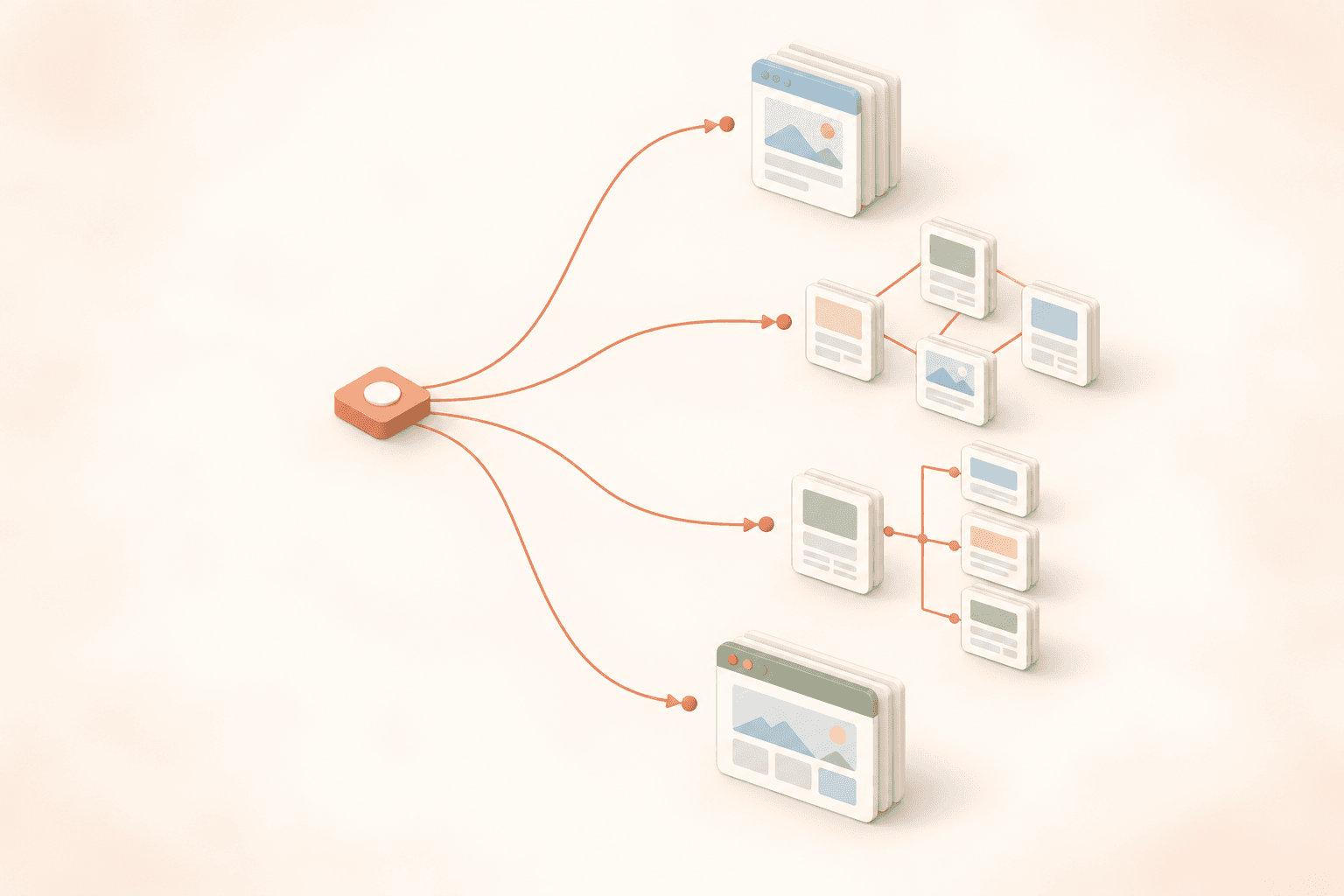
Quick answer: which loader for which job
| Your situation | Loader |
|---|---|
| A handful of known URLs, static HTML | WebBaseLoader |
| Follow links from a start URL, static HTML | RecursiveUrlLoader |
| The site has a good sitemap.xml | SitemapLoader |
| A few pages that need JavaScript to render | PlaywrightURLLoader or SeleniumURLLoader |
| A whole site, JS pages, clean markdown, many pages | A crawl API loader, such as WebCrawlerAPILoader |
One thing to know before you pick. The first four loaders live in langchain-community, and LangChain announced in May 2026 that this package is being sunset. The repo was archived in June 2026. It still installs and works (every example below ran fine), but importing it prints a DeprecationWarning, and it won't get new fixes.
LangChain's direction now is standalone integration packages, each maintained by the team behind the tool. webcrawlerapi-langchain is one of those: it depends only on langchain-core, so the sunset doesn't touch it. For a small internal tool the community loaders are still OK. For a knowledge base you'll run for years, frozen code is a real cost: when a site changes its HTML or a dependency breaks, nobody upstream will fix it.
How LangChain document loaders work
All loaders implement BaseLoader from langchain_core. The interface is small:
- load() returns all documents as a list.
- lazy_load() yields documents one by one, so you don't hold everything in memory.
- aload() and alazy_load() are the async versions.
Each Document has two fields: page_content (a string) and metadata (a dict). For web loaders the metadata usually has at least the source URL.
So why are websites harder than PDFs? A typical web page is half stuff you don't want in a knowledge base: nav menus, footers, cookie banners, "related articles" blocks. Some pages render their content with JavaScript, so a plain HTTP request gets an empty shell. And a site isn't one file, so something has to find the pages, skip duplicates, and not hammer the server.
Loading is only step one. After that comes splitting, which I covered in chunking strategies for knowledge base content.
The built-in loaders for websites
WebBaseLoader
WebBaseLoader fetches each URL with requests, parses the HTML with BeautifulSoup, and returns the page text. It's the simplest LangChain web loader and the one most tutorials start with.
import os
os.environ.setdefault("USER_AGENT", "my-kb-loader/1.0")  # it warns without this

from langchain_community.document_loaders import WebBaseLoader

loader = WebBaseLoader([
    "https://webcrawlerapi.com/docs",
    "https://webcrawlerapi.com/docs/sdk/langchain",
])
docs = loader.load()
print(docs[1].metadata)
The metadata is useful: source, title, description, and language. The content is the problem. Here is the start of what came back for our LangChain docs page:
LangChain IntegrationWebCrawlerAPI/DocumentationSearch docs ... Get API key Guides16API reference19SDKs4Integrations6OverviewAIMCP serverLangChain...
That's the sidebar and header, glued together without spaces, before any real content. It doesn't run JavaScript, and it only loads the URLs you give it. It's fine for a few static pages you've already picked by hand.
RecursiveUrlLoader
RecursiveUrlLoader starts at one URL and follows links down to max_depth (default 2). By default page_content is raw HTML, so you'll want an extractor that turns it into text.
import re
from bs4 import BeautifulSoup
from langchain_community.document_loaders import RecursiveUrlLoader

def html_to_text(html: str) -> str:
    soup = BeautifulSoup(html, "lxml")
    return re.sub(r"\n\n+", "\n\n", soup.get_text()).strip()

loader = RecursiveUrlLoader(
    "https://webcrawlerapi.com/docs/",
    max_depth=2,
    extractor=html_to_text,
)
docs = loader.load()
This gave me 24 documents in about 5 seconds. But look at what was in there:
- https://webcrawlerapi.com/site.webmanifest
- two .woff2 font files from /_next/static/media/
- both /docs and /docs/ as separate pages
- the site homepage
None of that belongs in a support bot (I did not expect font files in a knowledge base either). You can fix it with exclude_dirs, link_regex, and some URL normalizing on your side. That's the real tradeoff here: it gives you link following, and you own the cleanup.
SitemapLoader
If the site has a decent sitemap.xml, SitemapLoader is often the cleanest way to get a list of pages. You filter URLs with regex patterns in filter_urls.
from langchain_community.document_loaders.sitemap import SitemapLoader

loader = SitemapLoader(
    web_path="https://webcrawlerapi.com/sitemap.xml",
    filter_urls=[r"https://webcrawlerapi\.com/docs/sdk/.*"],
)
docs = loader.load()
That returned exactly the 10 SDK pages, and the metadata included lastmod from the sitemap. Nice for freshness checks.
The catch is the sitemap itself. On real sites they're often stale, missing sections, or not there at all. The pages are still fetched without JavaScript, and the text has the same boilerplate problem as WebBaseLoader.
Browser-based loaders (Playwright and Selenium)
For pages that need JavaScript, PlaywrightURLLoader and SeleniumURLLoader load each URL in a real browser. Playwright is the lighter option and has a remove_selectors parameter to drop elements like header and footer. Selenium is older and heavier, but works if you already have it set up. In both cases you install and run the browsers yourself, and neither one follows links.
Where the built-in loaders hurt on real sites
These loaders are fine for a small static site. Problems show up when the site is bigger, or it's a customer's site you don't control:
- JS pages come back empty. A React help center returns a loading spinner and a footer to requests.
- Boilerplate gets into your embeddings. The same nav text in every chunk makes search results worse, and you pay to embed it.
- There are no retries or proxies by default. One 429 or a Cloudflare challenge, and pages are quietly missing.
- You own scaling. 2,000 pages through a single Python process with browsers is slow and fragile.
- Re-crawls are on you. Nothing tracks what changed since last week.
To be fair to LangChain, a loader is a thin adapter. These are crawler problems, and a loader was never meant to solve them.
Using WebCrawlerAPI as a LangChain document loader
WebCrawlerAPILoader is a BaseLoader that runs a crawl job on WebCrawlerAPI and returns one Document per page. The crawling, JavaScript rendering, retries, and cleaning happen on our side. The full reference is in the LangChain SDK docs.
Install and set the API key
You need Python 3.10 or newer.
pip install webcrawlerapi-langchain
export WEBCRAWLERAPI_API_KEY="your-api-key"
You can get a key in the dashboard (see access key). If you don't set the env variable, pass api_key= to the loader.
Load a whole site into Documents
from webcrawlerapi_langchain import WebCrawlerAPILoader

loader = WebCrawlerAPILoader(
    url="https://webcrawlerapi.com/docs/",
    items_limit=15,           # max pages for this job (default is 10)
    output_format="markdown", # default
    main_content_only=True,   # drop nav, sidebars, footers
)
docs = loader.load()

print(len(docs))
print(docs[0].metadata["url"], docs[0].metadata["title"])
load() starts the crawl, waits for the job to finish, and returns the documents. Pages that failed or came back empty are skipped.
output_format has 3 options:
- markdown (default): headings, lists, links, and code blocks are kept. That structure is what a heading-aware splitter needs.
- cleaned: plain text with no markup. Fine for short pages, but you lose the headings.
- html: the raw page. Only useful if you want to parse it yourself.
I'd start with markdown. There's a longer comparison in HTML vs cleaned text vs markdown.
Control what gets crawled
For a support bot you usually want the docs and none of the marketing pages, changelog, or blog. Here is an example for a made-up docs site:
loader = WebCrawlerAPILoader(
    url="https://docs.example.com/",
    items_limit=500,
    main_content_only=True,
    whitelist_regexp=r"^https://docs\.example\.com/guides/.*",
    blacklist_regexp=r".*/(changelog|release-notes)/.*",
    max_depth=3,  # 0 = start URL only, 1 = start URL + its direct links
)
- whitelist_regexp: only URLs that match are crawled.
- blacklist_regexp: URLs that match are skipped.
- max_depth: how many links away from the start URL to go.
- items_limit: a hard cap on pages, which is also a hard cap on cost.
One real-life detail: the start URL is always crawled, even if it doesn't match the whitelist. When I crawled /docs/ with a whitelist for /docs/sdk/, I got 10 SDK pages plus /docs/ itself. Drop it in your code if you don't want it. More on filters in the filters guide.
Stream pages with lazy_load and async
On a 500-page crawl you don't want to wait for the last page before you start embedding. lazy_load() yields each page as soon as it's done:
for doc in loader.lazy_load():
    print("ready:", doc.metadata["url"])
    # split and embed this page now

# Async versions work the same way
docs = await loader.aload()

async for doc in loader.alazy_load():
    print("ready:", doc.metadata["url"])
What is in the metadata
Every document gets these keys:
| Key | What it is |
|---|---|
| url | The page URL |
| title | The page title |
| status_code | HTTP status of the page |
| created_at | When the page was crawled (a datetime) |
| referred_url | The page where the link was found |
| depth | Crawl depth of the page (was None in my test runs) |
| cost | What the page cost, in USD |
| job_id | The crawl job ID |
| item_id | The ID of this page in the job |
For a support bot, url and title are the ones you show as sources under an answer. created_at tells you how old a chunk is, which matters once you start re-crawling.
Handle errors
Bad parameters raise ValueError right away. API and crawl failures raise WebCrawlerAPILoaderError, and for a failed job the message includes the failed URLs and their error codes.
from webcrawlerapi_langchain import WebCrawlerAPILoader, WebCrawlerAPILoaderError

try:
    docs = WebCrawlerAPILoader(url="https://docs.example.com/").load()
except ValueError as e:
    print("Config error:", e)   # e.g. "URL must start with http:// or https://"
except WebCrawlerAPILoaderError as e:
    print("Crawl failed:", e)   # e.g. "API request failed: Unauthorized"
From loader to AI knowledge base
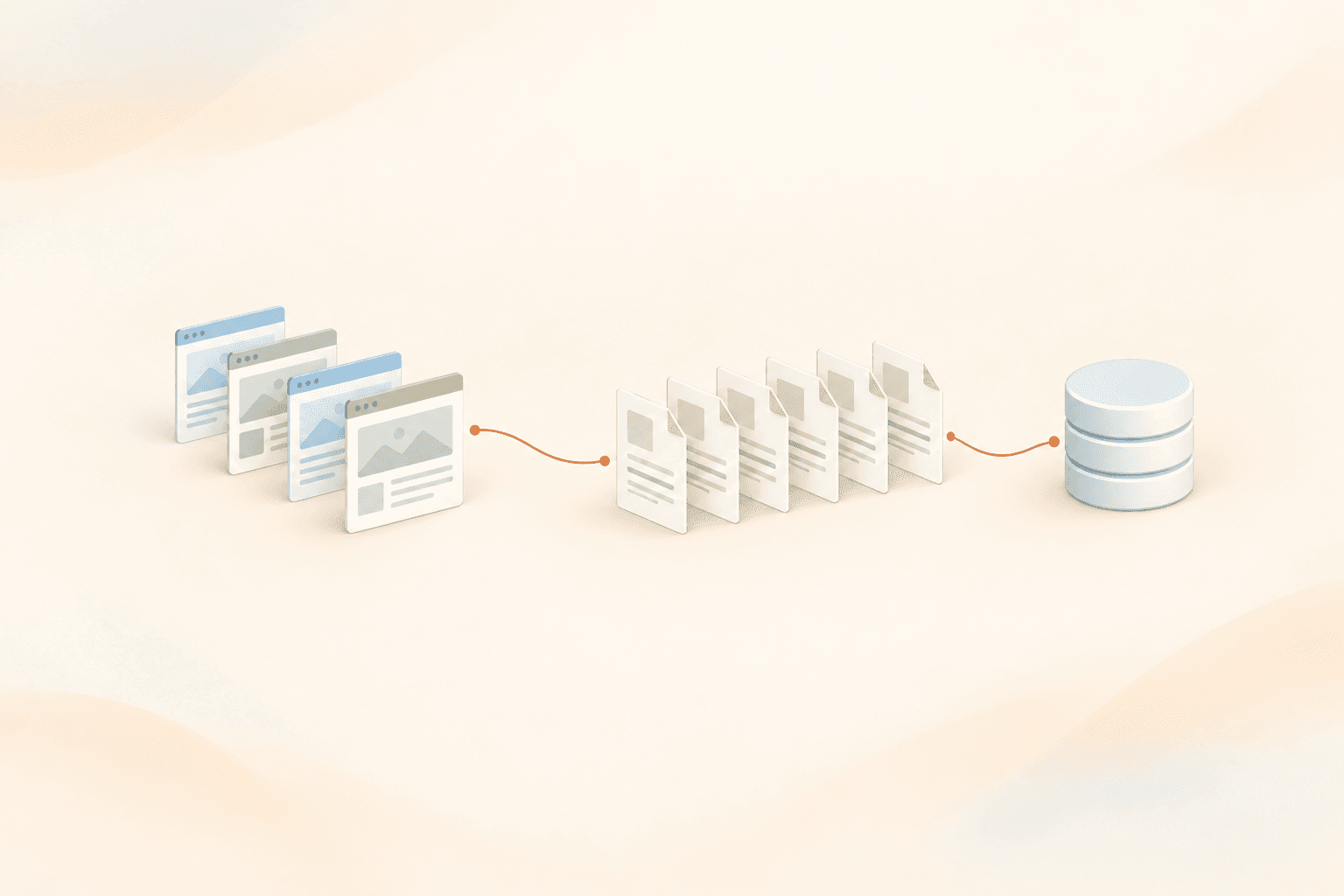
The whole pipeline is 4 steps:
- Load the pages (the loader above).
- Split them into chunks, on headings first.
- Embed each chunk.
- Store the chunks in a vector store and search them.
Here is a short version of that. InMemoryVectorStore and OpenAI embeddings are only examples; swap in whatever you use in production.
from langchain_core.vectorstores import InMemoryVectorStore
from langchain_openai import OpenAIEmbeddings
from langchain_text_splitters import (
    MarkdownHeaderTextSplitter,
    RecursiveCharacterTextSplitter,
)
from webcrawlerapi_langchain import WebCrawlerAPILoader

docs = WebCrawlerAPILoader(
    url="https://docs.example.com/",
    items_limit=200,
    main_content_only=True,
).load()

header_splitter = MarkdownHeaderTextSplitter(
    headers_to_split_on=[("#", "h1"), ("##", "h2"), ("###", "h3")],
    strip_headers=False,
)
size_splitter = RecursiveCharacterTextSplitter(chunk_size=1500, chunk_overlap=150)

chunks = []
for doc in docs:
    for section in header_splitter.split_text(doc.page_content):
        # keep the source on every chunk, for citations and re-crawls
        section.metadata.update(
            url=doc.metadata["url"],
            title=doc.metadata["title"],
            crawled_at=doc.metadata["created_at"].isoformat(),
        )
        chunks.append(section)

chunks = size_splitter.split_documents(chunks)  # split sections that are still too long

store = InMemoryVectorStore(OpenAIEmbeddings(model="text-embedding-3-small"))
store.add_documents(chunks)

for hit in store.similarity_search("How do I install the Python SDK?", k=3):
    print(hit.metadata["url"], hit.metadata.get("h2"))
For a real store, see the best vector databases for knowledge bases, or pgvector if you already run Postgres.
Re-crawls are where the url metadata pays off. When a page changes, delete every chunk with that url and insert the new ones. It's much simpler than trying to patch single chunks. How often to do it is covered in how often to re-crawl a website and keeping a support bot in sync with your docs.
Choosing a loader: an honest comparison
| Loader | JS pages | Follows links | Output | You run the infra | Best for |
|---|---|---|---|---|---|
| WebBaseLoader | No | No | Text with boilerplate | Yes | A few static pages |
| RecursiveUrlLoader | No | Yes | Raw HTML, or your extractor | Yes | Small static sites |
| SitemapLoader | No | No (reads the sitemap) | Text with boilerplate | Yes | Sites with a clean sitemap |
| PlaywrightURLLoader | Yes | No | Text | Yes, browsers too | A few JS pages |
| WebCrawlerAPILoader | Yes | Yes | Markdown, cleaned text, or HTML | No | Whole sites, many pages |
When is WebCrawlerAPILoader the wrong pick?
- A tiny static site or a single page. WebBaseLoader is free and good enough.
- No outside API allowed. Some teams can't send URLs to a third party. Then you run your own crawler.
- A JS/TS stack. There's no JavaScript LangChain loader from us today. You can call the crawl API with the JS SDK and wrap each page in a Document yourself.
On cost: you pay per crawled page, starting at $0.002 a page on the Starter plan. Current numbers are on the pricing page. items_limit keeps a runaway crawl from turning into a surprise bill.
FAQ
What is a LangChain document loader?
It's a class that reads data from a source and returns LangChain Document objects, each with page_content and metadata. Every loader implements BaseLoader, so you call load() or lazy_load() the same way whether the source is a PDF, a database, or a website.
Which LangChain loader should I use for a website?
For a few static pages, WebBaseLoader. For a small static site, RecursiveUrlLoader or SitemapLoader. For JavaScript pages or a whole site with hundreds of pages, a browser loader or a crawl API loader like WebCrawlerAPILoader.
Is WebBaseLoader deprecated?
WebBaseLoader itself still works, but it lives in langchain-community, which LangChain sunset in May 2026. Importing it prints a DeprecationWarning, and the package gets no new fixes. The same goes for RecursiveUrlLoader, SitemapLoader, and PlaywrightURLLoader. If you want a website loader that is still maintained, use a standalone package such as webcrawlerapi-langchain, which depends only on langchain-core.
WebBaseLoader vs RecursiveUrlLoader: what's the difference?
WebBaseLoader loads only the URLs you pass it and returns text. RecursiveUrlLoader starts at one URL, follows links down to max_depth, and returns raw HTML unless you give it an extractor.
Can LangChain load JavaScript-rendered pages?
Yes, with PlaywrightURLLoader or SeleniumURLLoader, which run a real browser. You install and run the browsers yourself. A crawl API loader renders pages on its side.
How do I crawl a whole website into LangChain?
Use a loader that follows links. RecursiveUrlLoader works for small static sites. For bigger or JS-heavy sites, WebCrawlerAPILoader crawls the site with filters and a page limit and returns one markdown Document per page.
Conclusion
Picking a LangChain document loader for a website mostly comes down to two questions: does the site need JavaScript, and how many pages do you need? For a few static pages the built-in loaders are fine. For a whole docs site that feeds a support bot, most of your time goes into crawling and cleanup. That's the part WebCrawlerAPILoader is built for.
The full parameter list is in the LangChain SDK docs, and there's a working project in the examples repo. If you want to try it on your own site, get an API key and start with items_limit=20.
