
Last updated: October 18, 2026. Full disclosure: I run WebCrawlerAPI, which is on this list. Where it loses, I say so. If something below is wrong or out of date, email hello@webcrawlerapi.com and it will be fixed.
A web scraping API takes a URL and returns the page. Picking one is hard, because the pricing models do not match and every "best of" list ranks its owner first.
So I did three things differently. I read the prices of 10 hosted APIs from their own pages on October 18, 2026. I tested one API, ours, on 15 real URLs and on a 10-page job. And I worked out the cost of 1,000 pages for every vendor, with and without JavaScript. Vendors I did not test are marked as such.
If you just want to call a scraping API, see the web scraping API page. For libraries and no-code tools too, read best web scraping tools.
Which Web Scraping API to Pick
Start from your job. Then test 50 of your own URLs.
| Your job | Pick | Why | Where it loses |
|---|---|---|---|
| Whole sites to Markdown for an AI knowledge base | WebCrawlerAPI | Crawl a domain, get Markdown. Flat price per page | Highest flat price per plain page in the cost table, slower than Firecrawl in our benchmark |
| Scrape, crawl and search in one SDK | Firecrawl | One credit per page, big ecosystem | JSON output costs 4 extra credits per page |
| Protected sites at enterprise scale | Bright Data, Oxylabs or Zyte | Built for blocks and CAPTCHAs | Price depends on product and target |
| Google results (SERP) | Bright Data, Oxylabs or Scrapingdog | Dedicated SERP endpoints | Not a general scraper |
| Lowest cost per plain page | Scrapingdog ($0.20 per 1K) | Clear credit table | Small free tier |
| Lowest cost per JavaScript page | Decodo ($0.75 per 1K) | JS is a small add-on | Default proxy pool is the dearer one |
| First scraper, little time | ScrapingBee or ScraperAPI | Simple parameters, many tutorials | JavaScript costs 5 to 10 credits |
| E-commerce data | Oxylabs, Scrapingdog or Decodo | Target-specific endpoints | Cost depends on the target |
Comparison Table
All prices are from the vendor's own pages, read on October 18, 2026. "JS multiplier" is how many credits (or how much more money) a JavaScript-rendered page costs compared to a plain one.
| API | Best for | JS rendering | JS multiplier | Entry price | Free tier | Tested here |
|---|---|---|---|---|---|---|
| WebCrawlerAPI | Sites to Markdown | Yes | None, same price | Pay as you go, $0.002 per page | Not listed on the pricing page | Yes |
| Firecrawl | Scrape + crawl + search | Yes | None (1 credit) | $16/mo yearly, $19 monthly (5,000 credits) | 1,000 pages per month, no card | No |
| Bright Data | Enterprise unblocking | Yes, included | None | Pay as you go, $1.50 per 1K | 5K requests per month, no card | No |
| Oxylabs | E-commerce, SERP | Yes, priced per target | 1.5x on custom domains | Starter $30/mo | $5 welcome credit | No |
| Zyte | Pay as you go at scale | Yes, separate rates | About 8x to 13x by tier | Pay as you go, no minimum | $5 credit, 30 days | No |
| Decodo | Budget | Yes | 1.5x | Free plan, then $19/mo | 10K pages per month, no card | No |
| ScrapingBee | Beginners | Yes, on by default | 5x | $19/mo (75,000 credits) | 1,000 credits, no card | No |
| ScraperAPI | General scraping | Yes | 10x | $49/mo (100,000 credits) | 7-day trial, 5,000 credits | No |
| Scrapingdog | Clear per-request math | Yes | 5x | LITE $40/mo (200,000 credits) | 100 credits | No |
| ZenRows | Cheap entry, AI agents | Yes | 5x | Build $16/mo (45,000 credits) | 5,000 credits per month, no card | No |
Coming from ScrapingBee? Read ScrapingBee alternatives. Two things changed since the last version of this post. ScrapingBee's cheapest plan is now $19 for 75,000 credits (it used to start at $49). And Decodo's "from $0.15 per 1K" headline is the price on its $1,499 plan, not the one you pay on a small plan. More on that in the cost section.
How These APIs Were Chosen and Tested
I looked at JavaScript rendering, pricing model, output formats, free tier, and whether the price is published at all. All ten are hosted APIs you call with a URL. Libraries, no-code apps and proxy-only products are out of scope.
I measured three things and calculated one:
- Test A. The same 10-page job on a static site and on its JavaScript version, using WebCrawlerAPI and Jina Reader. Three runs each, October 18, 2026.
- Test B. 15 public URLs through WebCrawlerAPI, one request each.
- Benchmark. Our scrape quality benchmark on 806 URLs. I did not re-run it, I only checked that the numbers below match the published data.
- Calculated. Cost per 1,000 pages, from the published prices.
What I did not test: other vendors' success rates, anti-bot performance, geo-targeting. I have no accounts at them, and I will not pretend otherwise. Every number about another vendor is a price read from its page. For heavily protected sites, the honest answer is Bright Data, Oxylabs or Zyte, and a 16-API hard-target test by Scrape.do (written by a vendor, so read it the same way) will tell you more than this post can.
The 10 Best Web Scraping APIs
1. WebCrawlerAPI: best for turning pages and sites into Markdown
WebCrawlerAPI scrapes one page through POST /v2/scrape, or a whole domain through the crawl endpoints, and returns Markdown, cleaned text, HTML or links.
- Pricing: pay as you go is $0.002 per page. Professional is $99/month at $0.0015, Business $499/month at $0.001. An LLM-cleaned Markdown endpoint costs $0.006, $0.0055 and $0.005 per page. You pay only for successful pages. A few sites, such as TikTok and LinkedIn public pages, are priced separately. See pricing.
- JavaScript: rendered by default, no multiplier.
- Limits: 5 parallel threads per account (see rate limits).
- Tested here: yes, see below.
Pros: clean main content, whole-site crawl from one URL, one flat price.
Cons: the most expensive plain page on this list ($2.00 per 1,000). Median 8.5 s on the cleaned Markdown endpoint in our benchmark.
Choose it if you feed a knowledge base or a support bot from websites.
2. Firecrawl: best for scrape, crawl and search in one SDK
Firecrawl covers scrape, crawl, map and search, and returns Markdown and JSON.
- Pricing: 1 credit per page on scrape, crawl and map. Hobby is $16/month billed yearly ($19 monthly) for 5,000 credits. Standard $83 (100,000), Growth $333 (500,000), Scale $599 (1,000,000). The JSON, Question and Highlight formats add 4 credits per page.
- Free tier: 1,000 pages per month, no card, 2 concurrent requests.
- Failures: a scrape that returns no result is not charged. A 403 or 404 page is still returned and costs 1 credit.
Pros: fast (3.6 s median in our benchmark), large community, good docs.
Cons: extra-format credits make costs harder to predict. In our benchmark its main-content quality scored lower than ours (F1 0.539 vs 0.623).
Choose it if you want one SDK for several jobs. Other options: Firecrawl alternatives. Not tested here, price read from the pricing page.
3. Bright Data: best for enterprise unblocking
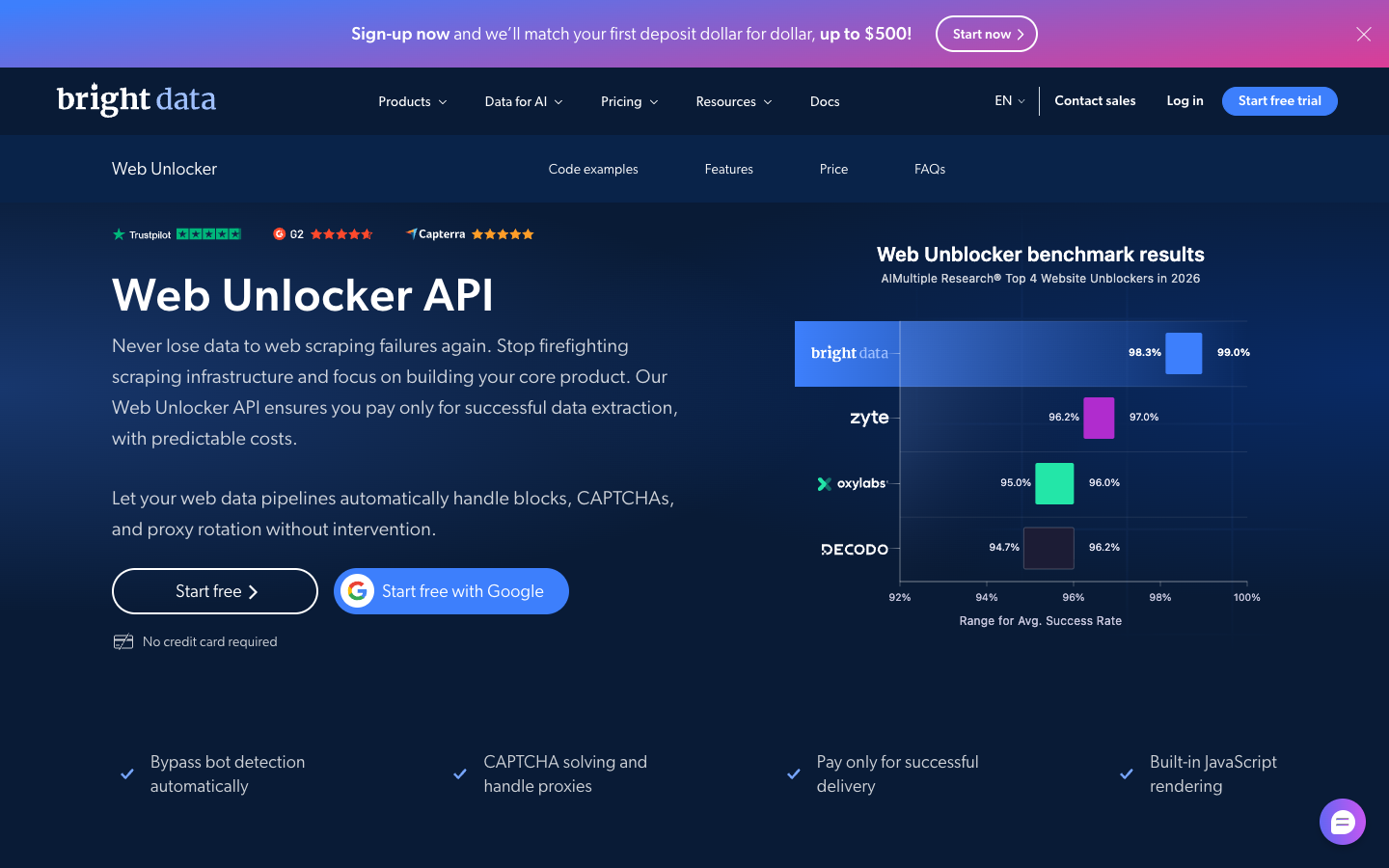
Bright Data is known for its proxy network and sells three unblocking products: Web Unlocker, SERP API and Web Scraper API. Each has its own pricing page.
- Pricing (Web Unlocker): pay as you go is $1.50 per 1K requests. The Scale plan is $499/month with 383K requests included and $1.30 per 1K after that.
- Free tier: 5K requests per month, no card.
- Included: JavaScript rendering, CAPTCHA solving and proxy management, pay only for success.
Pros: strong on hard targets, mature SERP product.
Cons: three pricing pages to read. The rate depends on the product and the plan.
Choose it if you scrape protected sites at scale and have a budget for it. Not tested here, price read from the pricing page.
4. Oxylabs: best for e-commerce and SERP data
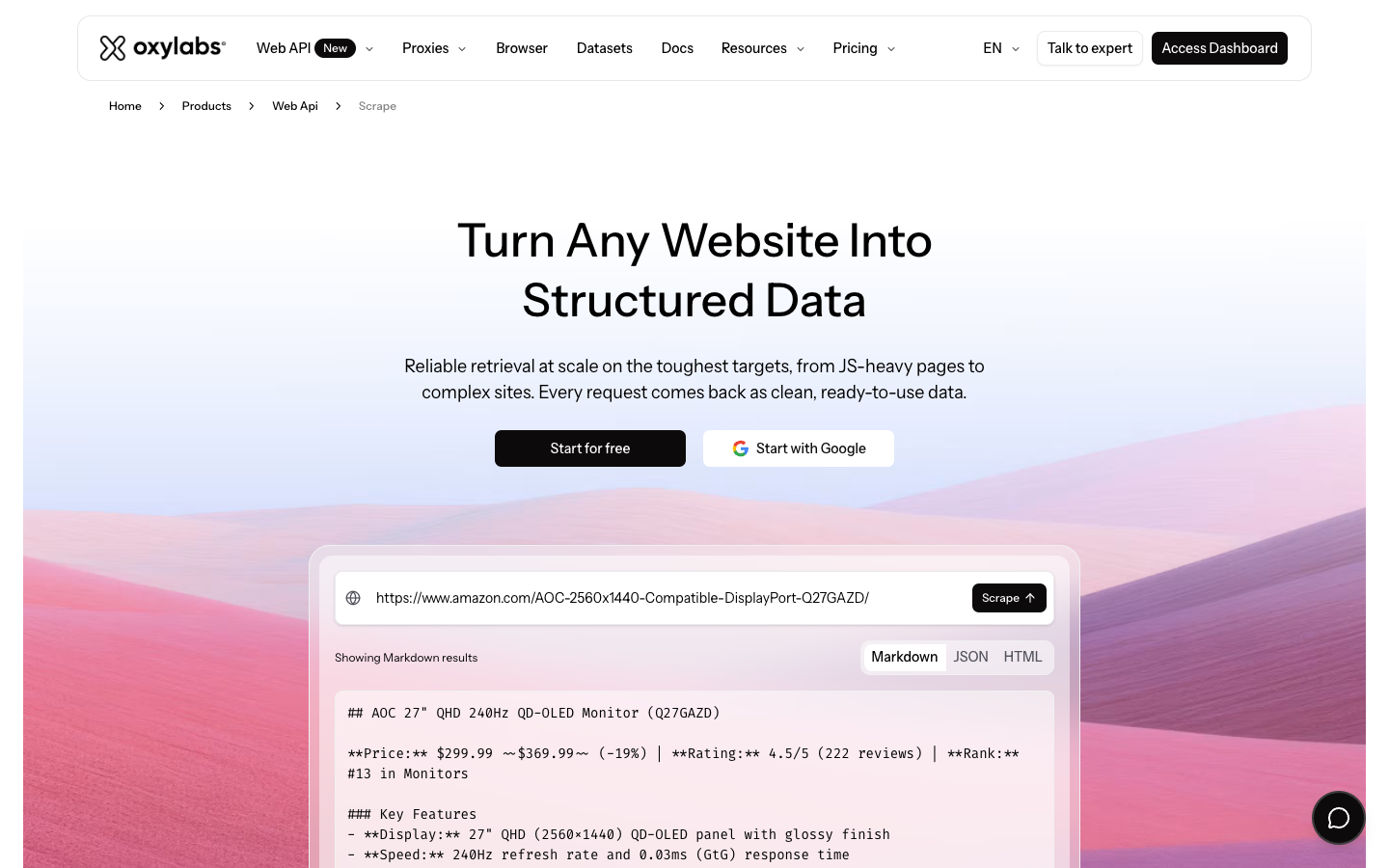
Oxylabs sells a Web API next to its proxies. Rates are listed per target. Custom domain scraping at the Starter tier is $1.00 per 1K results without JavaScript and $1.50 with it, falling to $0.75 and $1.22 at the highest volume. Amazon and Google have their own rows, from $0.50 per 1K for Amazon without JavaScript.
- Plans: Starter $30/month, Basic $100, Flexible $500, Enterprise from $2,500.
- Free tier: $5 welcome credit.
Pros: target-specific pricing is public, strong SERP and marketplace support.
Cons: the price depends on the target and on JavaScript, so a single monthly estimate is hard.
Choose it if your pages are marketplaces or search results. Not tested here, price read from the pricing page.
5. Zyte: best for pay as you go at scale
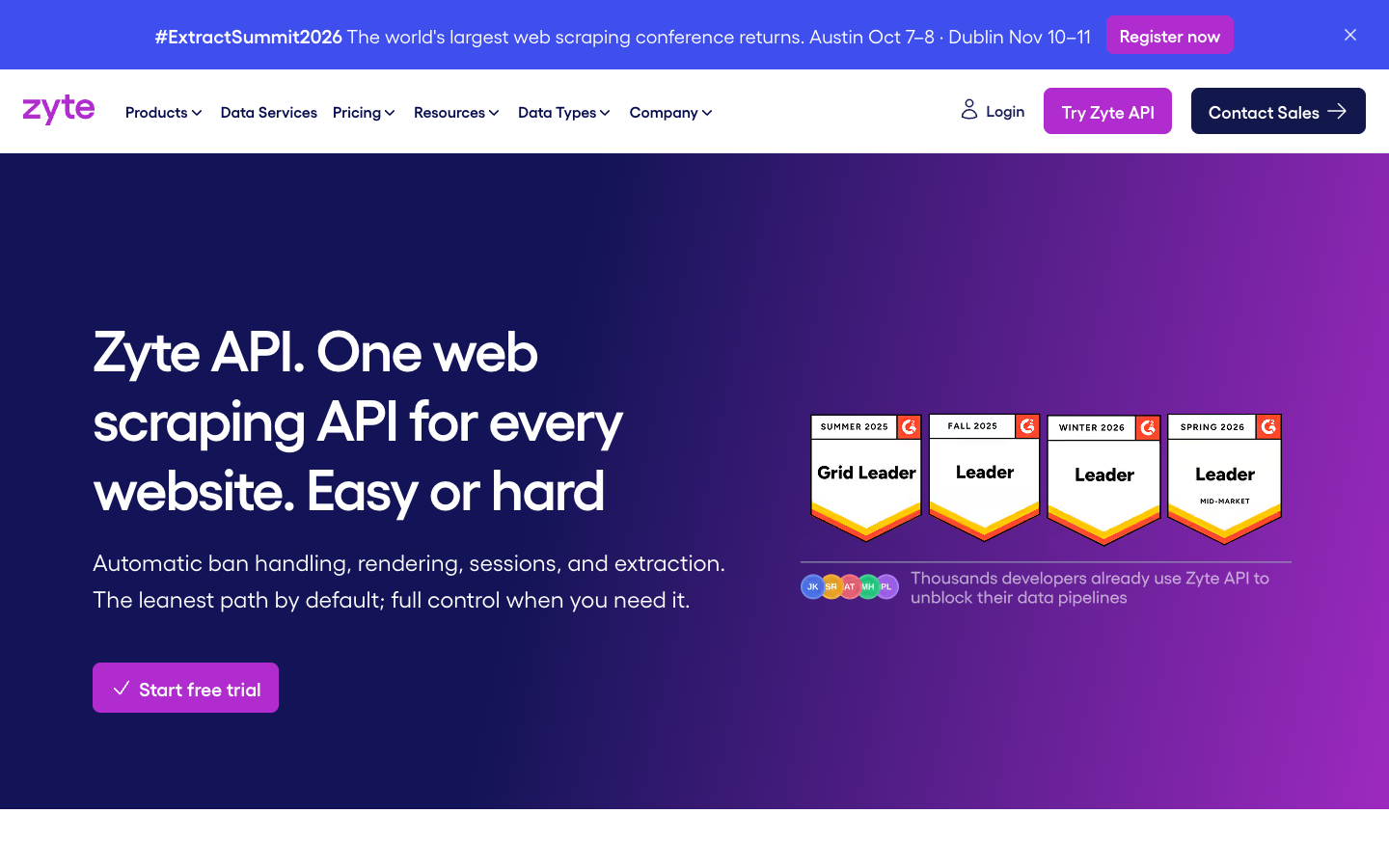
Zyte API bills per 1,000 successful responses, and sites fall into five difficulty tiers. On pay as you go, a plain HTTP response runs $0.13 to $1.27 per 1K, and a browser-rendered one $1.01 to $16.08. Monthly commitments of $100, $200 or $500 lower both ranges (at $500: $0.06 to $0.61 and $0.48 to $7.68).
- Free tier: $5 credit, 30 days, no commitment.
Pros: you pay only for success, and easy sites are very cheap.
Cons: the tier of your site decides the bill, and it is hard to know in advance. The hardest tier with a browser is the most expensive rate in this post.
Choose it if your sites vary a lot and you want to pay for what each one needs. Not tested here, price read from the pricing page.
6. Decodo: best for budget with decent quality
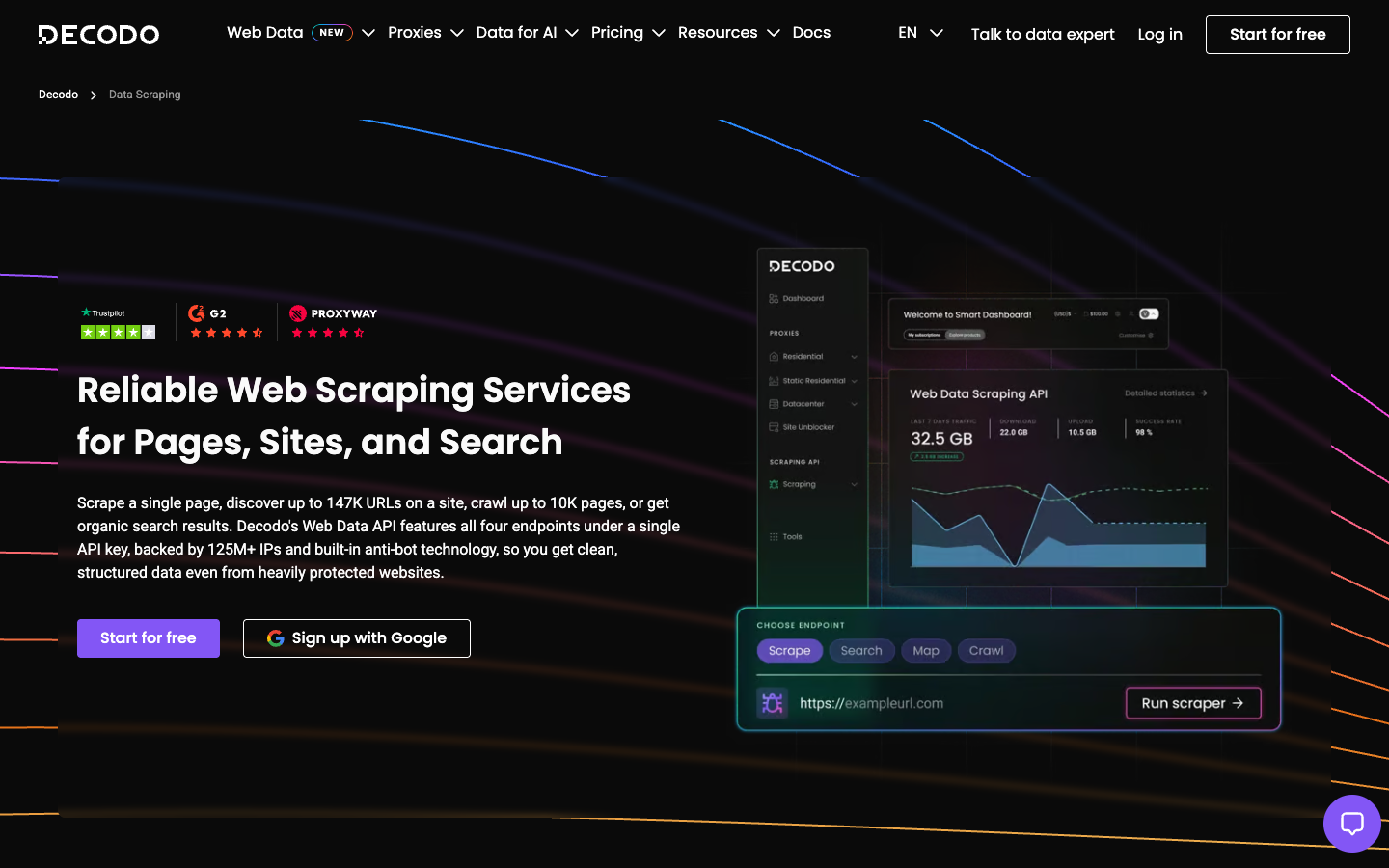
Decodo (formerly Smartproxy) offers a Web Data API with four endpoints: scrape, search, map and crawl. The headline says "starting at $0.15 per 1K requests". That is the rate on the $1,499 plan with the standard proxy pool.
On the free and $19 plans, the billing page lists per 1K requests: $0.50 for the standard proxy pool, $0.75 with JavaScript, $1.00 for the premium pool and $1.50 for premium with JavaScript. The default pool is premium, so a request with no parameters is the $1.00 one.
- Plans: free (up to 10K pages scraped a month), $19, $49, $99, $249 and up.
- Output: HTML, Markdown and XHR, plus JSON, CSV or PNG for specific targets.
- Billing: pay only for successful requests.
Pros: cheap JavaScript, real free plan.
Cons: the default settings are the dearer ones, and the headline price needs a very large plan.
Choose it if your pages are simple and you set proxy_pool to standard. Not tested here, price read from the billing docs.
7. ScrapingBee: best for beginners
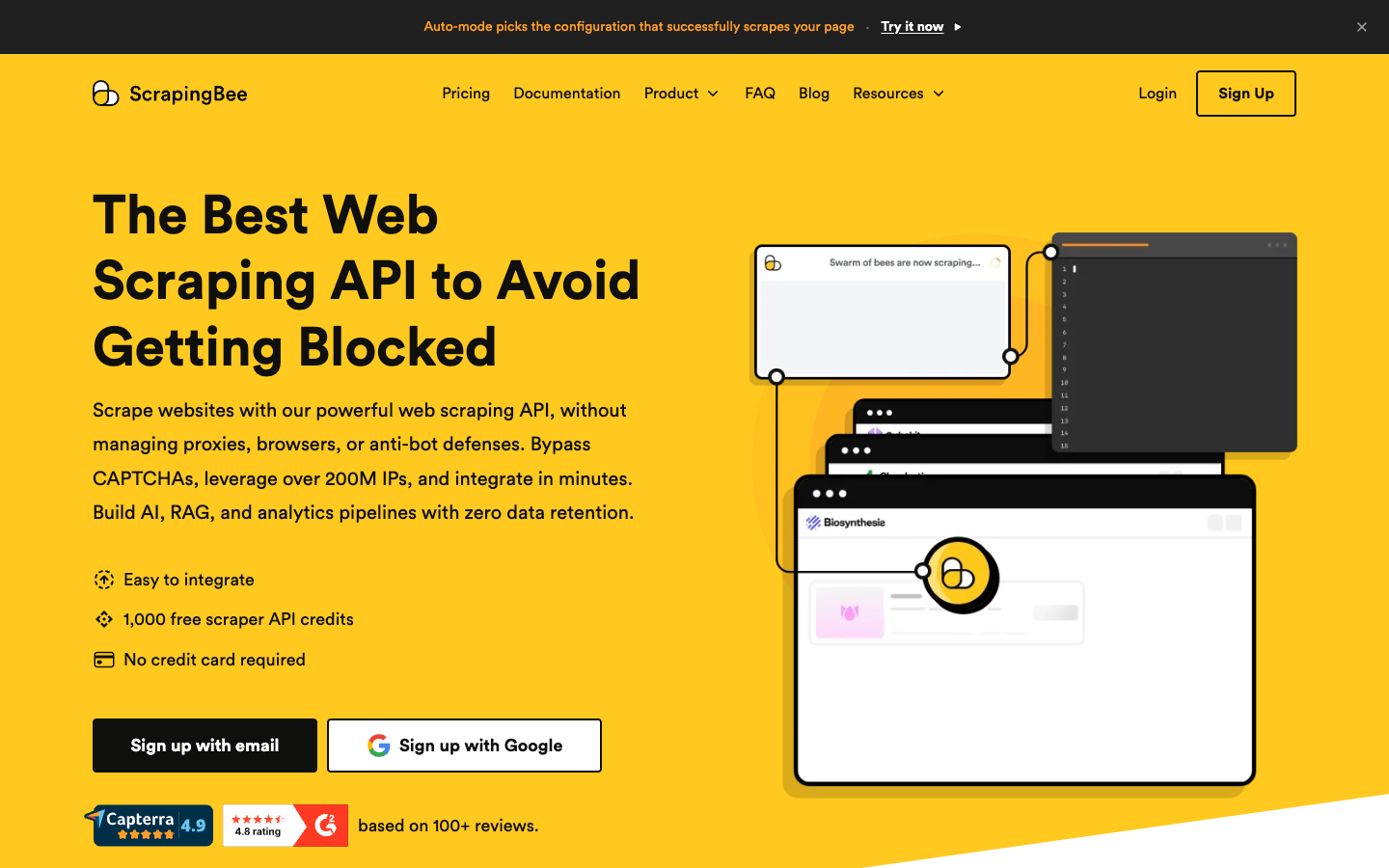
ScrapingBee is a simple scraping API. Plans: Hobby $19/month for 75,000 credits and 25 concurrent requests, Freelance $49 for 250,000, Startup $99 for 1,000,000. The free trial is 1,000 credits, no card.
JavaScript rendering is on by default and costs 5 credits. Premium proxies cost 10 credits, premium with JavaScript 25, stealth with JavaScript 75. Auto-Mode picks the cheapest setup that works and charges only for that.
Pros: easy to start, good tutorials, Auto-Mode caps surprises.
Cons: most real requests are 5 credits, so 75,000 credits is 15,000 rendered pages.
Choose it if it is your first scraper. Leaving ScrapingBee? See ScrapingBee alternatives. Not tested here, price read from the pricing page and docs.
8. ScraperAPI: best for low-cost general scraping
ScraperAPI starts at $49/month for 100,000 credits and 20 concurrent threads (Startup is $149 for 1,000,000). The trial is 7 days with 5,000 credits.
Credits depend on the request. A normal page is 1 credit. Amazon, Walmart and eBay are 5, Google and Bing 25, LinkedIn 30. The render=true flag costs 10 credits per request, premium proxies 10, and both together 25. Cloudflare and Datadome bypass add 10. An earlier version of this post said JavaScript was included. It is available on every plan, but it is not free: it is 10 credits.
Pros: simple, JSON auto-parsing, pay only for success (200 and 404).
Cons: the 10-credit JavaScript surcharge makes rendered pages expensive: $4.90 per 1,000, the dearest rendered page among the credit-based APIs in the cost table (Scrapingdog's JavaScript plus premium proxy combination reaches $5.00).
Choose it if your pages are mostly static. Not tested here, price read from the pricing page and docs.
9. Scrapingdog: best for clear per-request math
Scrapingdog publishes its credit table plainly. LITE is $40/month for 200,000 credits.
| Request type | Credits | Cost per 1K requests on LITE |
|---|---|---|
| Rotating proxy | 1 | $0.20 |
| JavaScript rendering | 5 | $1.00 |
| Premium proxy | 10 | $2.00 |
| JavaScript + premium | 25 | $5.00 |
The free plan is 100 credits.
Pros: you can calculate your bill before you start, and plain pages are the cheapest on this list.
Cons: the free plan is tiny, and JavaScript plus premium gets expensive.
Choose it if you want predictable math. Not tested here, price read from the pricing page.
10. ZenRows: best cheap entry for AI agents
ZenRows has a free plan with 5,000 credits per month, no card. Build is $16/month for 45K credits, Launch $58 for 250K, Growth $166 for 1.2M, Scale $458 for 5M. A standard page is 1 credit, JavaScript 5, premium proxies 10, both 25. Failed requests are not charged, and a 404 or 410 counts as a result. Output is HTML, Markdown, JSON or a screenshot, and there is a crawl endpoint.
Pros: low entry price, real free plan.
Cons: at 5 credits per JavaScript page, 45K credits is 9K rendered pages.
Choose it if you want to start free and stay cheap. Not tested here, price read from the pricing page.
Also worth a look for AI pipelines
These are not general scraping APIs, but they show up in AI data pipelines and in our benchmark: Spider (billed by bandwidth and compute), Crawl4AI Cloud (open source, fastest median in our benchmark at 1.4 s), Jina Reader (tested below) and Context.dev (high success rate, low content score).
More in the best web crawler API post, and for self-hosted options in open source web crawlers.
What I Measured
Markdown quality across 806 URLs
This is our scrape quality benchmark: 806 valid URLs from Firecrawl's public scrape-content-dataset-v1, run between September 28 and October 10, 2026, with caches off where the API allowed it. Content F1 shows how well the returned Markdown matches the real main content. I checked these numbers against the published data on October 18.
| Tool | Success rate | Content F1 | Noise avoidance | Median latency |
|---|---|---|---|---|
| WebCrawlerAPI (/markdown) | 87.97% | 0.623 | 99.08% | 8.5 s |
| Firecrawl | 89.70% | 0.539 | 98.46% | 3.6 s |
| Crawl4AI Cloud | 87.97% | 0.562 | 98.17% | 1.4 s |
| Spider | 84.00% | 0.520 | 98.82% | 5.4 s |
| Jina Reader | 86.85% | 0.184 | 96.39% | 5.5 s |
| Context.dev | 92.06% | 0.176 | 92.57% | 2.9 s |
| Crawlbase | 69.98% | 0.493 | 99.86% | 10.0 s |
WebCrawlerAPI returns the cleanest main content. Firecrawl and Crawl4AI are faster, and Firecrawl succeeds more often. We built and ran this benchmark ourselves, so take that into account. The method is on the benchmark page.
The same 10-page job, static and JavaScript
The job: 10 pages of quotes.toscrape.com, 100 quotes in total, once on the static pages and once on the JavaScript version of the same site. A tool scores 100/100 when all 100 known quotes appear in its output. Three runs each, medians, on a MacBook, October 18, 2026. The same job is used in the tools post.
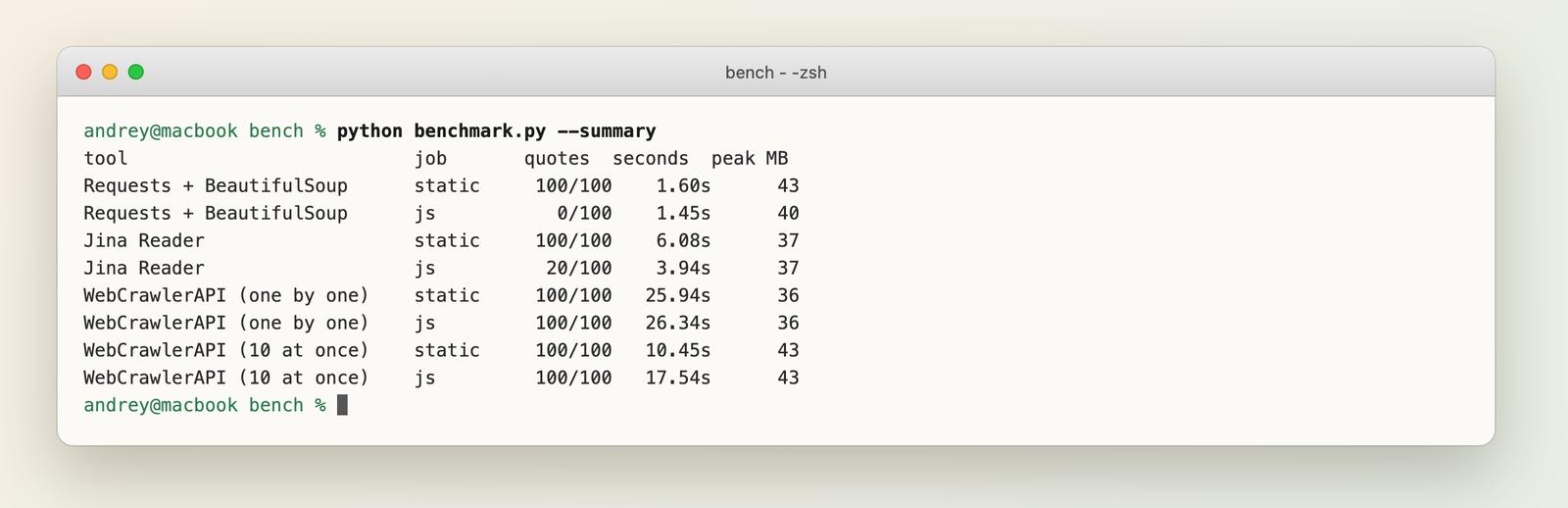
What the numbers say:
- Plain HTTP finds 0 of 100 on the JavaScript version. The page is empty until the script runs, which is why APIs with a browser exist.
- WebCrawlerAPI found 100/100 on both versions, one by one in about 26 seconds for 10 pages, roughly 2.6 s per page. Sending 10 at once was faster, but not stable: static runs took 23, 10 and 6 seconds, JavaScript runs 18, 6 and 22. I do not have a proven cause. Our rate limits allow 5 parallel threads per account, so sending 10 at once means some requests wait for a free thread, and that queueing is my guess.
- Jina Reader found 100/100 on the static pages but only 20/100 on the JavaScript ones, with default settings and no key. In the tools post, run on October 17, it found 80/100. Same code, different result a day later, so treat its JavaScript row as unstable.
15 mixed URLs through one API
Test B sent 15 public pages through POST /v2/scrape, one request each, with Markdown output: 5 static docs and article pages, 5 JavaScript pages from the same test site, 3 long Wikipedia articles and 2 pages with heavy navigation. For each I checked the status, the time, the length, and whether hand-picked text from the page appears in the Markdown. Cost: 15 pages at $0.002 is $0.03.
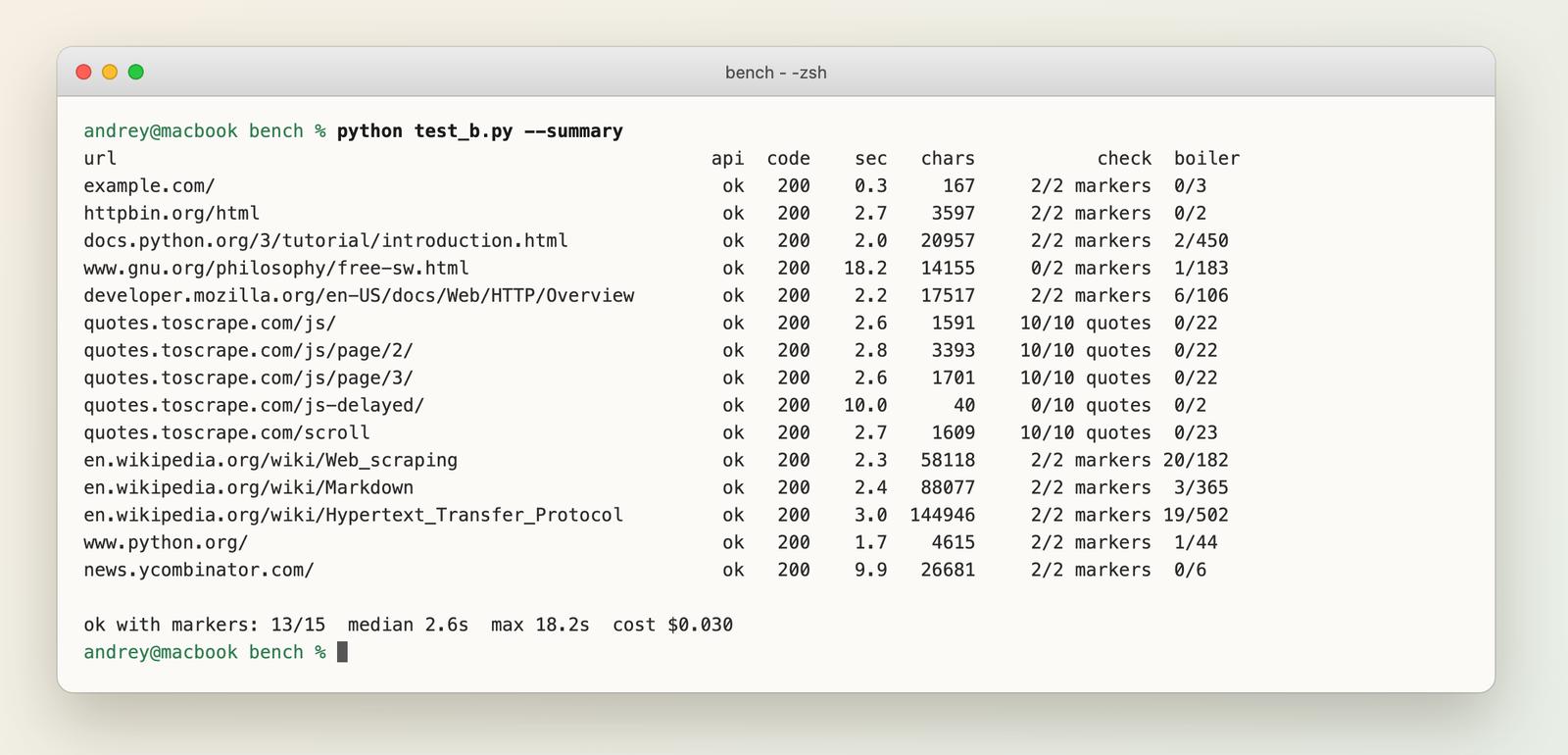
The result: all 15 requests returned status 200, 13 of 15 had the expected text, median time 2.6 s, slowest 18.2 s. The two misses are real:
- quotes.toscrape.com/js-delayed/ returned only the page title and a login link (40 characters, 0 of 10 quotes). This page draws its content 10 seconds after load, and the scrape did not wait that long. If your pages load late, test it.
- gnu.org returned the Chinese version of the page, not the English one. The content was complete, but in another language than the URL suggests.
After the first run I corrected four of my own text markers, because they did not match the exact wording or the Markdown formatting of the page. That moved the count from 9 to 13 of 15. The two misses above stayed. The saved outputs are next to the post.
This is one vendor, friendly public pages, no anti-bot sites. It is not a competitive test.
Cost per 1,000 Pages
Pricing models differ, so the comparison needs one unit. The formulas:
- Per request or per page: the rate itself (WebCrawlerAPI, Bright Data, Oxylabs, Decodo).
- Credits: plan price divided by plan credits, times 1,000, times the credits per page (Firecrawl, ScrapingBee, ScraperAPI, Scrapingdog, ZenRows). Example: ScrapingBee Hobby is $19 for 75,000 credits, so $0.253 per 1,000 credits. A default rendered page is 5 credits: $1.27 per 1,000 pages.
- Tiered: a range, because the site decides the tier (Zyte).
I used each vendor's entry plan, with one exception: Firecrawl is on its Standard plan ($0.83 per 1,000 credits), because its entry Hobby plan ($16 per month for 5,000 credits) works out to $3.20 per 1,000. On Hobby, Firecrawl would be dearer than WebCrawlerAPI. Larger plans are cheaper.
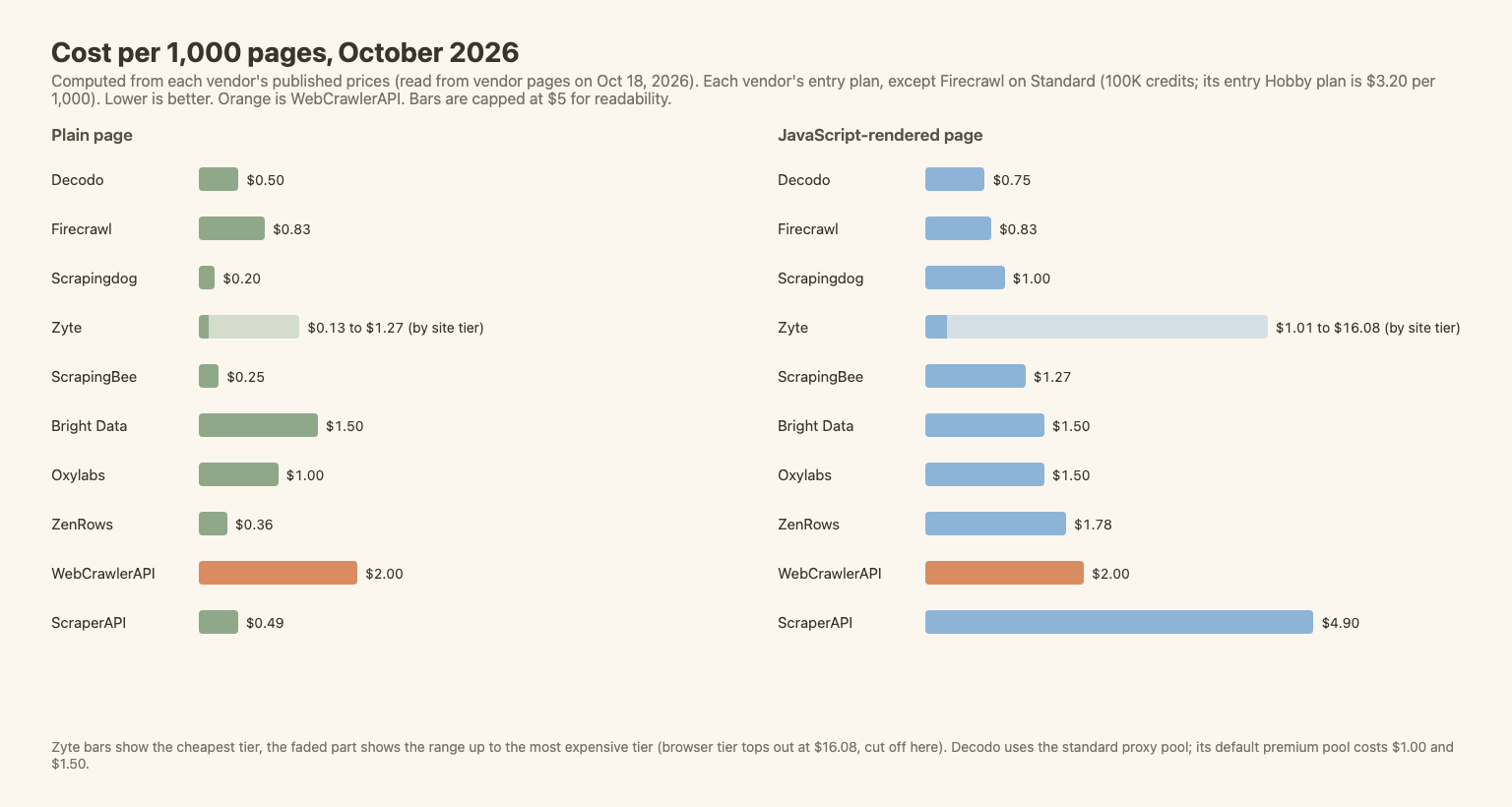
| API | Plain page, per 1,000 | JavaScript page, per 1,000 | Basis |
|---|---|---|---|
| Scrapingdog | $0.20 | $1.00 | LITE, 200K credits |
| ScrapingBee | $0.25 | $1.27 | Hobby, 75K credits |
| ZenRows | $0.36 | $1.78 | Build, 45K credits |
| ScraperAPI | $0.49 | $4.90 | Hobby, 100K credits |
| Decodo | $0.50 | $0.75 | Standard proxy pool. Premium (default): $1.00 / $1.50 |
| Firecrawl | $0.83 | $0.83 | Standard plan (entry Hobby is $16/mo for 5,000 credits = $3.20 per 1K), 100K credits, yearly |
| Oxylabs | $1.00 | $1.50 | Custom domain, Starter tier |
| Bright Data | $1.50 | $1.50 | Web Unlocker pay as you go |
| WebCrawlerAPI | $2.00 | $2.00 | Pay as you go. $1.50 on Professional, $1.00 on Business |
| Zyte | $0.13 to $1.27 | $1.01 to $16.08 | Pay as you go, by site tier |
Where this lands:
- On plain pages WebCrawlerAPI has the highest flat price in this table. Credit-based APIs with a 1-credit plain page cost a tenth to a half as much on their listed plans, though Firecrawl's entry Hobby plan is $3.20 per 1,000.
- On JavaScript pages the order changes. Flat pricing means a rendered page costs the same as a plain one. ScraperAPI's 10x surcharge puts it at $4.90.
- Credit APIs are cheap until you need a browser or a premium proxy. After that, the multiplier is your bill.
- Hard sites change everything. These numbers assume pages that load. Protected sites need premium proxies, which is what Bright Data, Oxylabs and Zyte price for.
Not covered: Spider (billed by bandwidth and compute, no single page price) and any custom enterprise deal.
How to Choose
JavaScript-rendered sites
Check three things. Is rendering included or a multiplier (5x, 10x, or none)? Can you wait for a selector or a delay, since some pages load late, as js-delayed showed? And what does a rendered page cost, not a plain one? If most of your pages need a browser, compare the JavaScript column above, not the headline price. More in JavaScript rendering in web crawling.
E-commerce and product pages
Marketplaces are where target-specific endpoints pay off. Oxylabs, Scrapingdog and Decodo list marketplace endpoints with their own rates, and ScraperAPI charges 5 credits per Amazon, Walmart or eBay page. For Amazon at scale, test a vendor's success rate yourself.
AI and knowledge-base pipelines
You need Markdown, main-content cleaning and, often, a whole-site crawl. WebCrawlerAPI, Firecrawl, Decodo and ZenRows all return Markdown. See best web crawler API and a worked example, turn a docs site into a knowledge base.
Protected sites and SERP
Bright Data, Oxylabs and Zyte. This is where WebCrawlerAPI is not the pick.
Scraping API vs crawling API vs no-code tool
- Scraping API: one URL in, one page out. Best when you know the pages.
- Crawling API: a start URL in, every page out. See what is a web crawling API and crawling vs scraping.
- No-code tools (Apify, Octoparse): point and click. See best web scraping tools and Apify alternatives.
Quick Start: Scrape One Page as Markdown
A JavaScript-rendered page through WebCrawlerAPI. Node 18+, key in an environment variable:
// Scrape one JavaScript-rendered page and get Markdown back.
const res = await fetch("https://api.webcrawlerapi.com/v2/scrape", {
  method: "POST",
  headers: {
    Authorization: `Bearer ${process.env.WEBCRAWLER_API_KEY}`,
    "Content-Type": "application/json",
  },
  body: JSON.stringify({
    url: "https://quotes.toscrape.com/js/",
    output_formats: ["markdown"],
  }),
});

const data = await res.json();
console.log(res.status, data.success, data.page_status_code);
console.log(data.markdown.slice(0, 400));
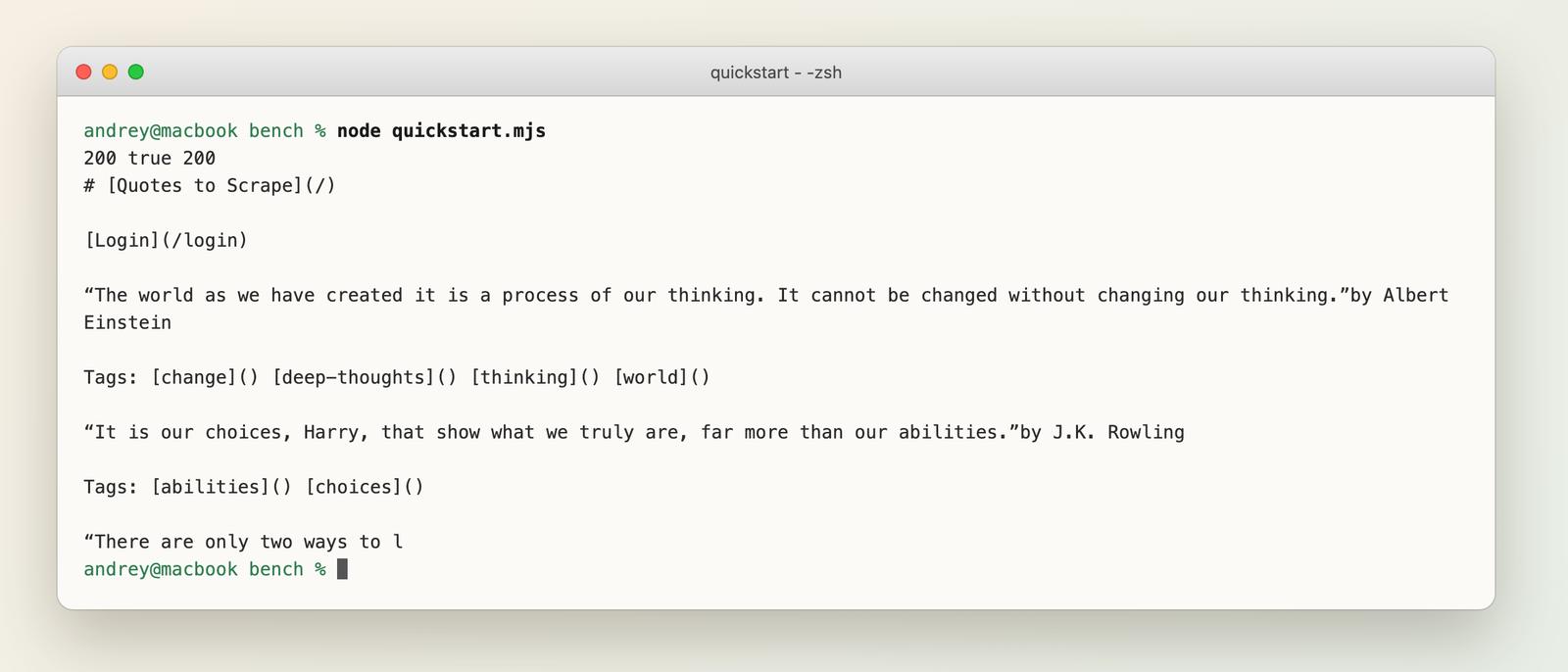
The same page through the Python SDK (pip install webcrawlerapi) found all 10 quotes:
import os
from webcrawlerapi import WebCrawlerAPI

client = WebCrawlerAPI(api_key=os.environ["WEBCRAWLER_API_KEY"])
page = client.scrape(url="https://quotes.toscrape.com/js/", output_formats=["markdown"])
print("quotes found:", page.markdown.count("Tags:"))  # 10
More in the scrape API docs.
FAQ
What is the best web scraping API?
There is no single best one. See the picker table above.
Which web scraping API is best for AI and LLM apps?
Look for Markdown output, main-content cleaning and whole-site crawling. Our benchmark compares output quality. See HTML vs Markdown for the format trade-offs.
What is the cheapest web scraping API?
For plain pages, Scrapingdog ($0.20 per 1,000 on its LITE plan). For JavaScript pages, Decodo with the standard proxy pool ($0.75). Always compare the cost of 1,000 pages of your own type, not the headline rate.
Is there a free web scraping API?
Several have free tiers, all for testing: Firecrawl (1,000 pages a month), ZenRows (5,000 credits), Decodo (10K pages), Bright Data (5K requests), ScrapingBee (1,000 credits), Scrapingdog (100 credits), and trials from ScraperAPI, Zyte and Oxylabs. For open-source options, see open source web crawlers.
Can web scraping APIs handle JavaScript pages?
Yes, all ten can, but most charge more for it (1.5x to 10x). One of our test pages that loads content 10 seconds late returned nothing, so check wait options too. See JavaScript rendering.
Are web scraping APIs legal?
Scraping public data is generally allowed, but terms of service, personal data and robots.txt matter. Read is web scraping legal and ask a lawyer about your case.
Try It
Start with the web scraping API page and the docs, and test it on your own 50 URLs next to one or two others from this list. If you also need screenshots, see the screenshot APIs comparison. New to scraping? Start with how to scrape data from a website, or see what screen scraping is.
Want an LLM to pull fields out of a page? See AI web scraping for measured token costs.
