
What is an AI Crawl Agent?
A regular web crawler follows links and collects pages based on rules you set. An AI crawl agent does the same thing, but it uses a language model to decide which links to follow, what to extract, and when to stop.
I've been building crawlers for years, and for most of that time, rule-based crawling was enough. You define patterns, set limits, and the crawler does its job. But more and more I see tasks where rules just don't cut it. You want to crawl 50 different websites with one instruction, or you need to find something on a site you've never seen before. That's where an AI crawl agent earns its place.
Quick background: crawling and scraping
If you already know how web crawling works, skip this part.
Crawling is discovering pages by following links. You start at one URL and your crawler walks the site, page by page, collecting content along the way.
Scraping is extracting specific data from pages. Prices, emails, product specs, whatever you need from the HTML.
Both are rule-based. You tell them exactly what to do: which URLs to visit, what selectors to use, how deep to go. The crawler doesn't "understand" what it's looking at. It follows instructions.
This works well for a lot of use cases. But it has a ceiling.
Where traditional crawling breaks down
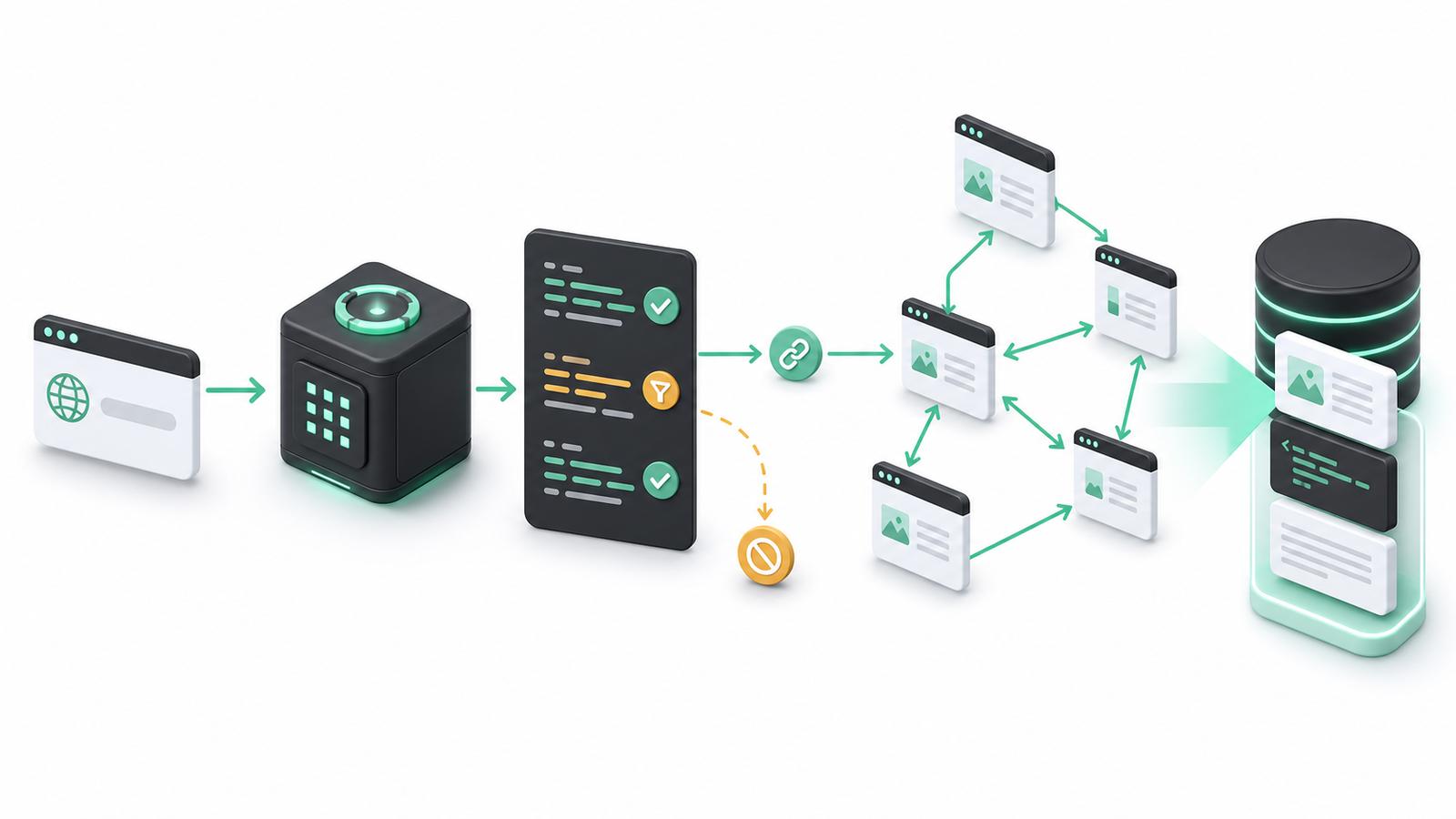
A regular crawler is great when you know the site structure. You set your seed URLs, depth limits, URL patterns. The crawler follows links that match your rules and ignores everything else.
The problem shows up when your task needs judgment.
Say you want to "crawl all pricing pages" across 20 SaaS websites. Sounds simple. But pricing lives at /pricing on one site, /plans on another, /get-started on a third, and buried inside /product/enterprise on a fourth. No URL pattern catches all of them.
Or you want to "get the documentation" from a competitor site. Docs might be at /docs, /help, /support/articles, or split across a subdomain. Every site is different.
A few more examples where rules stop working:
- Finding contact info: it's on the about page, the team page, the footer, a contact form, sometimes all of them
- Collecting case studies: some sites put them under /customers, some under /resources, some sprinkle them across blog posts
- Research tasks: "find everything this company says about their API rate limits" - try writing a URL pattern for that
You can handle each site individually. Write custom rules, test, adjust, repeat. I've done this. It doesn't scale when you have 50 targets and each one is structured differently.
What makes an AI crawl agent different
An AI crawl agent replaces URL matching rules with a language model that reads each page and decides what to do next.
Instead of "follow all links matching /docs/*", you say "find the API documentation on this site." The agent reads the page, looks at available links, and picks the ones most likely to lead to what you asked for.
The basic loop looks like this:
- Agent loads a page
- LLM reads page content and the list of available links
- LLM decides which links are relevant to the goal
- Agent follows those links
- Repeat until the goal is satisfied (or budget runs out)
You describe what you want, not how to get it.
With a regular crawler, your input is technical: URL patterns, CSS selectors, depth limits. With an AI crawl agent, your input is a goal: "find the pricing page" or "collect all blog posts about security."
The agent figures out the navigation path on its own.
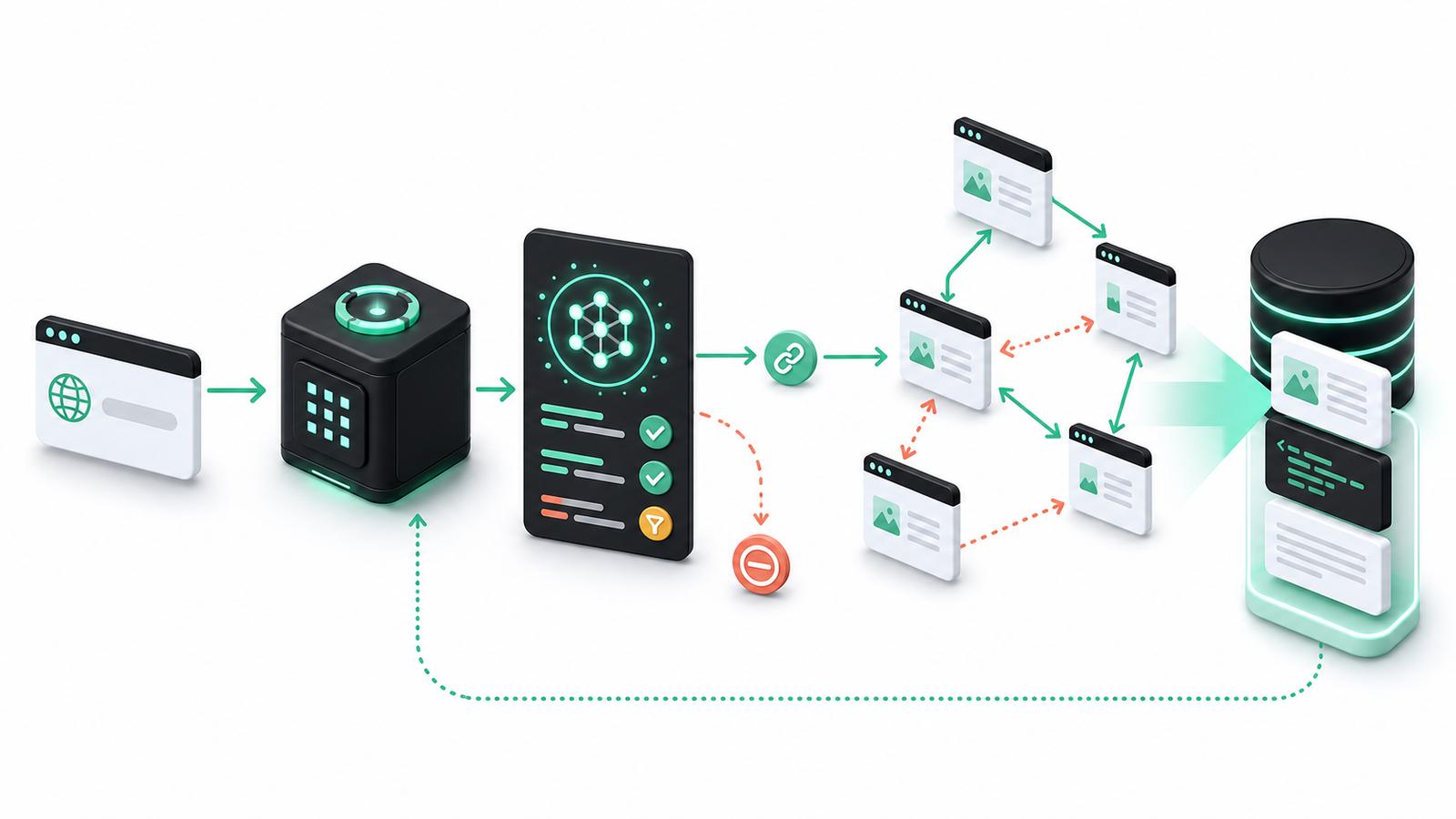
This also means the agent can stop when it's done. A regular crawler keeps going until it hits its depth limit or runs out of matching URLs. An AI crawl agent can recognize "I found what was asked for" and stop early. That saves time and money.
AI crawl agent vs regular crawler
| Regular crawler | AI crawl agent | |
|---|---|---|
| Navigation | Rule-based (URL patterns, depth) | LLM decides per page |
| Input | URLs, patterns, filters, selectors | Natural language goal |
| Adaptability | Breaks when site structure changes | Adapts automatically |
| Cost per page | Cheap (no LLM calls) | More expensive (LLM call per page) |
| Speed | Fast (parallel, no inference wait) | Slower (sequential decisions) |
| Best for | Known structures, bulk crawling | Unknown structures, exploratory tasks |
| Setup time | Higher (rules per site) | Lower (one goal for many sites) |
If you know the site structure and need to crawl 10,000 pages, use a regular crawler. Faster, cheaper, more predictable.
If you don't know the structure, or you need one instruction to work across many different sites, an AI web crawler is the better tool.
When you actually need an AI crawl agent
Most crawling tasks don't need AI. Here's when an AI crawl agent genuinely helps:
The site structure is unknown or varies across targets. You have 50 company websites and you need the same data from each. URL patterns are different on every one. Writing custom rules for each site is not realistic.
The task is "find X" and X could be anywhere. "Find their return policy." "Get the founder's bio." "Locate the API changelog." These aren't at predictable URLs.
You need to crawl many different sites with one instruction. Lead enrichment, competitive research, market analysis. Same question, different site structures. One AI web crawler prompt handles all of them.
You're building an AI assistant that needs to browse. If your product has an agent that researches topics on the web, it needs to navigate sites it's never seen before. Rules can't cover that.
When not to use it
If you're crawling the same e-commerce site every day for product prices, a regular crawler with CSS selectors is cheaper and more reliable. Known structure, high volume, done.
Every page an AI crawl agent visits costs an LLM call. At 10,000+ pages, that adds up. If you can solve it with URL patterns, do that instead.
AI web crawlers are sequential by nature (each page decision depends on the previous one). Regular crawlers can fire off dozens of requests in parallel. If speed matters, skip the AI.
And if the job is "get all pages under /blog/", you don't need a language model. A depth limit and a path filter does the job fine.
How AI crawl agents work under the hood
The agent combines a regular crawler's page-fetching ability with an LLM's ability to read and reason about content. Here's what happens step by step.
First, the agent fetches a page the same way any crawler does: HTTP request, parse HTML, extract text and links. Nothing special here.
Then the LLM receives the cleaned page content, a list of available links (with their anchor text), and the crawl objective. The prompt is something like: "Your goal is to find the pricing page. Here's the current page content. Here are the links. Which ones should we follow?"
The LLM responds with which links to follow, what data to extract from the current page (if any), and whether the goal has been met. The agent acts on that, follows the recommended links, stores extracted data, and repeats.
Memory matters here. A good AI crawl agent tracks what it already visited and what it found so far. Without memory, the agent loops back to pages it already saw or re-extracts data it already has. The visited-pages list and accumulated findings get passed to the LLM each turn so it can make informed decisions.
Some agents also re-plan mid-crawl. If the agent expected pricing info on /products but found a product catalog instead, it can shift approach and look for pricing links from there. This is one of the real advantages over rule-based crawling: the agent recovers from wrong assumptions.
One constraint worth knowing: LLMs have context windows. A page with 50,000 words won't fit in a single prompt. So the agent summarizes or truncates page content before sending it. This means relevant links at the bottom of a long page might get cut off. The agent makes decisions on incomplete information sometimes, and there's no way around it.
Real-world use cases
Here are scenarios where I see an AI crawl agent doing something a regular crawler can't do without heavy per-site customization:
"Find all case studies on this company's website." Case studies might be under /customers, /resources, /case-studies, or mixed into the blog. The agent reads page titles and link text to navigate there. No URL rules needed.
"Get pricing and feature list from these 30 SaaS sites." Each site structures pricing differently. Some have a single /pricing page. Others spread features across multiple pages. An AI web crawler handles all of them with one instruction.
"Find the decision-maker's contact info from this company site." The agent checks team page, about page, leadership section, LinkedIn links. It stops when it finds what it's looking for.
"Crawl this documentation site and extract all API endpoints." Docs are structured differently everywhere. Swagger/OpenAPI pages, markdown docs, API reference sections, all need different navigation strategies.
"Check if this company launched any new products this quarter." The agent navigates to news, blog, and product pages, reads recent content, and reports what it finds.
Limitations and tradeoffs
I want to be honest about the costs here, because AI crawl agents aren't always the right answer.
Cost is the big one. Every page the agent visits triggers an LLM call. Depending on the model and page size, that's $0.01-0.10+ per page. For 100 pages, that's $1-10. For 10,000 pages, that's $100-1,000. A regular crawler does the same 10,000 pages for pennies. That math matters.
Speed is the other tradeoff. The agent makes decisions sequentially. Load page, send to LLM, wait for response, follow next link. Each page takes seconds instead of milliseconds. You can't parallelize navigation decisions because each one depends on the previous.
LLMs also make wrong decisions sometimes. The model might skip a relevant link because the anchor text didn't seem important. Or it might follow a dead-end path and waste budget on irrelevant pages. Regular crawlers are deterministic: same rules, same results every time. AI crawl agents aren't, and that can bite you.
And token limits are real. Large pages get truncated before going to the LLM. Links or content at the bottom of a long page might be cut off entirely.
These aren't reasons to avoid AI crawl agents. They're reasons to use them for the right problems. When the alternative is writing custom rules for 50 different sites, the cost and speed tradeoff is often worth it.
WebCrawlerAPI's AI agent
If you want to try an AI crawl agent without building the LLM integration yourself, WebCrawlerAPI has an AI agent mode.
You give it a URL and a natural language objective. The agent navigates the site, decides which pages are relevant, and returns results. Same API, same output formats (markdown, HTML, cleaned text), but with LLM-powered navigation instead of rule-based crawling.
It's useful when you need agent behavior but don't want to manage prompts, LLM costs, and navigation logic in your own code.
Wrapping up
An AI crawl agent is a crawler that uses an LLM to decide what to visit and when to stop. It's best when you don't know the site structure in advance, or when one instruction needs to work across many different sites.
For known structures and high-volume crawling, regular crawlers still win on cost and speed. For everything else, an AI web crawler gives you flexibility that rules can't match.
