I (Andrew, the founder of WebCrawlerAPI) recently talked with Alex (the founder of AI Flow Chat) about what AI Flow Chat is and how they are using WebCrawlerAPI in their flows.
AI Flow Chat
AI Flow Chat is an automation tool that helps you chain multiple AI prompts together to create complex workflows.
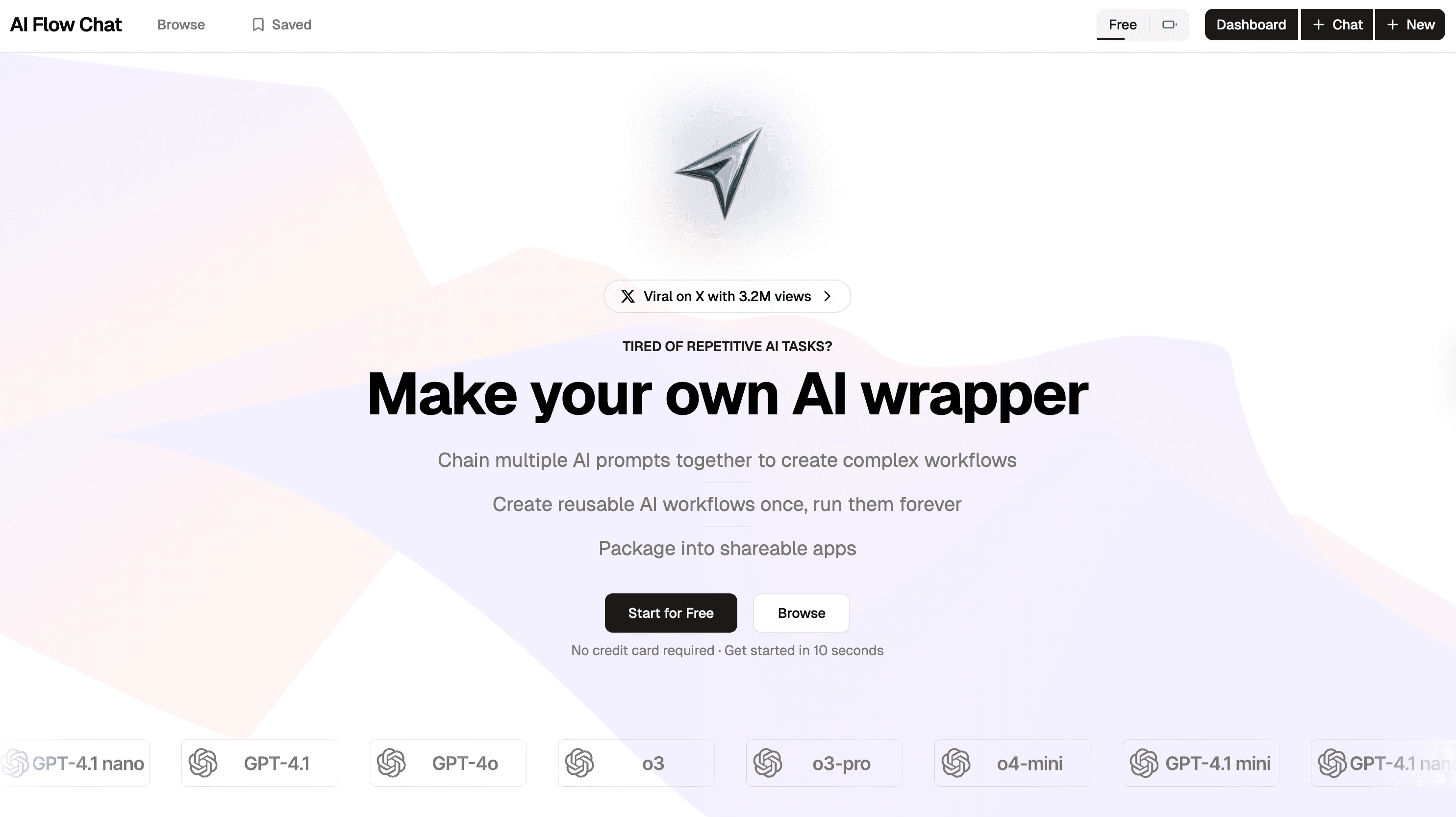
You can set up these flows using their visual drag-and-drop builder, which makes it really intuitive to use.
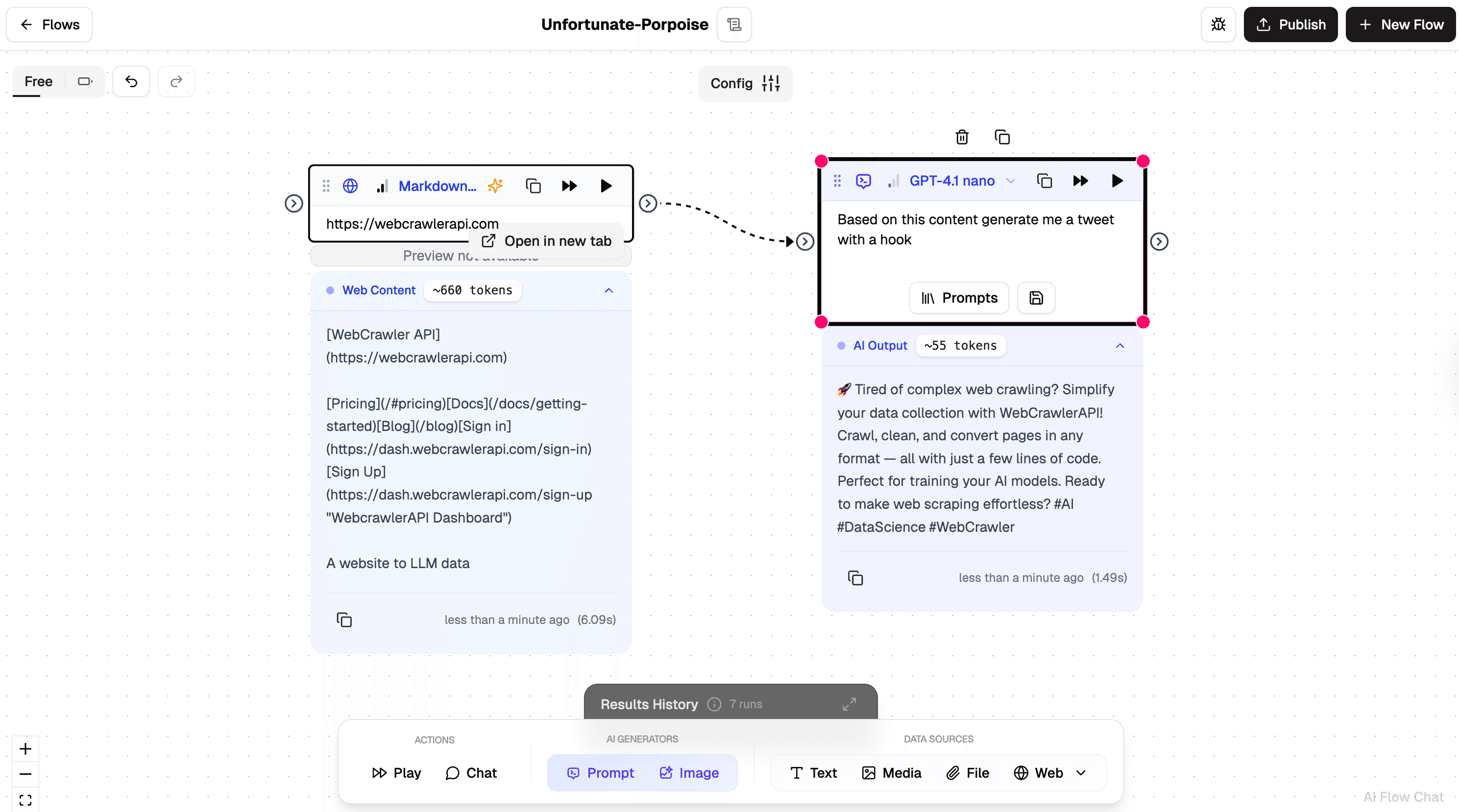
Here's an example: let's say you want to create a social media post based on a webpage. Instead of manually doing this every time, you can build a chain of prompts that does it automatically. You just change the input - the webpage URL - and the flow handles the rest.
This is where WebCrawlerAPI helps. You can simply add it as a component in your flow and use it as a data source. It grabs the webpage content and feeds it into your AI prompts, giving them the context they need to create much better, more relevant content.
Real-world example: Content Rewriting Flow
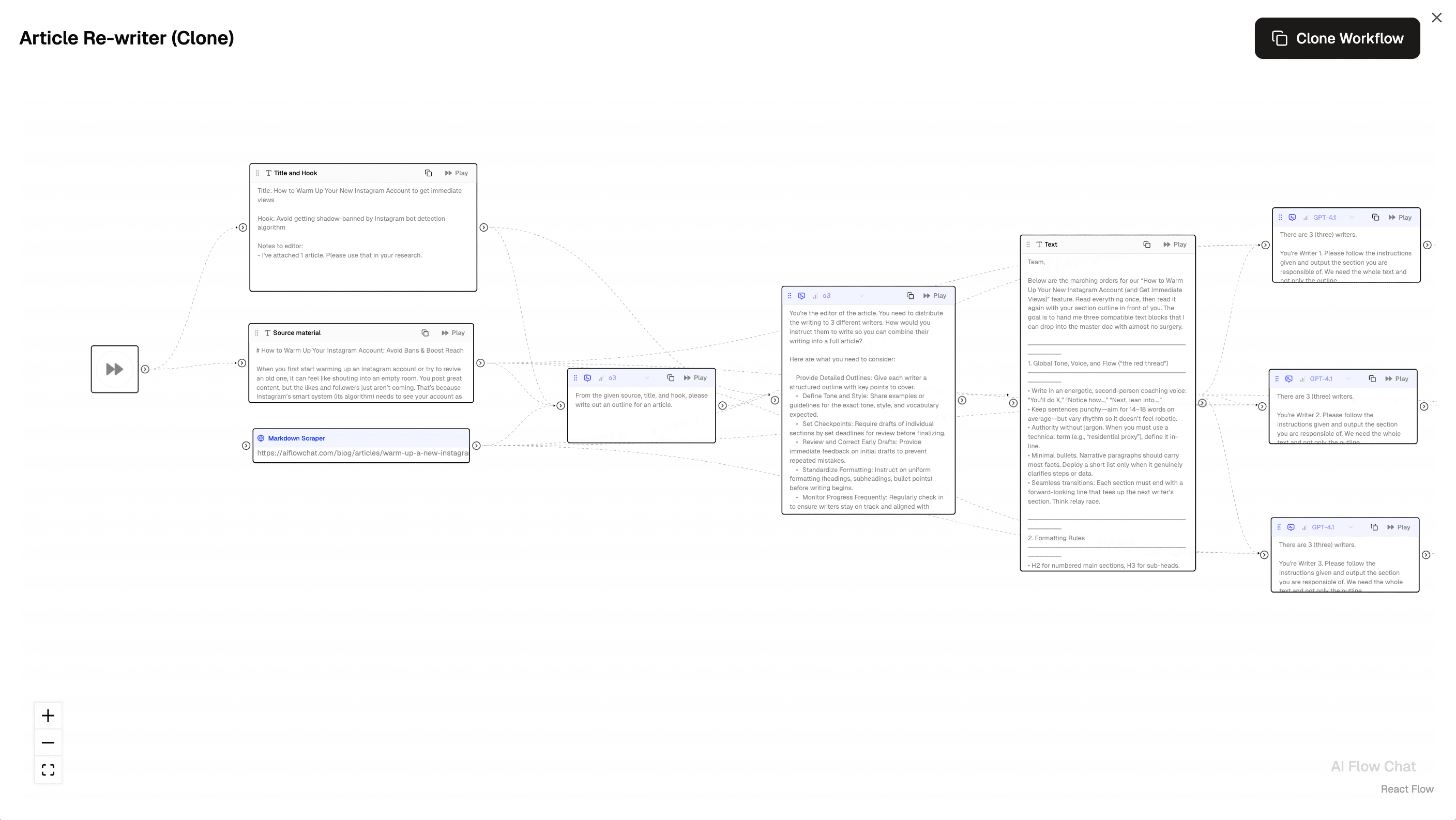
Here's another practical example: content rewriting workflows. This flow helps you transform existing web content into fresh articles with specific hooks and titles.
The process flows naturally from input to output. You start by providing a webpage URL to any article or content you want to rewrite. WebCrawlerAPI automatically crawls the page and extracts the actual webpage content as source material. Then, multiple AI prompts work together to transform the material with your desired angle, tone, and structure, ultimately delivering a completely rewritten article that maintains the original's key information while presenting it in a fresh way.
This type of automated content transformation is powerful for content creators, marketers, and writers who need to repurpose existing material at scale. Instead of manually reading through articles and rewriting them, you can set up this flow once and then simply feed it different URLs to get professionally rewritten content every time.
Why use WebcrawlerAPI instead of building their own scraping?
Building a reliable web scraper from scratch involves handling JavaScript rendering, anti-bot measures, proxy rotation, and compatibility issues across different sites - quickly becoming a full-time engineering challenge. By integrating WebCrawlerAPI, AI Flow Chat can focus entirely on what they do best: creating intuitive AI automation tools while offering reliable webpage data extraction as a seamless component.